

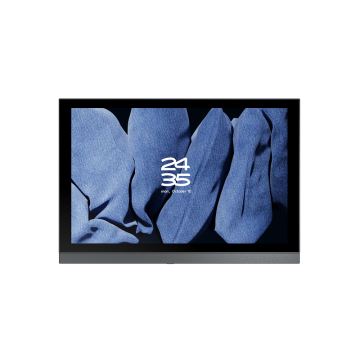


M20 Smart Knob Center Control Screen – China Factory Direct Suppliers for Advanced Home Automation Solutions
M20 Smart Knob Center Control Screen
- Flexible Binding: Support for binding a single device or scene to a knob/button for direct operation.
- Strong Network Performance: Wireless 5G + 2.4G + 10/100M Ethernet for stable connection.
- Special Function: AIS Life album to preserve warm family moments.
- Rich Versions: Smart central control, background music, KNX and PRO versions; the PRO version with 4G memory is compatible with third-party ecosystems.
- M20/M20 Pro Interface: RS485, two-way relay (L1, L2), zero firewire interface (L, N).
- M20-M Interface: RS485, AUX, SPK1, SPK2.
- M200-KNX Interface: KNX, AUX, Two-way Relay (L1, L2), Type-C, SD Card, Ethernet.
Key Features & Advantages
Flexible Binding Function
Single devices or customized scenes can be directly bound to knobs and buttons. When triggering corresponding operations, there’s no need to go through multi-level menus—ensuring precision and efficiency. This greatly simplifies the control process and makes operations more convenient.
Full Network Support
Covers Wireless 5G, 2.4G wireless networks, and 10/100M wired Ethernet. Whether in a complex network environment, it can maintain a stable connection, avoid lagging, and ensure timely response of control commands.
Unique Photo Album Function
Built-in AIS Life album, which can store and display precious family photos. It integrates these beautiful moments into the daily home environment, adds a warm atmosphere to life, and enhances the sense of happiness at home.
Multiple version options
Including smart central control version (meeting IoT control, with built-in dual speakers to meet alarm needs), background music version (focusing on audio playback experience), and KNX version (adapting to engineering scenarios).
Optimize the connection system
The PRO version with 4G large memory provides sufficient operating space for 【IoT platform】 docking. It can realize docking and implementation within one week, helping brands easily complete product and system integration and efficiently optimize the access process.
Child Lock Protection!
Enable the password protection feature in the system settings—it effectively prevents children from randomly modifying device/scene functions or accessing age-inappropriate content on other apps when parents are not around. This design balances smart convenience with family usage safety.