Leave Your Message
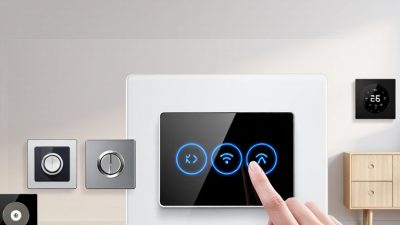
So, a Wi-Fi switch is basically a wall-mounted device that controls your lights or appliances and connects to your wireless network. It’s not like those old-school switches—you can actually send commands to it from your phone, tell your voice assistant to turn things on, or even have it follow a schedule. Usually, these switches talk over Wi-Fi, but some also support Bluetooth or other Smart Home platforms. Pretty cool, right? Imagine just tapping your phone app, and a lamp across the room lights up—no fuss.
Inside, there's a tiny wireless module that picks up signals from your router. Then, a control circuit kicks in to flip the switch on or off. Many of these switches come with extra features—relays, sensors, timers, energy usage monitors—you name it. But, here’s the thing: to install one properly, you’ll often need a neutral wire, the right voltage, and enough space inside your wall box. Honestly, these details matter way more than how shiny the packaging looks. Plus, if your Wi-Fi signal’s weak, or your network's crowded, you might experience delays or flaky responses.
Brands like TP-Link, Leviton, and Lutron usually provide wiring info and compatibility details. That said, their manuals can sometimes be pretty confusing—no shame in that. What works flawlessly in one apartment might act up in an older house. If you’re not comfortable with wiring or if things seem a bit complicated, calling in a professional can be a good idea. In this guide, I’ll explain how Wi-Fi switches work, what parts they use, and where their limitations are. The tech is pretty handy, but let’s not forget—it’s not magic. Your commands still depend on a stable power source, a reliable network, and some careful setup along the way.
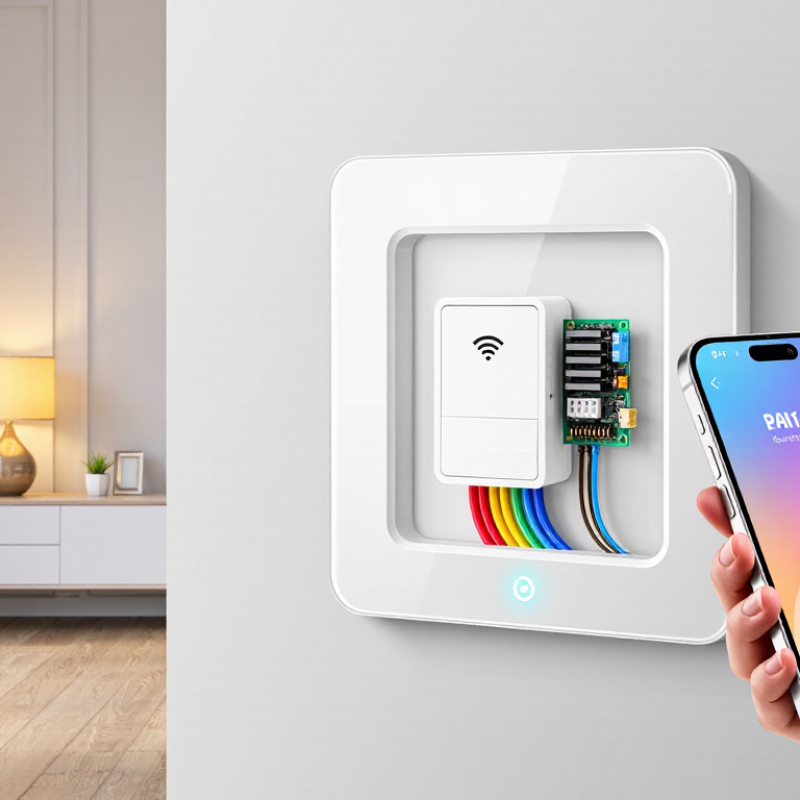
A Wi-Fi switch is an electronic Wall Switch that connects to a wireless network. It lets users control a light or other compatible circuit without touching the switch. A phone, tablet, or automation system sends a command through the network. The switch then opens or closes its internal electrical relay.
The device usually contains a wireless radio, a small control processor, and a relay. When installed correctly, it receives power from the home circuit. Some models need a neutral wire, while others work without one. This detail matters during replacement. In real installations, an old wall box may be too shallow for the new unit. Not every setup fits.
The switch does not create electricity. It only controls the flow already supplied by the circuit. Its wireless connection may use a home router, a direct local network, or another approved method. If the network fails, manual control may still work, depending on the design. Response times can also vary. A weak signal, crowded network, or overloaded control service may cause delays. That small pause feels harmless, but it can become frustrating in daily use. Electrical installation requires careful isolation of power and suitable wiring knowledge. A qualified electrician should check compatibility, load limits, grounding, and local requirements before installation. Personally, I would not treat a Wi-Fi switch as a simple plug-in gadget. The software is convenient, but the wiring remains the serious part.
| Data Dimension | Description | Practical Detail |
|---|---|---|
| Definition | A Wi-Fi switch is a network-connected electrical switch that can control a circuit or appliance through wireless commands. | It can usually be operated from a physical button, a mobile application, a web interface, or an automation system. |
| Primary Function | The device opens or closes an electrical circuit to turn a connected load on or off. | Some models also support dimming, scheduling, energy monitoring, or multi-way control, depending on their design. |
| Wireless Connection | The switch typically connects to a local wireless network using the 2.4 GHz band, although some newer devices may support additional bands. | A 2.4 GHz connection generally provides better range through walls than higher-frequency bands, but it may experience more congestion. |
| Main Internal Components | Common components include a wireless radio, microcontroller, power supply, switching element, button, status indicator, and protective circuitry. | A relay is commonly used for simple on/off control, while an electronic switching component may be used in compact or silent designs. |
| How It Works | A command is sent over the wireless network to the switch. Its controller verifies the command and changes the state of the switching circuit. | The device may then report its updated state to the application or automation platform. |
| Power Requirement | Most permanently installed Wi-Fi switches require a continuous connection to the building's electrical supply. | A neutral conductor is often required, especially when the switch needs standby power while the load is off. Installation requirements vary by model and wiring system. |
| Load Types | Wi-Fi switches may control lighting, fans, outlets, pumps, or other electrical loads within their rated specifications. | The voltage, current, resistive-load rating, motor-load rating, and inrush-current limits must be checked before installation. |
| Local and Remote Control | Local control occurs within the same network or directly through the device. Remote control usually requires communication through an internet-connected service. | A remote command may be unavailable during an internet outage, while a physical switch can continue to work if the device still has power. |
| Automation Features | Typical automation functions include schedules, countdown timers, sunrise and sunset routines, scenes, and sensor-based actions. | Automation behavior depends on whether rules are stored on the device, on the local network, or on an external service. |
| Security Considerations | Security depends on wireless encryption, account protection, software updates, secure setup, and the device's data-handling practices. | Use a strong network password, update firmware when available, disable unnecessary remote access, and place Smart Devices on a separate network when appropriate. |
| Response Time | Switching is generally completed within a short interval after a valid command is received. | Local network control is often more consistent than control that passes through an internet service, because it involves fewer network steps. |
| Installation Requirements | Installation may involve identifying line, load, neutral, and ground conductors and fitting the device into an approved electrical enclosure. | Electrical work should follow local codes and be performed by a qualified professional when required. Power should be disconnected before handling wiring. |
| Advantages | Wi-Fi switches can provide remote access, scheduled control, voice or automation integration, and improved visibility of connected devices. | They can often use an existing wireless network without requiring a separate dedicated hub. |
| Limitations | Performance can be affected by weak wireless coverage, network congestion, power interruptions, incompatible wiring, or service dependence. | A Wi-Fi switch is not automatically compatible with every electrical load, wall box, wireless network, or automation platform. |
| Best Use Cases | Common applications include residential lighting, office equipment, energy-saving schedules, security routines, and remote control of selected appliances. | Choose a model based on electrical ratings, wiring requirements, network coverage, control method, privacy needs, and required automation features. |
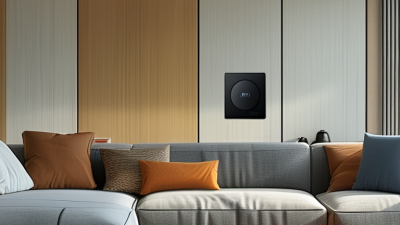
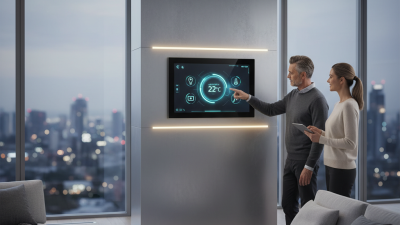
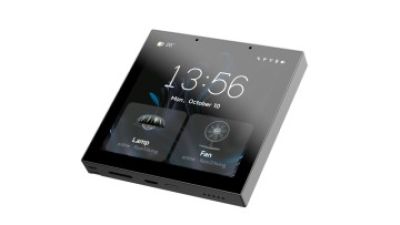
The rapid growth of Smart Homes is reflected in industry research from Statista and IoT Analytics, which points to increasing adoption of connected devices, intelligent controls, and integrated home ecosystems. As households add more sensors, lights, appliances, and security products, demand is shifting toward compact gateways that can connect different devices while remaining simple to install and use. The L9 Mini smart gateway panel is designed for this expanding market, combining centralized control with a familiar wall-switch format.
Built to support more than 100 Zigbee sub-devices, the panel helps users manage lighting, sensors, and other compatible equipment through one connected system. Two integrated relay switches also allow conventional products, such as existing lights, to become part of a smart-home setup without requiring complete replacement. Its standard switch dimensions make it easy to coordinate with other wall panels and interior designs, while Ethernet and Wi-Fi connectivity provide flexible installation options.
Reliability is especially important as smart-home adoption grows. The gateway supports local control, allowing connected devices to continue operating even when the internet connection is temporarily unavailable. This combination of scalability, compatibility, and dependable control makes the L9 Mini a practical solution for apartments, houses, and property projects seeking a smoother path toward intelligent automation. As an experienced Chinese manufacturer, we provide quality-focused production and stable supplier partnerships for residential and commercial applications.
It is an electrical switch connected to a wireless network. You can control lights or appliances using an app, voice command, or schedule.
During setup, place the switch in pairing mode. Enter your Wi-Fi details in the control app. The router then assigns it an IP address.
The 2.4 GHz signal usually travels farther through walls. It may work better across rooms than a shorter-range wireless signal.
Some systems support local control. Commands may still work within the home network. Remote access usually stops when the internet connection fails.
Thick concrete, metal boxes, distant routers, and crowded networks can reduce reliability. The switch may appear powered but still disconnect repeatedly.
No, but many wall-mounted models require one. Older homes may lack a neutral wire inside the wall box.
Check the wiring, electrical rating, load capacity, and bulb compatibility. Never guess which wire is live. Ask a qualified electrician when uncertain.
Wall Switches suit ceiling lights and fixed fixtures. Plug-in switches suit lamps and fans. Dimmers require compatible bulbs and careful load checks.
Keep the switch within dependable router range. Update its firmware and control app. Test manual operation before relying on schedules or voice commands.
It is easy to assume installation is always simple. Cramped wall boxes, missing wires, or incompatible loads can prove otherwise. Small mistakes matter.
A Wi Fi Switch is a smart electrical control device that connects to a wireless network and allows users to operate lights, appliances, or other compatible equipment remotely. After joining a home or office network, it can receive commands through a control application or an automated schedule. Inside, it typically includes a wireless communication module, a control processor, power management parts, and a switching mechanism that manages the flow of electricity. When a command is received, the processor activates or deactivates the switch to control the connected device.
Wi Fi Switches are available in several forms, including wall-mounted switches, plug-in adapters, and modules installed behind existing controls. They can support remote operation, timers, scenes, energy monitoring, and integration with other smart home functions. However, safe installation is essential, especially when working with mains electricity. Users should select devices with suitable voltage and load ratings, follow installation instructions, protect network access with strong credentials, and consult a qualified professional when necessary.