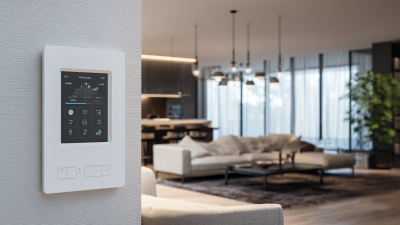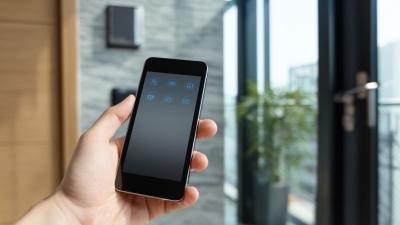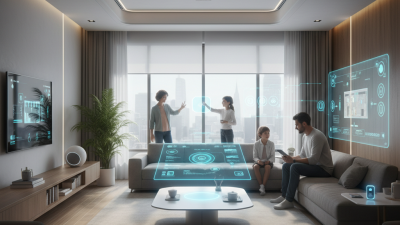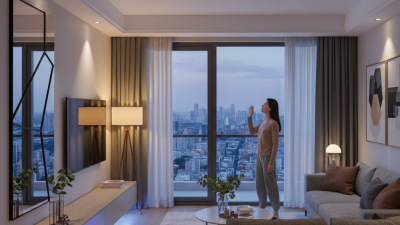
So, what does a smart touch panel actually do? It takes all those scattered Home Controls and brings them into one clear, wall-mounted hub. Think lighting, blinds, climate, security scenes, energy displays. For homeowners, the appeal isn’t just a shiny screen. It’s control that works during breakfast, through a busy evening, and—yep—when the internet decides to quit.
In real installs, little details like screen size, mounting depth, response time, and viewing angle really matter. A 7-inch panel can be fine for a hallway, while a bigger display usually feels better in a kitchen. Connectivity also changes how well it performs. Wi-Fi gives you flexible placement, Ethernet adds stability, and Zigbee or Thread can connect compatible devices with lower power needs. Matter might make cross-platform integration easier, but check compatibility before you buy. It’s not a magic fix.
A professional Smart Home Touch Panel should support clear user permissions, secure updates, and reliable local control. Installers should check wiring, heat management, network coverage, and software support before recommending a model. OEM buyers can request custom logos, colors, interfaces, mounting frames, packaging, and firmware settings. They may also need sample testing, certification documents, and spare parts for the long haul. Small details add up.
This guide looks at the main features, connection methods, and OEM options for modern touch panels. It also covers practical downsides—glare, software learning curves, and being locked into a proprietary ecosystem. No panel fits every project. The strongest choice balances usability, security, integration, and service support. And yes, testing is still essential.
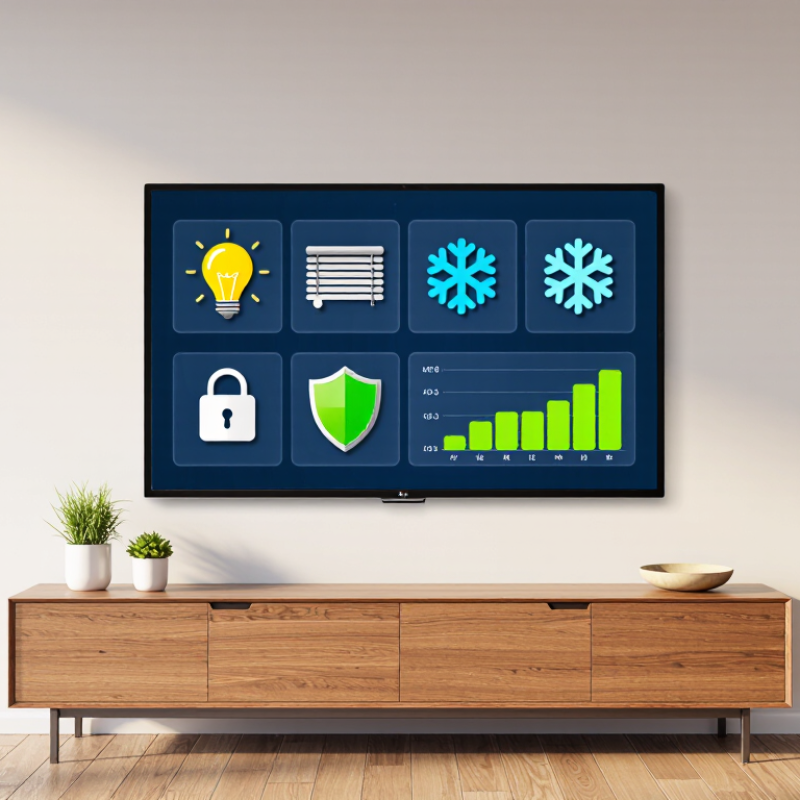
A smart touch panel for Home Automation is a wall-mounted control device with a touch-sensitive display, processing unit, and communication interfaces. It lets residents operate lighting, shades, climate control, security sensors, and entertainment from one location. Unlike a basicTouch Switch, it can display room status and trigger several actions with one tap.
Most panels use capacitive touch technology, similar to a smartphone. A user might tap “Movie” and dim the lights, lower the blinds, and adjust the temperature. The panel may connect through wired networks, wireless protocols, or both. Reliable installations also support local control, so essential functions can continue during an internet outage. This detail is often overlooked.
A practical panel should offer clear icons, readable text, adjustable brightness, and responsive touch performance. It should also fit the wall box and match the home’s wiring plan. OEM buyers may request custom screens, housing materials, logos, or software interfaces. However, more features do not always improve usability. A crowded interface can confuse guests, especially at night. The best design usually leaves space for simple choices. Personally, I would test wet fingers, bright sunlight, and repeated taps before approving production. Small failures matter.
Common connectivity standards used in Smart Home Control Panels, compared by their nominal maximum physical-layer data rate.
Wi-Fi and Ethernet provide higher bandwidth for dashboards, firmware updates and video-related functions, while Zigbee, Thread and Bluetooth Low Energy are designed for low-power devices and control messages. Actual performance depends on hardware, distance, interference, network configuration and implementation. OEM panels can typically be customized with display size, enclosure design, operating system, touch technology, wireless modules and software interfaces.
A smart touch panel should make Home Control feel obvious, not technical.
In real installations, users often look for lighting, climate, and security controls first. A clean home screen should display these functions immediately. Large icons help users with different levels of technical confidence. Clear labels matter more than decorative graphics.
Responsive feedback builds trust. A light icon should change within a moment after tapping. Climate controls should show the current temperature and target temperature separately. Avoid crowded menus. One useful detail is a physical or on-screen home button. It gives users a reliable escape route when navigation becomes confusing. I have found that small delays can create doubt, even when the system works correctly. This deserves careful testing.
Tips: Use consistent icon shapes and spacing. Keep important controls within easy reach. Test the interface at different viewing angles and brightness levels. Include adjustable text sizes where possible. Provide visual and sound feedback, but never depend on sound alone. OEM development should allow interface colors, language settings, and room layouts to change without weakening usability. A beautiful interface can still fail. Real household testing may reveal habits that designers missed.
A smart touch panel depends on reliable communication, not only a bright display. In field installations, Wi-Fi handles cloud services, firmware updates, and mobile integration. Ethernet offers steadier performance when walls weaken wireless signals. It also reduces delays in larger homes.
Zigbee and Thread support low-power sensors, switches, and locks through mesh networks. Their short messages suit battery devices placed across several rooms. Bluetooth works well for commissioning and nearby accessories. For an Android Smart Home Control Panel , compatibility with Matter can simplify communication between different device types. However, shared standards do not remove every setup problem. Firmware versions, network isolation, and weak routers still cause failures.
Professional designs may include RS-485 for long wired runs and local controllers for faster responses. MQTT can carry sensor data efficiently, while HTTPS protects configuration traffic and remote access. Use encrypted connections, strong administrator passwords, and separate guest networks. During OEM development, confirm the processor, screen size, microphone policy, mounting method, and required protocols early. I have seen attractive panels fail because their wireless antenna was hidden behind metal. That mistake is easy to miss. Test through concrete walls, during router restarts, and with several devices active. Real homes are less tidy than test benches.
A smart touch panel becomes useful when it connects household devices through one clear interface. It can control lights, climate systems, shades, locks, sensors, and entertainment equipment from a wall-mounted screen. A resident might tap “Away” near the entrance, then check whether windows remain open. That small interaction saves time.
Reliable integration depends on network design. Wi-Fi supports common devices, while Thread can connect low-power sensors across the home. Ethernet offers a stable option for fixed panels. Standards such as Matter can reduce compatibility problems, but they do not solve every setup challenge. Installers should confirm device support, firmware requirements, and local control features before installation. Cloud dependence can create delays during an internet outage.
Good panels also manage permissions and automation logic. A child may control room lighting but not door access. A motion sensor can turn on hallway lights at night, using a gentle brightness level. Local processing may improve response time and privacy. Still, integration is not always smooth. Firmware updates can interrupt a carefully tuned scene. Touch controls may respond poorly to wet hands or work gloves. Physical switches remain valuable. Testing each device in real household conditions is more dependable than trusting a specification sheet. The best OEM design leaves room for these practical weaknesses and supports simple maintenance.
Smart Touch Panel for Home Automation: Features, Connectivity and OEM Options
Installation starts with the wall box, not the screen. Check neutral-wire access, circuit load, and Wi-Fi strength before mounting. A loose neutral connection can cause flickering or random reboots. Leave service space behind the panel. It matters during maintenance.
The 2024 State of IoT report from IoT Analytics estimated 18.8 billion connected IoT devices worldwide.
This growth increases the need for stable commissioning. Pair the Zigbee Smart Panel with its gateway before adding lights, sensors, and scenes. Name rooms clearly, then test each command from the panel. For OEM projects, confirm firmware update paths, language support, and local control before deployment. Cloud-only functions may fail during an internet outage. That limitation deserves honest planning.
Daily operation should feel simple. A hallway panel can show temperature, lighting status, and one-tap scenes. Keep essential controls within two touches. Configure nighttime brightness below bedroom level. Review automation logs weekly. They can reveal a sensor that triggers at 3 a.m.
I still recommend keeping one physical switch for critical lighting. A fully touch-based setup can feel elegant, but it may frustrate guests or older users.
Tips:
Photograph the wiring before installation. Test Zigbee range with doors closed. Use short, meaningful scene names. Update firmware during quiet hours. Recheck permissions after every configuration change. Mistakes happen. Record them.
OEM customization is reshaping the Smart Control Panel market.
IDC’s Worldwide Quarterly Smart Home Device Tracker projected global smart-home device shipments would reach about 892 million units in 2024. That scale increases demand for panels that match local homes, installers, and user habits.
Customization starts with the enclosure. An OEM can select glass color, frame material, screen size, button layout, and logo placement. A white panel may suit a bright apartment. A dark aluminum frame may fit a hotel corridor. Branding should remain subtle and durable, with laser marking or under-glass printing. The interface also needs language, icon, and accessibility options. Small details matter.
Connectivity requires practical engineering. Wi-Fi, Ethernet, Bluetooth, and wired bus support can be combined according to project needs. The Connectivity Standards Alliance reported growing adoption of interoperable smart-home specifications, including Matter, across device categories. OEM teams should still test routers, gateways, and recovery behavior before mass production. Laboratory success is not enough.
Manufacturing choices affect reliability and cost. PCBA assembly, optical bonding, thermal testing, and aging tests should be defined before tooling. A pilot batch can expose weak adhesive, uneven brightness, or confusing icons. That is useful feedback. No design is perfect at the first review. Suppliers should provide traceability records, firmware control, and documented quality checks. Lead times, minimum order quantities, and spare-part planning deserve equal attention. A cheaper panel can become expensive after installation problems.
It is a wall-mounted screen for controlling lights, shades, climate, sensors, and entertainment. One tap can trigger several actions.
Most panels use capacitive touch technology, similar to a smartphone. They connect through wired networks, wireless connections, or both.
A “Movie” scene might dim lights, lower blinds, and adjust the temperature. It saves time, though scenes need careful testing.
A reliable installation should support local control. Basic functions can then continue during an internet outage.
It can connect with lights, climate systems, shades, locks, sensors, and entertainment equipment. Compatibility must be checked before installation.
Clear icons, readable text, adjustable brightness, and quick touch response matter. A crowded screen can confuse guests at night.
Yes. A child might control room lights but not door access. Permission settings should be simple and regularly reviewed.
Test wet fingers, bright sunlight, repeated taps, and real household devices. Specifications alone are not enough.
Yes. Physical controls remain helpful when hands are wet or the panel has a fault. This point is easy to overlook.
They can request custom screens, housing materials, logos, or software interfaces. However, adding features may reduce clarity and increase maintenance.
A Smart Touch Panel for Home Automation is a centralized interface that allows users to monitor and control lighting, climate, security, entertainment, and other connected devices from one convenient screen. Its value depends on a clear user interface, responsive touch controls, customizable scenes, scheduling functions, and accessibility features that make daily operation simple for different users. Reliable connectivity is also essential, with support for suitable wired and wireless communication protocols to exchange data with sensors, controllers, appliances, and home networks.
The article explains how a Smart Touch Panel can integrate with broader smart home systems, coordinate multiple devices, and simplify routines through centralized configuration. It also covers installation considerations, network setup, user permissions, software updates, and practical daily use. For manufacturers and solution providers, OEM options may include enclosure design, screen size, interface layout, firmware functions, logo placement, packaging, and production volume. These choices allow the panel to be adapted for different residential projects while maintaining consistent quality, usability, and long-term support.