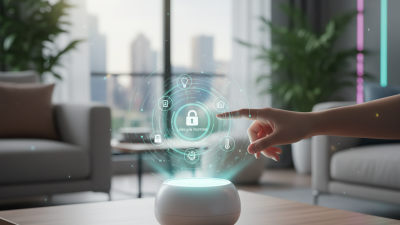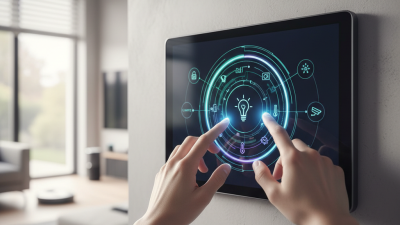
Commercial buildings rarely go all-out and waste energy through some big, glaring failure. Usually, the problem starts with smaller stuff—like a conference room sitting empty, a schedule that's a bit off, or a sensor that’s tucked behind a cabinet. This Smart Thermostat Guide: How It Works and What to Look for in Commercial Projects digs into those everyday details. A smart thermostat isn’t just about fancy tech—it's a mix of temperature sensors, occupancy info, scheduling, and network controls. It can fine-tune heating and cooling way better than a simple wall unit. But, just because something’s labeled “smart” doesn’t automatically mean it’s energy-efficient or perfect for your building.
Tony Fadell, the guy behind Nest and a former Apple exec, has said, “The thermostat is the most important device in your home.” When it comes to commercial buildings, though, you need to look at the bigger picture. Facility teams should consider whether the HVAC system plays nicely with the new thermostat, what control protocols it uses, cybersecurity risks, how well it’s installed, and whether maintenance access is easy long-term. Sure, a shiny brochure might claim huge savings, but real buildings don’t always behave as perfectly as that. Like, maybe a glass conference room heats up super fast at 2 p.m., or a warehouse needs to keep stable temps right near loading docks.
Choosing the right system isn’t just about specs—it’s about proof. You should check if the thermostat can easily connect with your Building Management System, who owns the data, whether there’s local fallback controls if the network goes down, and how well it senses occupancy. Don’t just take product claims at face value—review commissioning records and see how it actually performs in the real world. Ask questions like, what happens during network outages? Who gets notified if something goes wrong at night?
And those small details really matter. For example, your Smart Lighting System might be sharing occupancy info with your HVAC. But if that integration isn’t tested properly, things can get weird—like lighting schedules confusing cleaning crews or security staff in the evenings. That can lead to discomforts and, honestly, false savings. This guide’s all about being honest about those less-than-ideal conditions, connecting the dots between tech features and what really happens day-to-day. Its goal is to help project owners pick a smart thermostat that’s reliable, keeps everyone comfortable, and actually delivers on those efficiency promises in real commercial settings.
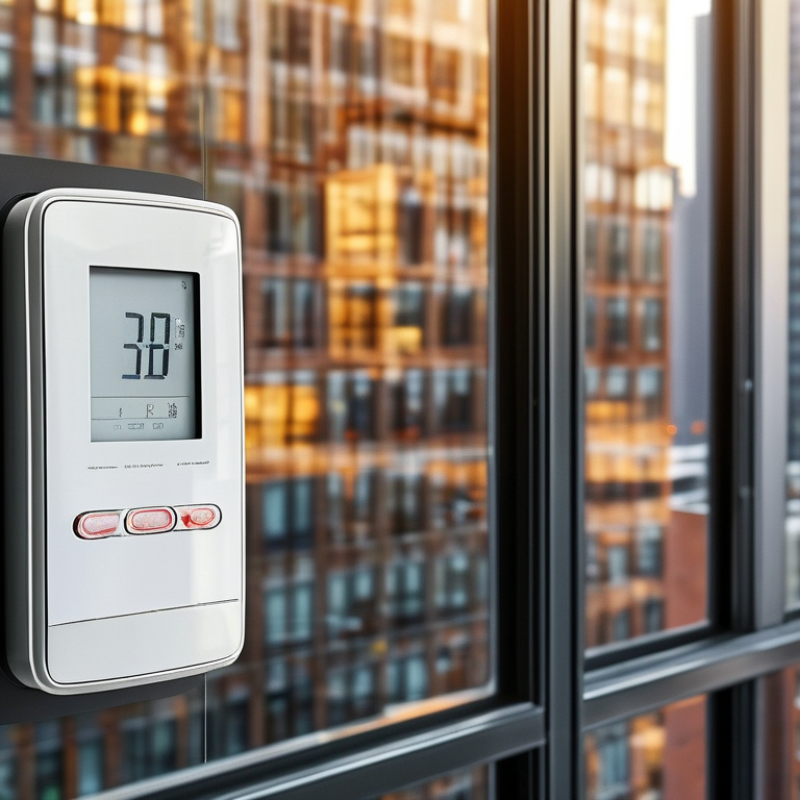
A commercial smart thermostat is a connected control device for heating, cooling, and ventilation. It uses temperature, occupancy, humidity, and scheduling data to adjust indoor conditions. Unlike a basic wall controller, it can communicate with a building automation system and report faults remotely. In a Smart House Control System, several zones may respond differently, such as a sunny lobby cooling less than a shaded meeting room.
The financial case is substantial. The International Energy Agency’s Buildings 2023 report states that buildings consumed about 30% of global final energy in 2022. The U.S. Department of Energy also identifies HVAC as a major commercial energy load, often near 40% of building energy use. A smart thermostat can reduce unnecessary heating before a vacant office opens, then restore comfort before staff arrive. Small timing changes matter.
Look for open communication protocols, local fallback control, accurate sensors, and clear trend data. Cybersecurity and user permissions deserve equal attention. However, smart does not mean efficient automatically. Poor sensor placement near a doorway can trigger false cooling. An installer must test schedules, comfort complaints, and actual energy trends after deployment. That practical review is often missing. Temperature savings should never undermine ventilation, accessibility, or occupant wellbeing.
Smart thermostats sense building conditions through temperature sensors, occupancy inputs, and programmed schedules. A wall-mounted sensor reads nearby air, not every room in the zone. Remote sensors can reveal differences near windows, meeting rooms, or equipment areas. Some systems also monitor humidity and carbon dioxide when compatible devices are installed. Small details matter.
The controller compares measured conditions with selected heating or cooling setpoints. It then signals the HVAC system to start, stop, or adjust operation. Occupancy detection can reduce conditioning in empty spaces, while schedules support predictable business hours. In larger buildings, connected controllers may coordinate several zones and provide alerts when temperatures drift. These responses should be tested under real operating conditions, not only during installation.
During commissioning, technicians should check sensor placement, calibration, wiring, and response time. Direct sunlight, supply-air drafts, and warm equipment can distort readings. A poorly placed sensor may keep an entire office too cold. No sensor is perfect. Facilities teams should compare displayed values with a calibrated reference meter and review trends over several days. Building use also changes, so settings may need adjustment after tenant moves, seasonal transitions, or occupancy changes. Clear records help operators explain unusual readings and correct faults before comfort complaints become recurring maintenance issues.
Commercial heating and cooling management starts with dependable sensing. The IEA’s Buildings 2024 report states that buildings consume about 30% of global final energy. Commercial HVAC controls can therefore influence a significant operating cost. A thermostat should track temperature, humidity, occupancy, and outdoor conditions. One reading is never enough.
Look for scheduling that follows tenant hours, holidays, and seasonal demand. Zone control can prevent an empty conference room from receiving full cooling. Demand-based ventilation adjusts airflow when carbon dioxide levels rise. The U.S. Department of Energy identifies HVAC as one of the largest energy uses in commercial buildings. Small control errors become expensive across hundreds of rooms. Very quickly.
A Smart Home Central Controlapproach can simplify dashboards, but commercial projects need deeper integration. The controller should communicate with Building Automation Systems, meters, alarms, and variable-speed equipment. Open communication protocols improve future serviceability. Secure user permissions and encrypted connections also matter. ASHRAE guidance supports commissioning, calibration, and documented control sequences. Installers should place sensors away from doors, sunlight, and supply-air drafts. Field experience shows that poor placement can distort readings for months. That weakness deserves review. Track energy intensity, comfort complaints, and override frequency after installation. A low purchase price may hide weak analytics, difficult maintenance, or costly integration. Performance should be verified with measured data, not attractive interface screens.
Commercial smart thermostats use schedules, occupancy sensing, remote monitoring, and automatic setpoint adjustments to balance occupant comfort with energy efficiency. This representative weekday profile uses commonly applied commercial temperature settings; actual values should follow local codes, building requirements, and occupant comfort standards.
Commercial thermostat selection starts with the HVAC system, not the touchscreen. Confirm voltage, wiring, heating stages, cooling stages, and heat-pump logic before procurement. A 24-volt controller may still fail when the equipment requires proprietary signaling or separate ventilation control.
Building controls create another compatibility test. Check whether the thermostat supports BACnet/IP, BACnet MS/TP, Modbus, or secure gateway integration. Confirm read-and-write permissions with the Building Management System. A device showing room temperature is not necessarily controlling schedules, alarms, or demand response. The International Energy Agency reported that buildings consume about 30% of global final energy, making control quality commercially significant (IEA, Buildings 2023). Small configuration errors can multiply across hundreds of zones.
Field experience exposes the gaps. A sensor near a sunlit glass wall can trigger unnecessary cooling, even when the occupied area feels comfortable. Occupancy sensors also need tested timeout settings. Too short, and meetings become uncomfortable; too long, and savings disappear. Features such as Alexa Smart Home Automation may improve user access, but commercial projects still require role-based permissions, network isolation, and documented commissioning. The U.S. Department of Energy’s Grid-Interactive Efficient Buildings research links coordinated controls with improved flexibility, though results depend heavily on equipment and operating schedules (DOE, 2021). That caveat matters. A polished interface cannot repair poor sequences, missing trend logs, or incompatible control wiring.
A smart thermostat becomes useful only when installation matches the building’s real operating pattern. During Smart Building Construction, place sensors away from sunlight, supply-air outlets, doors, and heat-producing equipment. A poor location can create false readings and unnecessary heating or cooling. The U.S. Department of Energy notes that buildings account for about 30% of global final energy use, according to its building energy overview. Small control errors can therefore become expensive across large sites.
Configuration should reflect occupancy schedules, zoning, setbacks, and equipment limits. Commission each zone with a calibrated thermometer, not only the thermostat display. Network integration requires documented IP addresses, secure credentials, time synchronization, and clear ownership of alarms. BACnet/IP or Modbus may support communication, but compatibility should be tested before handover. NIST Cybersecurity Framework guidance supports asset inventories, access control, monitoring, and recovery planning. A dashboard alone is not proof of efficiency. I have seen systems report “normal” while a poorly tuned zone stayed uncomfortable.
Tips: Keep control networks segmented from public Wi-Fi. Use encrypted connections and unique accounts. Record every parameter change. Test loss of network, power, and sensor signals. The UNEP Global Status Report for Buildings and Construction reports that buildings and construction contribute roughly 26% of energy-related emissions. That figure makes commissioning more than paperwork. Still, occupancy forecasts can be wrong, and fixed schedules may waste energy. Review trend data after four to eight weeks, then adjust carefully.
| Project Area | Key Dimension | Technical Requirement or Typical Specification | Commercial Project Considerations | Priority |
|---|---|---|---|---|
| Operating Principle | Temperature sensing | The thermostat measures ambient temperature through an internal sensor and compares the reading with the configured heating or cooling setpoint. | Verify sensor placement and account for heat from equipment, direct sunlight, exterior doors, and poorly ventilated wall cavities. | High |
| Operating Principle | Control output | The device switches or modulates HVAC control signals according to the difference between actual temperature and the target setpoint. Common control methods include relay contacts, 0–10 V signals, and communication-based commands. | Confirm that the HVAC controller, fan-coil unit, rooftop unit, heat pump, or building automation system accepts the selected signal type. | High |
| Operating Principle | Control logic | Configurable deadband, minimum compressor off-time, heating and cooling lockouts, fan control, and staged operation help prevent short cycling and simultaneous heating and cooling. | Use project-specific values based on equipment documentation, occupancy patterns, comfort requirements, and local energy standards. | High |
| Installation | Electrical supply | Confirm the required supply voltage and current before installation. Typical commercial controls may use low-voltage AC or DC power, while some systems provide power through a dedicated control bus. | Check transformer capacity, polarity, grounding, overcurrent protection, cable type, and separation from mains-voltage wiring. | High |
| Installation | HVAC compatibility | Document the number and type of required control stages, such as heating, cooling, fan, reversing valve, auxiliary heat, humidification, or dehumidification. | Match the thermostat I/O configuration to the unit wiring diagram. Do not assume that residential terminal labels apply to commercial equipment. | High |
| Installation | Location and mounting | Mount the sensor on an interior wall or approved control panel location, typically away from supply-air discharge, windows, exterior walls, heat sources, and vibration. | For large or variable spaces, consider remote sensors, averaged sensors, or zone-based sensing to reduce local temperature bias. | High |
| Installation | Wiring and labeling | Use the cable type, conductor size, shielding, termination method, and maximum run length specified by the control system or communication protocol. | Label both ends of every conductor, maintain as-built drawings, and test continuity and polarity before energizing the device. | High |
| Configuration | Setpoint limits | Configure minimum and maximum heating and cooling setpoints, occupied and unoccupied temperatures, and user adjustment limits. | Use centralized limits to support energy policy and prevent occupants from selecting inefficient or equipment-damaging temperatures. | High |
| Configuration | Schedules and occupancy | Support time schedules, holiday calendars, temporary overrides, occupancy states, and automatic return to the programmed schedule. | Coordinate schedules with operating hours, cleaning periods, security access, tenant requirements, and after-hours service procedures. | High |
| Configuration | Calibration and accuracy | Check displayed temperature against a calibrated reference instrument under stable conditions. Apply only the offset permitted by the device documentation. | Record the initial reading, reference reading, adjustment value, date, and technician in the commissioning report. | Medium |
| Configuration | Safety and fail-safe behavior | Define behavior during sensor failure, communication loss, power restoration, invalid commands, and loss of connection to a supervisory system. | Confirm whether the system should maintain the last state, enter a safe default, use local control, or generate an alarm for facilities personnel. | High |
| Network Integration | Communication protocol | Identify the supported wired or wireless protocol and required gateway or controller. Common building-control options include IP-based communication, open automation protocols, and dedicated field buses. | Confirm that the protocol is supported by the Building Management System and that required objects, points, commands, and alarms can be exchanged. | High |
| Network Integration | Addressing and network services | Define device addressing, subnet allocation, name resolution, time synchronization, and any required gateway or controller settings. | Reserve addresses where appropriate, document network dependencies, and coordinate changes with the IT and controls teams. | High |
| Network Integration | Security controls | Use unique credentials, role-based access, encrypted management connections where supported, secure update procedures, and restricted network access. | Place connected controls on an appropriate segmented network and prohibit unnecessary inbound internet access or shared administrator accounts. | High |
| Network Integration | Firewall and port planning | Document the transport protocol, destination, source, port, direction, and purpose for every required connection. | Obtain approval before deployment and test communication through the final production firewall rules rather than an unrestricted test network. | High |
| Network Integration | Data mapping | Map temperature, setpoints, operating mode, fan status, alarms, occupancy state, energy data, and command priority between the thermostat and supervisory platform. | Use consistent point names, units, scaling, status conventions, and writable-point permissions across all zones and floors. | High |
| Commissioning | Functional testing | Test heating, cooling, fan stages, occupied and unoccupied modes, setpoint limits, overrides, sensor inputs, alarms, and recovery after power interruption. | Perform tests during representative operating conditions and record expected versus actual results for each zone. | High |
| Commissioning | Network validation | Verify device discovery, point updates, command control, time synchronization, alarm transmission, trend data, and communication-loss behavior. | Test both local operation and supervisory control so that a network or server problem does not create an unsafe HVAC condition. | High |
| Maintenance | Firmware and configuration management | Maintain approved firmware, configuration backups, change records, access credentials, and documented rollback procedures. | Schedule updates during low-risk periods and validate control sequences after every firmware or configuration change. | Medium |
| Maintenance | Diagnostics and lifecycle support | Provide access to local status indicators, event logs, communication diagnostics, sensor health information, and replacement procedures. | Confirm spare-part availability, warranty handling, training requirements, and expected service life before approving the project standard. | Recommended |
Smart thermostats combine temperature sensors, occupancy data, and programmed schedules. In commercial spaces, they signal heating or cooling equipment when zones need conditioning. A meeting room held at 22°C during an empty afternoon wastes energy. Setback schedules can reduce runtime without making staff uncomfortable. However, savings depend on airflow, insulation, and accurate sensor placement. Small errors matter.
Maintenance improves when facility teams receive filter alerts, temperature warnings, and equipment runtime reports. Technicians can compare a dashboard reading with a handheld thermometer during inspections. That simple check often reveals poor calibration or a blocked sensor. Look for clear records, adjustable alerts, and easy access to historical data. Do not assume automation replaces routine servicing. It does not.
Security deserves equal attention. Choose systems with encrypted connections, role-based access, strong authentication, and regular software updates. Separate user permissions from administrator controls. Long-term value also depends on compatibility with existing heating, ventilation, and building-management systems. Request commissioning documents, wiring details, and training for local staff. A lower purchase price may hide installation delays or costly integration work. In my experience, the best projects measure energy use before and after installation. Yet results can be uneven, especially when occupancy patterns change. Review the data honestly, and adjust the schedule when real behavior conflicts with the original design.
China’s smart-building sector is accelerating as property owners seek safer, more connected access management. MarketsandMarkets’ 2024 Smart Buildings Market report estimates that the global market will grow from approximately USD 96.4 billion in 2024 to USD 205.6 billion by 2029, representing a 16.3% compound annual growth rate. In China, this momentum is supporting demand for intercom systems that combine visitor communication, identity verification, elevator coordination, and mobile control in one platform.
A modern solution such as the H10TYF-CR10INCH configuration addresses these requirements through one-click communication between indoor stations, communication terminals, and management points. Residents can unlock doors through voice commands on compatible iOS devices or use tap-to-run shortcuts for routine smart-home actions. IC-card and NFC access add practical alternatives for families, tenants, and visitors, while personalized scenes allow users to connect intercom events with lighting, security, or other building-automation functions.
Integration is equally important for suppliers and property managers. Elevator connectivity can link a verified access request with floor authorization, helping streamline movement through residential and mixed-use buildings. Support for both cloud-based Wi-Fi and wired networking also enables flexible deployment across new developments and renovation projects. By combining reliable communication, multiple unlocking methods, and scalable connectivity, China’s Building Intercom market is moving toward more convenient and coordinated access-control ecosystems.
It uses temperature sensors, occupancy inputs, and programmed schedules. Some compatible systems also measure humidity and carbon dioxide. One sensor cannot represent every room.
Usually not. It reads nearby air, not distant spaces. Windows, meeting rooms, and equipment areas may have different temperatures.
Place them away from sunlight, doors, supply-air drafts, and heat-producing equipment. A warm device nearby can create a false reading. Small details matter.
It compares measured conditions with selected setpoints. Then it starts, stops, or adjusts HVAC operation. Occupancy detection can reduce conditioning in empty rooms.
Schedules should reflect working hours, holidays, seasonal changes, and tenant patterns. Zone control can limit cooling in an unused conference room. Fixed schedules can still waste energy.
Compare thermostat readings with a calibrated reference meter. Review temperature trends for several days. No sensor is perfect.
Test communication, time synchronization, alarms, credentials, and equipment compatibility. Simulate network loss, power loss, and missing sensor signals. Test real failures.
Review energy intensity, comfort complaints, override frequency, and zone trends. Check results after four to eight weeks. A dashboard alone is not proof.
Record parameter changes and assign clear alarm ownership. Recheck settings after tenant moves, seasonal transitions, or occupancy changes. Some assumptions will be wrong.
A smart thermostat is a connected control device designed to manage heating, cooling, and ventilation more efficiently in commercial buildings. It uses temperature, occupancy, humidity, and air-quality data to adjust indoor conditions according to schedules, usage patterns, and comfort requirements. For facility managers, this can improve occupant comfort, reduce unnecessary energy consumption, and provide clearer insight into building performance.
When selecting a smart thermostat for a commercial project, it is important to assess compatibility with existing HVAC equipment, sensors, Building Automation Systems, and communication networks. The system should support flexible scheduling, remote monitoring, user permissions, alerts, zoning, and reliable data reporting. Proper installation and configuration are essential, including network setup, device calibration, and security controls. Long-term value also depends on maintenance needs, software updates, system reliability, and measurable energy savings, ensuring the solution remains practical as building demands change.