Smart Homes are definitely on the rise, but here's the thing: that wall-mounted screen you rely on can quickly become the weak link if it doesn't really fit with how you live. Grand View Research put the global Smart Home market at around USD 101.7 billion back in 2023, and they're projecting a solid 22.9% annual growth through 2030. Sounds impressive, sure—but momentum doesn't mean everything will just magically work together. So before you buy a Touch Screen Control Panel, it's worth checking whether it actually plays nice with the gear and routines you've already got.
Sure, a smart home touch panelmight look great on the wall, but there’s a lot more to it than just a pretty screen. You’ll want to pay attention to things like display size, resolution, brightness, processor, memory, and how snappy the touch response feels—trust me, a laggy interface really stands out when you’re trying to adjust the lights in a dark hallway. And don’t forget connectivity: check whether it supports dual-band Wi-Fi, Ethernet or Power over Ethernet, and if it plays nice with modern Smart Home standards like Matter, Thread, or Zigbee. Just keep in mind that compatibility isn’t always the same—it really depends on your specific model and software version. So your best bet is to check the manufacturer’s docs.
Also, don’t forget to check things like mounting depth, power requirements, operating temperature, how they handle updates, and whether there are local controls. Just because a screen has a higher resolution doesn’t necessarily mean it’s the best pick—especially if you’ll end up dealing with glare or a bigger power draw. CEDIA’s smart-home advice is pretty clear on this: design the system around the people using it and make sure everything integrates reliably. Honestly, that’s a good nudge to look at the specs in context of your actual setup, not just what looks good on the product page. And if you can, I’d still ask for a live demo before committing. You know how specs always look great on paper? They never mention the little things—like delays, a confusing menu, or spotty Wi-Fi. But honestly, those details are what actually matter.
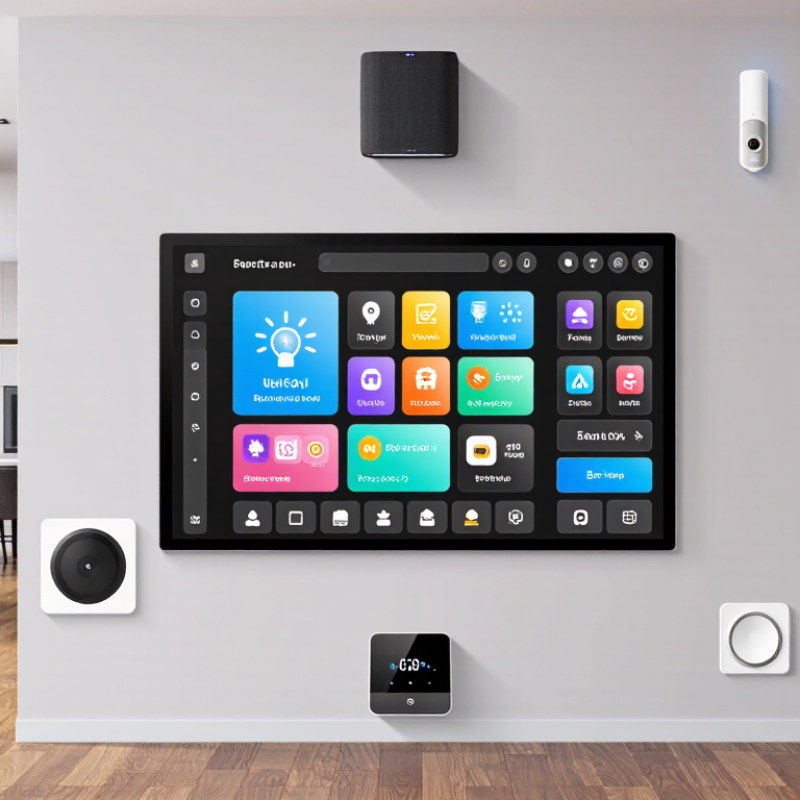
A Smart Home Touch Panel is more than a screen. Its architecture usually combines a display, touch sensor, processor, memory, power circuit, and communication modules. The display should remain readable from the angles where people actually stand. A capacitive sensor feels responsive, but wet fingers or thick gloves may affect input. Test it in the intended room, not only under showroom lighting.
The processor runs the interface and coordinates connected devices. Adequate memory helps menus and room controls respond smoothly, while local processing can keep basic functions available during a network outage. Connectivity may include Wi-Fi, wired Ethernet, or low-power radio protocols, depending on the system. Check which standards are supported and how updates are delivered.
Small details matter. A poorly placed microphone, warm enclosure, or exposed connector can complicate daily use. I would not assume a faster processor fixes every delay; network quality and software design also matter.
Tips: Compare screen size, brightness, and touch response in person. Ask about power requirements, mounting depth, and offline behavior. A Touch Switch should be easy to reach and operate without opening several menus. Leave room for wiring. It is easy to overlook.
A Home Automation Control Panel should be readable from where people actually stand, not just on a product sheet. A 7-inch display at 1280 × 800 provides about 216 pixels per inch, enough for crisp room labels and clear icons. Larger screens can make lighting and thermostat controls easier to scan, but only if the interface uses the extra space well. Small text still frustrates. Check the viewing angle, too; a screen mounted beside a doorway may be viewed from the side.
Brightness matters near windows and under ceiling lights. VESA’s DisplayHDR 400 specification sets a 400 cd/m² peak-luminance requirement, a useful comparison point, though it does not guarantee comfortable reading in every room. Room glare and screen finish matter as much as the headline number. For touch, projected-capacitive panels feel responsive with bare fingers, while pressure-based options may suit some glove use. Ask for a live test. Wet fingers can behave differently, and published response claims may not reflect daily use.
Tips: Compare brightness in the intended room, not a showroom. Tap small controls with one hand, then test them at an angle. It’s easy to overlook this. A few minutes of testing can reveal awkward menus or missed touches.
A smart-home touch panel should feel responsive while showing camera feeds, room controls, and status tiles. Processor choice matters most when several tasks run together. A low-power chip may handle lighting scenes easily, yet lag when decoding video or switching between dashboards. Test the panel with your likely workload, not just a clean showroom screen. That distinction matters.
Memory affects how many controls remain ready without reloading. For a fixed wall panel, compare RAM capacity with the operating system’s needs and the number of apps used at once. Camera previews and voice services can compete for memory. Storage holds the system, local settings, cached media, and update files. Ask whether capacity is expandable and how much remains free after setup. Free space is easy to overlook. A large number alone can mislead.
The operating system determines compatibility, update delivery, and access to device protocols. Check the supported update period, patch frequency, and whether the interface works during network outages. Confirm the panel can communicate with existing hubs and sensors; protocol support varies. One spec sheet rarely tells the whole story. It is easy to overvalue processor speed here. Ask for exact figures on installed memory, usable storage, processor class, and OS version before comparing prices.
A touch panel’s connection affects more than installation. Wired Ethernet can provide a steady link for scenes, lighting controls, and status updates. Some panels support Power over Ethernet, but both the panel and network switch must allow it. Check the required cable type, power method, and supported integration protocols before comparing specifications. A neat wall finish is useful; replacing an incompatible cable later is not.
Wireless panels avoid new cable runs and can suit finished rooms. Their reliability depends on signal strength, wall materials, and network congestion. Test the intended mounting spot, not just the room entrance. A weak signal beside a metal appliance or behind thick masonry can cause delays. Wireless setup may feel easier, though troubleshooting can be less obvious. That part is easy to underestimate.
Tips: Confirm whether the panel needs a separate power connection. Ask if essential controls work locally when the internet is unavailable. Keep a simple network map, including the panel’s location and connection type. One detail buyers sometimes miss: a panel and hub may use different protocols, even when both advertise smart-home compatibility. Check the exact supported standards.
A smart-home touch panel is only convenient when its power path matches the room. Check rated input voltage, peak wattage, connector type, and whether the unit accepts PoE or needs a nearby outlet. IEEE 802.3bt Type 4 permits up to 90 watts at the source. Up to 71.3 watts can reach the device across the standardized channel. That is a ceiling, not a promise for every cable run. Confirm peak power draw and cable routing before choosing a switch or injector. Measure twice.
Mounting deserves equal scrutiny. VESA’s published Flat Display Mounting Interface defines MIS-D patterns with 75-by-75 mm or 100-by-100 mm hole spacing, but not every control panel uses them. Compare the panel drawing, wall-box depth, screw locations, and screen orientation. Even a few millimeters can leave a gap or pinch a cable. For retrofit work, check stud spacing, suitable anchors, and low-voltage wire paths before cutting. A Background Music Control Panel may share the wall, but its audio wiring needs separate clearance. Plans can be imperfect; verify dimensions on site, because real walls rarely match a clean drawing.
Smart-home panels are handled daily, so compare more than glass thickness. Check the stated IP rating against the installation site. Under IEC 60529, IP54 is dust-protected and resists splashing water; IP65 is dust-tight and resists water jets. Neither rating means a panel can be pressure-washed. That distinction matters. Ask whether the rating applies to the complete installed unit, including its frame and cable entry points.
Security deserves equal scrutiny. Verizon’s 2024 Data Breach Investigations Report found that a human element was involved in 68% of breaches. That figure covers many kinds of systems, not touch panels alone, but it highlights why access controls matter. NIST’s IoT device cybersecurity baseline, NISTIR 8259A, identifies capabilities including device identification, secure configuration, data protection, and software updates. Buyers should check how updates arrive, whether default credentials must be changed, and what happens when support ends. A vague promise of “secure access” is not enough.
Environmental specifications can expose practical weaknesses. Compare the operating temperature and humidity ranges with the panel’s actual location, such as a sunlit hallway or a damp kitchen. Look for published test methods, not just claims of “rugged” construction. Ask about screen scratch resistance, cleaning compatibility, and touch response with dry fingers. Those details are easy to overlook. A higher rating may still be a poor fit if the panel overheats behind glass or its update policy is unclear.
How to use this chart: IK ratings specify impact protection under IEC 62262; the displayed joule values are standardized impact-energy levels. Compare a panel’s IK rating alongside its IP dust and water protection rating. For security, check for features such as secure boot, encrypted communications, signed firmware, and a clear update-support policy—IK and IP ratings do not measure cybersecurity.
Specification trade-offs depend on room size, wiring, and the devices being controlled. A compact apartment may need a modest screen, reliable Wi-Fi, and responsive touch input. In a bright kitchen, higher brightness and an anti-glare surface matter more than extra pixels. Large homes may benefit from Ethernet or Power over Ethernet, which can reduce dependence on wireless coverage. Check supported protocols, local-control options, memory, and update policies before choosing an Android Smart Home Control Panel. More hardware is not automatically better.
The International Energy Agency’s 2023 Global Status Report for Buildings and Construction says buildings account for about 30% of global final energy use. That makes clear monitoring useful, but a control panel alone does not guarantee lower consumption. Match its sensors and dashboards to actual loads, such as heating, lighting, or standby equipment. Small rooms differ. A panel with a fast processor may feel wasteful if it only controls a few lights; a larger home may need stronger networking and broader device compatibility. I would compare these needs against the installation plan, not just the spec sheet. One caveat: advertised screen brightness and battery or power figures may not reflect real, always-on use.
| Smart Home Setup | Typical Display and Touch | Processing and Memory | Connectivity to Check | Power and Installation | Best-Fit Use | Main Trade-Off |
|---|---|---|---|---|---|---|
| Basic retrofit or single-room control | 4–5-inch capacitive touchscreen; commonly around 800 × 480 pixels | Entry-level embedded processor; typically 1–2 GB RAM and 8–16 GB storage | 2.4 GHz Wi-Fi is common; confirm support for the required smart-home protocol or hub | Often USB-C or a low-voltage wall supply; check cable routing and whether a suitable outlet is available | Lighting, a few scenes, and basic room controls | Lower cost and simpler installation, but the compact screen can feel crowded when showing many devices or detailed dashboards |
| Room-by-room control in a medium-sized home | 7-inch capacitive touchscreen; 1024 × 600 or 1280 × 800 pixels are common resolutions | Mid-range embedded processor; typically 2–4 GB RAM and 16–32 GB storage | Dual-band Wi-Fi is useful in busy networks; Bluetooth may support nearby devices, while protocol compatibility depends on the panel or connected hub | Low-voltage supply or Power over Ethernet (PoE), depending on the model; verify the required voltage, power budget, and wall-box depth | Lighting, climate, shades, and security views for one or several rooms | More readable and flexible than a small panel, but higher screen resolution and a richer interface can increase power use and hardware cost |
| Central household dashboard | 8–10.1-inch capacitive touchscreen; 1280 × 800 pixels is a common class of resolution | More capable processor; typically 4 GB RAM or more and 32 GB or more storage, depending on the operating system and applications | Dual-band Wi-Fi and Ethernet are useful options; check whether radios for Thread, Zigbee, or other required protocols are built in or need a separate hub | Usually requires a planned low-voltage power point or compatible PoE connection; allow for heat dissipation and service access | A shared dashboard for multiple systems, cameras, and household members | Larger screen offers more space for controls, but occupies more wall area and may need stronger mounting, more power, and a carefully chosen viewing position |
| Multi-room installation with wired network preference | Commonly 7–10.1 inches; choose resolution and brightness for the intended viewing distance and lighting | Choose memory and processor capacity based on the interface, number of simultaneous views, and expected software updates | Ethernet can provide a stable wired network; PoE can carry network and power over one cable when both the panel and network equipment support a compatible PoE standard | PoE installation requires compatible network switches or injectors and correctly planned cabling; confirm the panel’s actual power requirement and PoE class | Several fixed control points where dependable connectivity and centralized wiring are priorities | Reduces dependence on local Wi-Fi and can simplify power wiring, but installation may require structured cabling and compatible network hardware |
| Camera-heavy or media-rich control point | 8–10.1-inch capacitive display; higher resolution can improve the clarity of camera previews and dense layouts | Prefer a faster processor and additional memory; check real-time performance with the intended dashboard and camera streams | Wired Ethernet is worth considering for frequent video use; confirm supported video formats, stream limits, and network requirements | Plan for the panel’s rated power draw and ventilation; camera viewing may increase sustained processing load | Door-camera previews, multiple status tiles, and frequently used scenes | Better performance and visibility can improve daily use, but camera decoding, higher brightness, and larger displays can raise power and network demands |
| Low-light bedroom or nighttime control | 4–7-inch touchscreen with adjustable brightness; check whether the display supports a reliably dim nighttime setting | Moderate processing capacity is usually adequate for a focused control interface | Choose connectivity based on the home network and required devices; avoid assuming that Wi-Fi alone provides support for every smart-home protocol | Low-voltage wiring or a nearby outlet may suit retrofit installs; check whether the screen can remain on, sleep, or wake on touch | Bedside lighting, temperature, shades, and a small set of scenes | A smaller, dimmable panel is less visually intrusive, but offers less space for controls and may be harder to read from across the room |
Comparison note: Specifications shown are typical product-class ranges, not guaranteed requirements. Actual options vary by model. Before buying, verify operating-system support, update policy, mounting dimensions, brightness, power input, network compatibility, and whether required smart-home radios are built in or supplied by a separate hub.
It typically includes a display, touch sensor, processor, memory, power circuit, and communication modules. Small details matter.
Check readability from the angles where people stand. Test brightness and touch response in the actual room, not just under showroom lights.
Yes. Capacitive touch may respond poorly to wet fingers or thick gloves. Try the panel with the hands you will actually use.
Not always. Network quality and software design can also cause delays. I might blame the processor too quickly.
Local processing may keep some functions available, but this depends on the system. Ask which room controls work offline.
Confirm input voltage, peak wattage, connector type, and cable route. For Type 4 PoE, the source can provide up to 90 watts; up to 71.3 watts may reach the device across the standardized channel. Measure twice.
No. Some panels use 75-by-75 mm or 100-by-100 mm mounting patterns, while others use different layouts. Compare the panel drawing and screw locations.
Check wall-box depth, stud spacing, anchors, and low-voltage wire paths before cutting. Leave room behind the panel; a pinched cable is an annoying surprise.
A Touch Screen Control Panel is the central interface between a Smart Home and the people who use it. When comparing options, consider how the panel’s display size, resolution, brightness, and touch technology suit its location and daily tasks. Check that its processor, memory, storage, and operating system can support the desired controls and integrations smoothly, while wired and wireless connectivity options determine how easily it can communicate with other home systems.
Also compare practical installation and long-term reliability requirements. Confirm that the power supply, mounting method, and wiring fit the intended location, and review durability, security features, and environmental ratings for the conditions where the panel will be used. The right specifications depend on the setup: a simple installation may prioritize ease of use and essential connections, while a more integrated home may need greater processing capacity, broader compatibility, and stronger connectivity. Balancing these factors helps buyers choose a panel that fits both their home and their needs.