Leave Your Message
0%

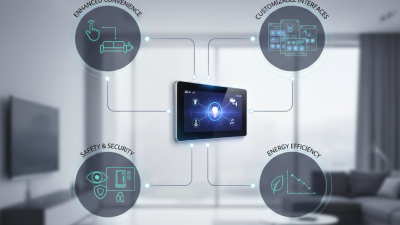
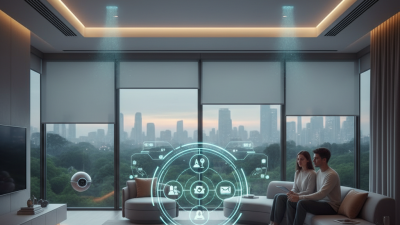
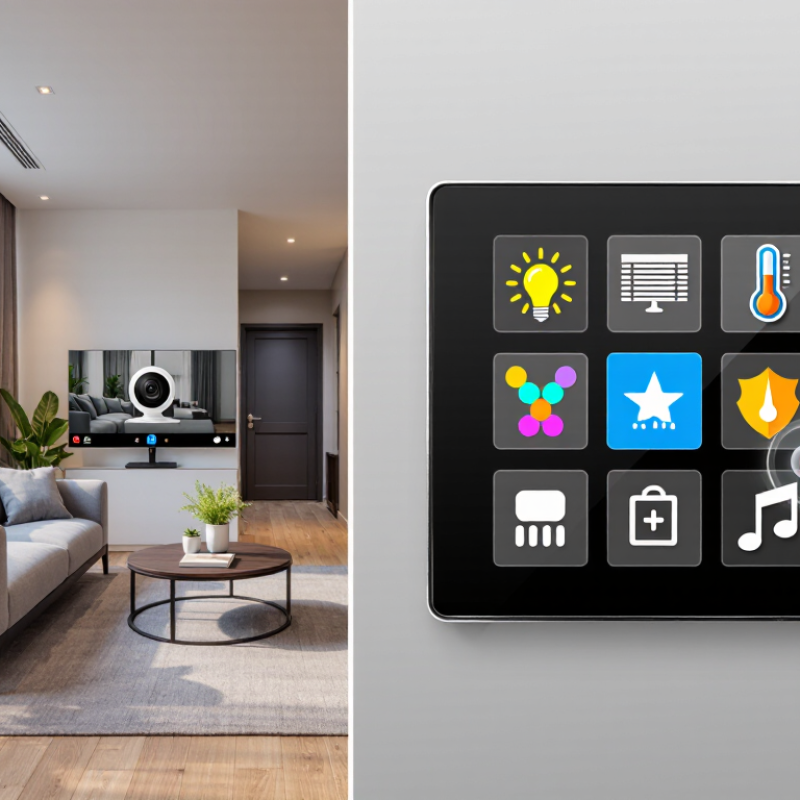
Smart Home Control Panels are all about bringing together your lighting, climate control, shades, security, and entertainment into one easy-to-see, user-friendly interface. For brands and system integrators, that screen on the wall isn’t just a gadget—it's where folks might dim the hallway lights at night, lower the curtains, or peek at the front-door camera. Small design choices really matter here. If the home screen looks cluttered or confusing, even a really capable system can feel overwhelming. But a well-thought-out layout makes it simple for anyone to find what they need and do things again without fuss.

Don Norman, a human-centered design expert, points out that “Design is really an act of communication,” which basically means understanding who will be using the device is key. Think about who’s gonna use it, where it’ll sit, and which actions should be quick and easy—ideally just a couple of taps. That said, no one-size-fits-all layout works perfectly for every home. A panel that works for a busy family might be frustrating for a guest or an older relative. That’s something to think about, too.

This guide dives into the important choices you face—like screen size, interface style, device compatibility, how to install it, and what support looks like long-term. It also suggests how to compare Top Smart Home Panels - not just by ticking off feature lists, but by looking at how they actually enhance your experience. For installers, clear notes during setup and hands-on user training are just as crucial as a fancy demo. After all, real homes are all different—people have different routines, Wi-Fi conditions vary, and expectations differ. That’s when a panel really shows what it can do, quickly revealing those differences.
Smart Home Control Panels: A Complete Guide for Brands and System Integrators

What a Smart Home Control Panel Is and How It Works

A Smart Home Control Panel gives residents one place to monitor and manage connected equipment. It may be a wall-mounted touchscreen, a tablet, or a compact interface with physical buttons. The panel is not always the system’s main controller. In some installations, a separate hub or software platform handles device logic while the panel displays controls and status.

When someone taps “Away,” the system can lock compatible doors, adjust lighting, and set the thermostat to an agreed level. The panel sends commands through the home network or a supported communication protocol. Sensors and devices then report changes, such as a window opening or a room reaching its target temperature. That feedback helps the interface show whether an action succeeded. A delayed response can still happen.

For system integrators, the details matter. Device compatibility, network coverage, and clear room naming all affect daily use. A hallway panel should make common tasks quick, while deeper settings can remain available without cluttering the screen. Local control may keep some functions available during an internet outage, but this depends on the system design. Test that behavior before handover. No interface is perfectly intuitive; occupants may still need a brief walkthrough and a chance to suggest changes.

Common Panel Types, Sizes, and Installation Formats

Smart Home Control Panels commonly usewall-mounted touchscreens, tabletop consoles, or compact keypads with a small display. Wall panels keep lighting, climate, and scene controls within reach in a hallway or kitchen. Tabletop units suit desks and bedside tables, while keypads offer quick, tactile control in rooms where a full screen may be unnecessary. Each format serves a different routine.

Panel size affects both visibility and installation. Smaller screens can fit narrow walls, but may make detailed controls harder to read from across a room. Larger panels provide more space for room layouts, yet need careful placement away from door swings and direct glare. Flush-mounted units create a clean finish but require suitable wall depth and accurate cutouts. Surface-mounted panels can simplify retrofit work, though their edges may catch the eye. A tidy floor plan does not always reveal the wiring or stud positions behind a wall.

Tips: Check viewing distance, reach, and cable access before choosing a size. Mark the proposed panel outline with masking tape; stand where users will operate it. Confirm power and network requirements with the installation team, and leave room for service access. Small details matter. Teams sometimes overlook future furniture changes, and that can make a well-placed panel awkward later.

Core Hardware, Displays, and User Interface Features

A Smart Home control panel should feel solid, respond consistently, and fit its installation location. For wall mounting, check the enclosure depth, cable access, and available power before selecting hardware. A bright display helps in sunlit rooms, but excessive brightness can feel harsh at night. An ambient light sensor can adjust brightness automatically, though its settings need real-world testing. Small details matter. Touchscreens should register taps through clean, dry fingers and remain readable from a standing angle. Capacitive controls look sleek, while physical buttons can be easier to find without looking.

The interface should make common tasks obvious: adjusting room temperature, dimming lights, or checking whether a door is open. Use clear labels and familiar icons, with enough spacing to reduce accidental taps. Group controls by room or purpose, and keep essential actions close to the home screen. There is no perfect layout. A panel used by guests may need simpler navigation than one used by a system technician. Test screen response, text size, and glare at the actual mounting height before installation. Also confirm that the interface provides useful feedback, such as a visible change when a light command is accepted. A small delay can confuse users. These choices seem minor, but together they shape whether the panel feels dependable every day.

Smart Home Control Panels: A Complete Guide for Brands and System Integrators — Core Hardware, Displays, and User Interface Features
Category Component or Feature Typical Options or Specifications Practical Considerations
Core Hardware Processing platform Embedded application processor with memory and local storage; performance varies with operating system and control workload. Check that the platform can run the intended interface smoothly while handling local automation, networking, and security tasks.
Core Hardware Operating system and software Embedded operating systems or customized Linux- and Android-based platforms are common implementation choices. Confirm update procedures, support lifetime, application compatibility, and whether critical functions continue during internet outages.
Core Hardware Power supply Power over Ethernet (PoE), low-voltage DC, or a manufacturer-specified local power supply. Match the panel to the site’s wiring, power budget, installation rules, and any backup-power requirements.
Core Hardware Network connectivity Ethernet, Wi-Fi, or both; some systems also provide Bluetooth for commissioning or nearby device connections. Assess signal coverage, network segmentation, bandwidth, and the role of the panel if the home network becomes unavailable.
Core Hardware Automation and device interfaces May include IP-based APIs, serial interfaces, relay inputs or outputs, and supported wireless protocols, depending on the system. Verify compatibility with the project’s devices and controllers rather than assuming that all panels support the same protocols.
Core Hardware Microphone, speaker, and sensors Optional components may include microphones, speakers, proximity sensors, ambient-light sensors, and temperature sensors. Specify privacy controls, sensor purpose, audio quality, and whether each component can be disabled when not required.
Display Screen technology Capacitive multitouch LCD panels are widely used; display size and resolution vary by installation and interface design. Evaluate viewing distance, text legibility, viewing angle, brightness, and whether the screen will be used in portrait or landscape orientation.
Display Brightness and ambient-light response Fixed brightness or automatic adjustment using an ambient-light sensor, where available. Provide readable daytime contrast without creating excessive glare or unwanted light in bedrooms at night.
Display Touch response Capacitive touch supports familiar gestures such as tapping and swiping; performance depends on hardware and software implementation. Test common actions with the actual screen layout, including response time and reliable operation near the display edges.
Display Mounting and enclosure Wall-mounted, flush-mounted, or surface-mounted designs; installation depth and cutout dimensions are model-specific. Check wall-box depth, cable routing, heat dissipation, service access, and the intended mounting height before construction is complete.
User Interface Room and device navigation Common layouts group controls by room, device type, or frequently used function. Keep primary controls easy to locate and use consistent names for rooms, lights, shades, and other devices.
User Interface Scene and preset controls Scenes can coordinate multiple actions, such as adjusting lighting, shades, and temperature settings. Use clear scene names and make important outcomes predictable; provide a straightforward way to reverse or adjust changes.
User Interface Climate controls Depending on system support, interfaces may show current temperature, setpoint, operating mode, and fan settings. Distinguish measured temperature from the target setpoint and present unavailable or offline equipment clearly.
User Interface Lighting and shade controls May include on/off, dimming, color settings, grouping, and shade position controls when supported by connected devices. Use intuitive sliders or step controls and display the current state when the system can report it.
User Interface Status, alerts, and feedback Visual state indicators, notifications, and control feedback can communicate whether a command succeeded or a device is unavailable. Use clear wording and distinguish warnings from routine status information without relying on color alone.
Integration and Security Commissioning and configuration Setup may involve network provisioning, device discovery, room assignment, user permissions, and interface customization. Document configuration, test every control, and leave the owner with practical instructions for everyday use.
Integration and Security Access control and privacy Possible measures include user authentication, role-based permissions, encrypted network connections, and physical microphone controls. Follow project security requirements, minimize unnecessary data collection, and provide a clear process for changing access credentials.
Integration and Security Maintenance and lifecycle Maintenance needs may include software updates, network checks, display cleaning, and replacement planning. Confirm update responsibility, support availability, spare-part planning, and how the system reports faults before handover.

Connectivity Standards and Supported Control Protocols

Connectivity choices determine whether a control panel can communicate reliably with lights, sensors, shades, and building systems. Wi-Fi and Ethernet carry IP traffic, while Bluetooth Low Energy often supports nearby setup. Thread creates a low-power mesh for compatible devices. Zigbee remains common in lighting networks, but device profiles and gateway support affect interoperability. Matter runs over IP and can simplify control across compatible products. Standards do not guarantee every feature works together.

For larger projects, check whether the panel supports protocols such as KNX or Modbus, and confirm the exact functions exposed. A device may report temperature but not allow setpoint changes. Ask for protocol versions, supported command types, and commissioning requirements before specifying equipment. Small details matter. Smart Lighting Panels should be tested with the intended network, not just on a bench. Walk between rooms. Check response time, recovery after a router restart, and behavior when a gateway loses power.

Wired connections can improve predictability, though they add installation work. Wireless links reduce cabling but may struggle through concrete walls or crowded radio environments. Measure signal strength at the panel location. Document network settings and test updates before rollout. Compatibility lists can be incomplete, and field behavior is not always tidy. Leave time for commissioning and retesting; it is easy to underestimate both.

Integration with Devices, Platforms, and Home Automation Systems

A Smart Home Central Control panel is only as useful as the devices and systems it connects. It may coordinate lighting, shading, climate, security sensors, and audio from one interface. The difficult part is keeping commands and status feedback consistent across wired buses, Wi-Fi, Thread, and platform APIs. A lighting scene should not merely turn lamps on; it should also report which devices did not respond. Small failures matter.

Plan integration before selecting the panel. Document each device’s protocol, control points, and fallback behavior. Then test real routines, such as lowering shades while adjusting a room’s temperature. The International Energy Agency’s 2023 Global Status Report for Buildings and Construction says buildings account for about 30% of global final energy consumption and 26% of energy-related emissions. This does not prove that a control panel reduces energy use, but it highlights why accurate sensing and control deserve careful commissioning. Interoperability can still be messy, especially when updates change device behavior.

Tips: Create a device map with protocol, location, and expected response time. Test offline operation, too. A panel that works only when every service is available may disappoint homeowners. Keep the interface simple, but leave installers enough diagnostic detail to find faults.

Smart Home Integration: Example Interface Options by System

The chart compares examples of interface families commonly encountered when integrating home systems. Counts are illustrative, not market statistics; actual options depend on the installed devices and system architecture.

How Brands and Integrators Select and Deploy Control Panels

Selecting a control panel starts with the room, not the screen size. A kitchen may need large touch targets and a wipe-clean surface. A hallway panel may benefit from a simple layout and adjustable brightness. Brands and integrators should map daily tasks before choosing hardware: lighting, climate, shading, and security status often compete for limited space.

An Android Smart Home Control Panel can support flexible interfaces, but confirm compatibility with the project’s devices, network, and control platform. Check mounting depth, power access, Wi-Fi coverage, and whether the panel remains responsive after extended use. Ask who will update the interface and troubleshoot it later. Small details matter. A panel that looks polished in a showroom may feel confusing when a guest needs to turn off one light.

During deployment, test scenes in the actual rooms and at different times of day. Verify that labels match what occupants see, and that essential controls remain easy to reach. Document network settings, device assignments, and reset procedures for the service team.

Test it onsite.

Even a careful plan can miss a glare problem or an awkward mounting height. Invite occupants to try the panel before handover; their hesitation can reveal a design flaw that installers may overlook.

Security, Maintenance, and Long-Term Product Support

A control panel is a security boundary, not just a convenient screen. In its 2024 Data Breach Investigations Report, Verizon found that 68% of breaches involved a non-malicious human element. That figure covers many sectors, not smart homes alone, but it highlights why clear access controls matter. Give each installer a named account, remove temporary access after commissioning, and require strong authentication for remote support. Keep network credentials out of handover notes. Small details matter.

Maintenance should be planned before installation. Record firmware versions, supported functions, backup settings, and the process for restoring a panel after replacement. For a Smart Home Lighting Control System, test a real failure: disconnect the hub, then check whether residents can still use essential local controls. NIST’s IoT cybersecurity guidance recommends capabilities such as secure software updates and device configuration management; these principles help integrators assess long-term support. A calendar alone is not enough. Updates can disrupt carefully tuned scenes, and teams sometimes miss that risk. Schedule updates, test them on a representative setup, and tell residents what may change. Define who responds when remote access expires or a component reaches end of support. A polished handover can still leave gaps. Revisit it after the first service call.

Smart Home Control in 2025: Statista Market Insights and the S10 Panel’s Triple-Mode Advantage

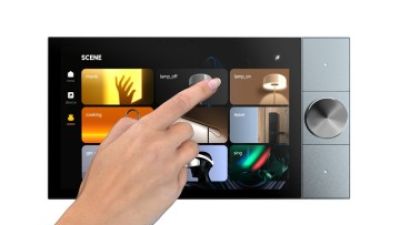
Smart-home market insights for 2025 point to a growing preference for connected systems that are not only capable, but also simple to use. As households bring lighting, climate, entertainment, and other functions into one digital environment, intuitive central control becomes increasingly valuable. The S10 panel addresses this need with three interaction modes—knob, button, and touch—so users can choose the control style that suits each task. Its one-key functions can coordinate lighting, temperature, and music, while a 10-inch IPS display brings devices, scenes, and applications together on a clear 1280 × 800 home screen.

Practical adaptation is another important part of the experience. An ambient-light sensor adjusts screen brightness for comfort, and the AIS Life album feature can add a more welcoming visual touch to the home. Different versions support varied installation needs, including central control, background music, and KNX configurations. Depending on the version, connections include RS485, relay terminals, audio ports, Type-C, SD card, Ethernet, or KNX, while compatible intercom systems can be controlled through wireless or LAN networks. Together, these options make the S10 panel a flexible choice for homes seeking convenient, integrated smart-home control.

FAQS

What does a smart home control panel do?

It provides one place to monitor and manage connected devices. Residents can adjust lights, climate, and compatible locks. Feedback may take a moment.

Does the panel control every device directly?

Not always. A separate hub or software platform may handle device logic, while the panel displays controls and status. The setup varies.

What happens when someone selects “Away”?

The system may lock compatible doors, adjust lighting, and set the thermostat. Sensors can report changes, such as an open window. A response may be delayed.

Will the panel work during an internet outage?

Some local functions may remain available, depending on system design. Test this before handover. Don’t assume every feature works offline.

Which panel format suits different rooms?

Wall touchscreens work well in hallways or kitchens. Tabletop units suit desks and bedside tables. Compact keypads offer quick, tactile control.

How should I choose a panel size?

Consider viewing distance, reach, and screen readability. A small display may be hard to read across a room. Larger screens need thoughtful placement.

What should I check before installing a wall panel?

Check wall depth, wiring, power, network access, and service clearance. Keep it away from door swings and direct glare. Studs can surprise you.

How can I tell if the proposed location feels right?

Mark the panel outline with masking tape, then stand where you would use it. Consider future furniture changes. We may miss something.

Conclusion

Smart Home Control Panels provide a central interface for managing lighting, climate, shades, entertainment, security devices, and other connected features. They may be wall-mounted or tabletop units in different sizes, with touchscreens, physical buttons, or a combination of both. Their hardware and interface should make everyday controls clear and responsive, while connectivity options and communication protocols determine which devices and automation systems they can work with.

For brands and system integrators, selecting a panel means considering its display, installation format, network compatibility, device support, and ease of use. Deployment also involves configuring integrations and controls to suit each home and its users. Reliable security practices, routine maintenance, software updates, and access to long-term technical support help keep the system dependable as household needs and connected devices change.
Blog Tags:

    Emily

    Emily

    Emily is a dedicated marketing professional at Shenzhen X-focus Co., Ltd. (AISpeaker), a leading manufacturer of smart home panels in China. With her extensive knowledge of the company's product offerings, including smart central control panels, background music panels, and intercom systems, she......
    Previous Thermostat Solutions for Hotels, Commercial Buildings and Smart Home Projects