Leave Your Message
Getting a Smart Home Assistant might seem pretty straightforward at first. But then, when you're actually using it day-to-day, you might start noticing what it can and can’t do. For example, it might answer your weather questions in a flash, but struggle with accents, background noise, or if your Wi-Fi is having a bad day. Honestly, testing how it performs in real life matters way more than what the ads make it seem like. So, try out the microphone in different rooms, and don’t be shy to test commands near noisy appliances like a dishwasher—that’s when you really see what’s up. Those little details can make all the difference.
In this guide, “10 Smart Home Assistant Tips Every Buyer Should Know,” I’m focusing on practical stuff you should consider before pulling out your credit card. Don’t just go with the biggest brand or what everyone else is saying—make sure it’s compatible with your setup. Devices like Amazon Alexa, Google Home, and Apple Home can support different routines, gadgets, and privacy settings. It’s a good idea to read up on the latest product info, policies, warranties, and if any subscriptions are involved. Also, don’t forget about security—turn on two-factor authentication, set a strong Wi-Fi password, and check how your recordings are stored or deleted.
Of course, no device is perfect. Sometimes it might misunderstand what you say, drop its connection, or become less useful if you change your Smart Home ecosystem. That’s something to honestly think about. Make sure to consider your room size, outlet locations, any accessibility needs, and how much extra stuff—like sensors—you might need to buy. If possible, test it out before you make the final move. Good advice combines info from the manufacturer, independent reviews, and how it actually performs in your home. These tips are meant to help you avoid unpleasant surprises—not promise some effortless, seamless automation. Even the most careful buyer can overlook something, but reflecting on those little gaps can help you make a smarter, safer choice overall.
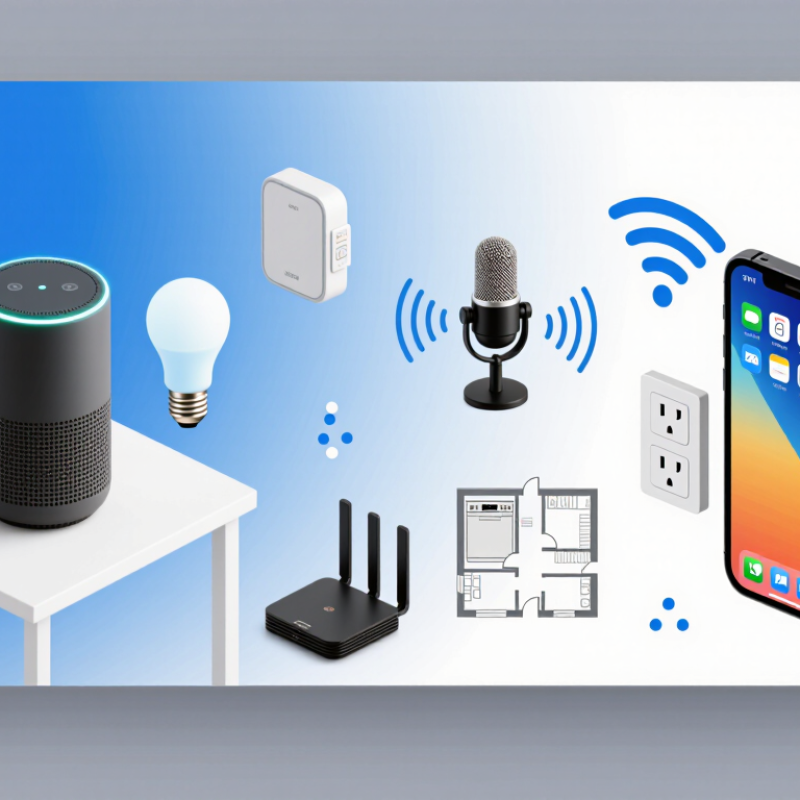
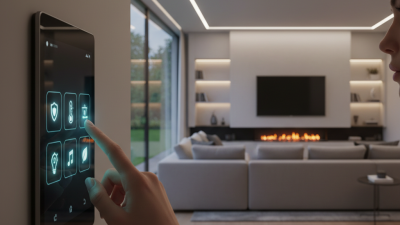
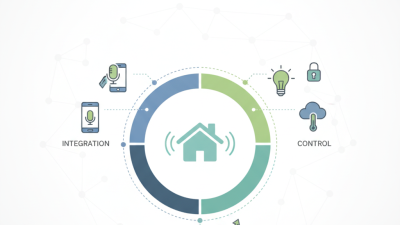
A smart Home Assistantis software that connects household devices, sensors, and services. Home Assistant receives commands through voice, touch, or scheduled routines. It then sends instructions to lights, locks, thermostats, or other connected equipment. Some systems process commands locally, while others depend on remote servers. That difference affects speed, privacy, and performance during an internet outage. I learned this through a simple hallway setup. A motion sensor detected movement after sunset, and the lights turned on automatically. It felt convenient. However, the sensor sometimes reacted to a passing pet. No system is perfect.
Before buying, check which communication standards and devices the assistant supports. A product may connect easily but offer limited control afterward. The assistant usually gathers sensor data, compares it with preset conditions, and triggers an action. For example, it can close window shades when bright sunlight raises room temperature. Reliable routines need accurate sensors and clear rules. Use strong passwords and review permissions regularly. I still test emergency settings manually, because an automation can fail after a software update. Voice control is useful, but it should not replace physical switches. Keep manual controls available. Small safeguards matter.
| No. | Buyer Tip | What It Is | How It Works | Practical Buyer Benefit | Important Limitation | Privacy or Security Check | Typical Setup Effort |
|---|---|---|---|---|---|---|---|
| 1 | Check device compatibility first | A Smart Home Assistant is a voice or app-based control layer that can manage compatible connected devices. | It sends commands through a home network, a compatible hub, or a supported smart-home standard. | Reduces the risk of buying lights, locks, sensors, or appliances that cannot work together. | Compatibility may vary by device model, software version, region, and available features. | Look for clear support information and review permissions requested by the control app. | Low to medium |
| 2 | Understand internet dependence | Many assistants use remote servers to interpret speech, synchronize devices, and provide online services. | A voice request is captured, transmitted for processing when required, converted into an intent, and returned as a device command or response. | Provides broader features, remote access, software updates, and integration with online services. | Some features may stop working during an internet outage, although certain local automations can continue. | Check whether voice processing and essential automations can work locally. | Low |
| 3 | Compare local and cloud processing | Local processing handles selected commands inside the home, while cloud processing uses remote computing systems. | Local systems can respond without sending every request outside the home; cloud systems generally provide more computing capacity and services. | Helps balance faster response times, offline reliability, privacy, and advanced functionality. | Local processing may support fewer devices, languages, or complex requests. | Review data-retention settings, voice-history controls, and the provider’s privacy documentation. | Medium |
| 4 | Look for strong automation support | Automation allows devices to react to schedules, sensor readings, location changes, or other triggers. | A rule engine checks a trigger and performs one or more programmed actions, such as turning lights on when motion is detected. | Creates useful routines for lighting, climate control, safety alerts, and energy management. | Complex rules can be difficult to troubleshoot and may fail if a required device or network connection is unavailable. | Use separate accounts, strong passwords, and multi-factor authentication where available. | Medium |
| 5 | Evaluate microphone controls | A voice-enabled assistant uses microphones to detect a wake phrase or receive a direct voice command. | After activation, the system records enough audio to identify the request and match it to an available function. | Hands-free control is convenient for lighting, timers, reminders, accessibility, and household routines. | False activations can occur because of similar sounds, background speech, or television audio. | Choose a device with a physical microphone-off control and review stored voice recordings regularly. | Low |
| 6 | Check language and household voice support | Language support includes recognition, responses, commands, accents, multiple users, and voice profiles. | The assistant matches spoken words to supported intents and may use user profiles for personal calendars, reminders, or preferences. | Improves accuracy and makes shared household use more practical. | Recognition quality can vary with accents, background noise, speech impairments, and less-supported languages. | Confirm how voice profiles are stored and whether personal information is separated between users. | Low |
| 7 | Consider network reliability | Connected devices depend on a stable wireless or wired home network for communication. | The assistant, hub, sensors, and devices exchange messages through the local network and, when needed, an internet connection. | A reliable network improves response speed, automation consistency, and remote access. | Congestion, weak signal strength, interference, or router failure can delay or interrupt commands. | Use a secure network password, current router software, and a separate guest network for visitors when practical. | Medium |
| 8 | Review hub and protocol requirements | Some devices communicate directly over wireless networks, while others require a dedicated hub or bridge. | Protocols define how devices discover one another, exchange commands, and report status. | A suitable hub or broadly supported protocol can improve reliability and reduce dependence on separate apps. | Different protocols may not communicate directly without an integration layer or compatible controller. | Confirm whether the hub remains functional if the internet is unavailable and whether firmware updates are provided. | Medium to high |
| 9 | Measure energy and battery needs | Smart Devices use electricity or batteries to sense conditions, communicate, and perform actions. | Sensors periodically report data, while powered devices remain available to receive commands and execute routines. | Helps estimate ongoing maintenance, battery replacement, and possible energy-saving opportunities. | Battery life varies with reporting frequency, signal quality, temperature, and the number of daily activations. | Avoid placing connected devices where a depleted battery could disable a safety-critical function. | Low to medium |
| 10 | Plan for security and long-term support | Smart-home security includes account protection, encrypted communication, device updates, and safe access management. | Updates fix vulnerabilities, while authentication and encryption help prevent unauthorized control or data exposure. | Protects household data and reduces the chance that an outdated device becomes a security weakness. | Devices without ongoing software support may become incompatible or more vulnerable over time. | Check update policies, change default passwords, enable multi-factor authentication, and remove unused devices. | Medium |
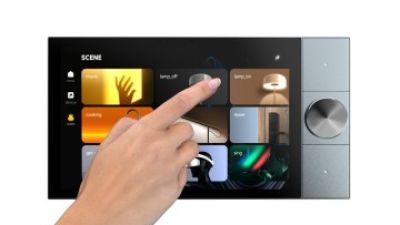
The S10 Smart Home Central Control Panel brings three interaction methods together in one streamlined device: a physical knob, configurable buttons, and a responsive touch screen. Users can adjust lighting, temperature, and music through personalized controls, while one-key scenes make everyday routines faster and easier. Its 10-inch IPS display delivers 1280×800 resolution, presenting connected devices, home scenes, and applications in a clear central interface. With an ambient light sensor, the screen can automatically adjust its brightness for comfortable viewing throughout the day.
Designed for flexible installation, the S10 is available in smart central control, background music, and KNX versions. It can support wireless and LAN-based building intercom control, adapting to different modern home systems. The standard S10 provides RS485, L1 and L2 two-way relay connections, and L/N zero-firewire terminals. The S10-M adds AUX, SPK1, and SPK2 audio interfaces, while the S10-KNX integrates KNX, AUX, relay terminals, Type-C, SD card, and Ethernet connections. These options allow the panel to coordinate lighting, climate, audio, security, and other household functions from a single HD control center.
List your network, operating system, wireless standards, and preferred control method. Check technical specifications, not only the product label. Compatibility may depend on a hub or bridge.
Pair one device with your existing hub before buying several units. Test one device. Check sensors, automations, status updates, and app controls. A connection alone proves very little.
Shared wireless standards do not guarantee complete functionality. Firmware, regional settings, and platform limits may remove advanced controls. I once missed this detail. The devices connected, but several routines failed.
Some devices need extra hardware to communicate with your home system. Calculate the full cost, including the hub, cables, and setup time. A cheap device may become expensive.
Local control can keep basic functions working during an internet outage. Cloud-only features may stop responding. Check what remains available offline. That detail matters.
Confirm support for advanced routines, status reports, and cross-platform automations. Basic voice commands may work while detailed controls fail. Test real commands, such as checking a sensor or running a night routine.
Ask where recordings and activity data are stored, how long they remain, and whether deletion is available. Review microphone permissions and privacy settings monthly. Tiny permissions can reveal household routines.
Look for multi-factor authentication, encrypted communication, automatic updates, and separate user accounts. Guests should not automatically access recordings or door sensors. I still find some privacy dashboards confusing, which concerns me.
Check the hub’s device capacity before expanding your system. Count sensors, switches, cameras, and bridges honestly. Leave some capacity unused. I sometimes underestimate future additions.
Choosing the right Smart Home Assistant starts with understanding how it connects devices, processes commands, and coordinates routines across your home. Before buying, compare compatibility carefully, since not every assistant works equally well with every light, lock, thermostat, camera, or appliance. Consider which control methods suit your habits, including voice commands, mobile apps, physical controls, automation options, and accessibility features. A useful system should respond reliably, support flexible routines, and remain simple for everyone in the household.
Privacy and security should also influence your decision. Review how recordings, account information, and usage data are handled, and look for strong authentication, clear settings, and regular software updates. Evaluate setup difficulty, network requirements, connection stability, and how easily the system recovers from interruptions. Finally, consider the total cost rather than only the purchase price. Subscription fees, replacement accessories, update policies, and long-term support can significantly affect value. The best choice is one that fits your current devices, daily lifestyle, privacy expectations, and future smart home plans.