Leave Your Message
Picking between a SIP video intercom and an old-school Video Door Phone isn't just about what shows up on the lobby monitor. Honestly, it changes the whole setup — how it's installed, how people get buzzed in, and whether you can expand later. A traditional door phone might be totally fine for a smaller building, especially if the wiring's already there and you just need something simple. SIP, on the other hand, makes more sense when you're dealing with networked calling, connecting to other communication devices, or planning for future growth. So really, it comes down to what the building needs, not whatever's trendy right now.
You know how SIP is usually described? Jonathan Rosenberg—one of the co-authors—and his team put it pretty clearly in RFC 3261: it’s “an application-layer control (signaling) protocol for creating, modifying, and terminating sessions.” That definition actually matters. SIP handles the session signaling, but it doesn't magically make every intercom, phone, or management platform play nice together. So yeah, you still have to check your actual devices and what integrations they require. When you’re doing a site assessment, it’s the little things that can really tip the scales—cable routes, network coverage, door-release hardware, even who’s gonna maintain the system down the road. Honestly, the small stuff matters a ton.
In a compact building, the old-school gear might actually be easier to just pick up and use. A SIP video intercom can give you way more flexibility with network-based communication—if it's set up right. But here's the thing: flexible doesn't automatically mean simple. If the network isn't planned well, or nobody's really clear on who supports what, you can run into problems that were totally avoidable. You might type “Video Door Phone Video” into a search bar—everyone does. But when you're actually planning a project, the real question isn't the search phrase. It's practical: who's supposed to answer the door, where are they when it rings, and what happens if no one's around? This guide looks at how the two systems stack up against those everyday needs. Spoiler: real-world setups don't always fit the neat little diagram.
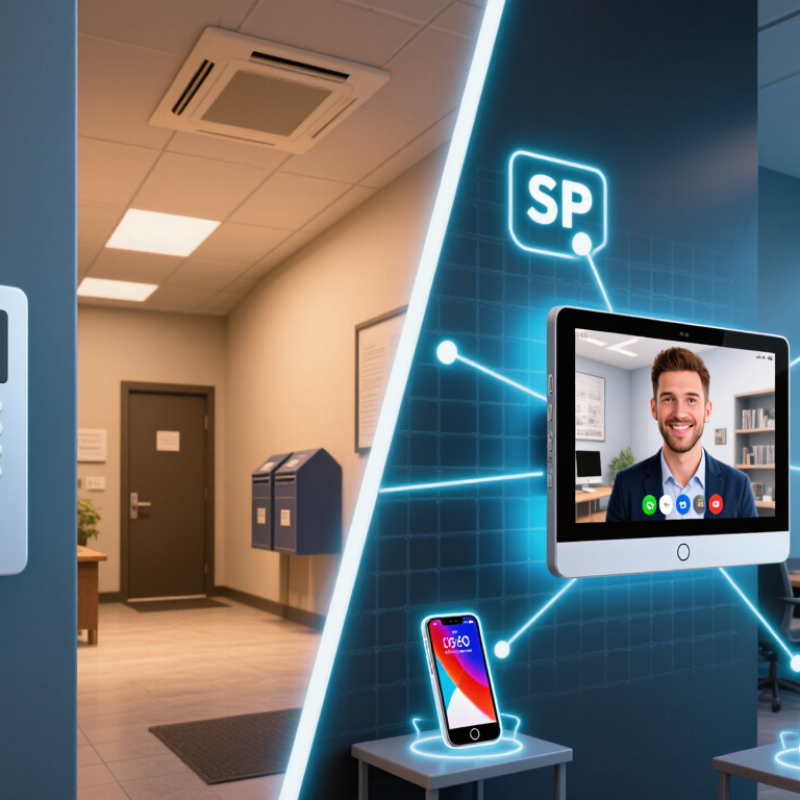
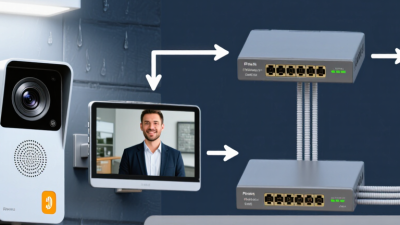
A SIP video intercom is a door communication system that uses an IP network and the Session Initiation Protocol to connect calls. A visitor presses the outdoor station, and the system can send audio and video to an indoor monitor, desk phone, or compatible mobile device. Staff can speak with the visitor and, when the system supports it, release the door remotely. It is more than a camera with a call button.
Unlike a traditional Video Door Phone, a SIP system may connect with other network devices and cover several entrances. That flexibility depends on careful setup. Check network capacity, power, device compatibility, and what happens during an internet or power outage. In practice, a clear image is not enough if call audio drops or the door release responds slowly. Small network details matter.
Tips: Test the system at the actual entrance, not only at a desk. Check night lighting, background noise, and call delay. Keep a simple fallback plan. One limitation is easy to overlook: added flexibility can also make configuration harder to maintain.
| Comparison Factor | SIP Video Intercom | Traditional Video Door Phone |
|---|---|---|
| How it works | Uses Session Initiation Protocol (SIP) to establish voice and video calls over an IP network. | Typically uses a dedicated connection between an outdoor station and indoor monitor; the wiring and signaling method depend on the system. |
| Network requirements | Requires a suitable IP network. Power may be supplied separately or through Power over Ethernet (PoE), if supported by the equipment. | Often uses dedicated cabling between devices. Some systems may still use IP networking or connect to other networks. |
| Calling options | Can call compatible SIP endpoints, such as indoor stations or configured softphones, depending on the system and network setup. | Usually calls the indoor monitor or monitors designed for that system. |
| Integration potential | May integrate with compatible IP phones, call servers, access-control platforms, or building systems. Compatibility and configuration must be checked. | Integration is often centered on the supplied indoor and outdoor units; additional integrations depend on the system design. |
| Expansion | Additional endpoints can often be added through the IP network, subject to network capacity, licensing, and system compatibility. | Expansion may require additional dedicated wiring, compatible equipment, or changes to the original system layout. |
| Installation considerations | Plan IP addressing, network coverage, bandwidth, device power, cybersecurity, and access to network infrastructure. | Plan cable routes, distances, power requirements, and compatibility between outdoor and indoor equipment. |
| Remote access | May support remote answering or administration when the system is configured for secure remote connectivity. | Remote access is not inherent to every system; it depends on the design and any additional connected equipment. |
| Best suited to | Projects that already use IP infrastructure or need flexible calling and integration options. | Projects that need a straightforward door-to-monitor setup and have suitable dedicated cabling. |
| Key decision point | Choose this approach when the project can support the network requirements and the intended devices are interoperable. | Choose this approach when the required functions are simple and a dedicated, system-specific installation is appropriate. |
What is a SIP video intercom? It is an intercom system that uses SIP to set up audio and video calls over an IP network. Features, interoperability, and installation requirements vary by system, so confirm them against the project specification.
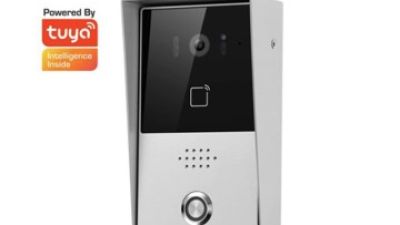
A 5-inch waterproof WiFi video doorbell intercom makes it easier to see and speak with visitors from inside your home or through a mobile app. Its clear 2MP camera captures a wide 140° view of the entrance, while night vision helps you check who is at the door in low-light conditions. The indoor monitor provides a convenient way to answer calls, and remote unlocking lets you open the door with a simple touch when appropriate.
Designed for everyday outdoor use, the doorbell has an IP65 waterproof rating and supports wall-mounted surface installation. Setup options include an indoor monitor and web configuration, helping the system fit a range of home layouts. The free app can be shared with up to six users, so family members can receive calls and stay connected to the entrance. With WiFi communication, clear video, and straightforward visitor interaction, this intercom brings practical home security features together in one system.
It uses an IP network and SIP to carry calls between an entrance station and compatible devices. Visitors can send audio and video. Some systems also support remote door release.
A SIP server, PBX, or compatible endpoint routes calls to an indoor monitor, desk phone, or mobile device. The route depends on setup.
It usually connects the entrance panel to indoor monitors through dedicated wiring. Its signals typically remain within that system, rather than using the building’s data network.
It can connect multiple entrances and apartments over a network. Check device compatibility and network capacity before expanding. Flexibility takes maintenance.
Review cable routes, power, network capacity, and backup power. Test the call from the farthest apartment, not only the lobby.
Test at the actual entrance. Check night lighting, background noise, audio clarity, video, and call delay. A clear image is not enough.
Calls or door release may stop, depending on the system and backup setup. Keep a simple fallback plan. It is easy to overlook.
It can be more flexible than dedicated wiring, especially across several entrances. But weak Wi-Fi or an overloaded network switch can cause problems. A diagram may miss both.
Choosing between a SIP Video Intercom and a traditional video door phone depends on the project’s size, infrastructure, and long-term goals. A SIP system uses network communication to connect entry stations with compatible phones, computers, or other endpoints, making it suitable for multi-unit buildings and projects that need remote access or integration with existing communication and security systems. A traditional video door phone typically relies on a dedicated indoor monitor and direct wiring, offering a more self-contained setup for homes or smaller sites.
The systems also differ in installation and ongoing costs. Traditional equipment may be straightforward to use, but dedicated wiring and limited expansion can become costly as a project grows. SIP systems may require network planning and configuration at the outset, yet their flexible architecture can simplify future expansion and integrations. Consider the number of entrances and users, available network infrastructure, desired features, installation conditions, and maintenance needs to identify the best fit.