
Leave Your Message
0%

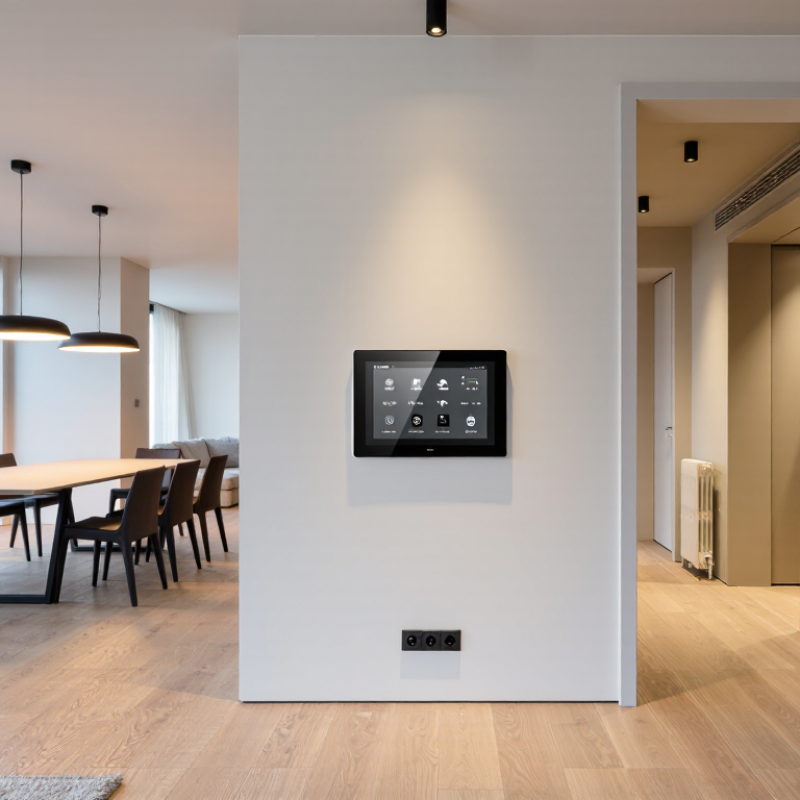
A modern KNX Smart Home isn’t just about flashy gadgets; it’s really more about reliable, smooth coordination between all those different systems. Think about it: lights, blinds, heating, ventilation, security sensors, energy meters—all talking to each other through one well-organized automation system. For example, with just a tap on the Wall Switch, you can dim the dining room lights, lower the exterior blinds, and adjust the temperature in the room—pretty neat, right? And the best part? It all happens quietly, almost as if everything’s just working behind the scenes—that’s exactly the point.

Now, how does KNX pull this off? It’s based on a distributed setup, meaning each device has its own little brain, while the KNX bus just sends commands back and forth. This setup helps avoid relying too heavily on a single control hub. Plus, it’s super flexible—you can find products from tons of manufacturers like Siemens, Schneider Electric, ABB, and Hager. Franz Kammerl, president of the KNX Association, puts it simply: “KNX is the worldwide standard for home and building control.” That’s a pretty solid endorsement, reflecting how open and internationally recognized this system is, making sure it stays relevant for years to come.

But here’s the thing—installation really matters. If you don’t plan things out properly, you could end up with confusing lighting scenes, slow responses, or even wasting energy. Sure, a Knx Smart Panel has a clean interface, but it’s not a magic fix if the system was poorly designed to start with. When commissioning, it’s crucial to double-check those cable routes, device addresses, heating zones, and user permissions. Even small details count—like, your bedroom shouldn’t be blasting full lights at midnight, and a door sensor shouldn’t be setting off false alarms just because it was placed carelessly.

The same goes for maintenance and documenting settings; these homes aren’t “set and forget.” Don’t fall for the hype that says it’s “complete automation”—human habits are unpredictable, after all. The goal is to support everyday life smoothly, without needing constant tinkering, but still leaving room for upgrades or tweaks down the line. Bottom line? A good KNX Smart Home is dependable, practical, and built with enough flexibility to grow with you over time.
KNX Smart Home: How KNX Works for Modern Home Automation

KNX Fundamentals: An Open Standard Used by 500+ Manufacturers

KNXis an open standard for modern Home Automation, used by more than 500 manufacturers worldwide. Its importance is not a single product, but a shared communication language. Devices can exchange commands through wired bus lines, IP networks, or approved wireless connections. A wall switch can trigger lights, blinds, heating, and ventilation without relying on one company’s ecosystem.

The system uses distributed control. This means essential functions can continue even when a central server is unavailable. During installation, professionals assign group addresses and configure device behavior with dedicated engineering software. A hallway sensor might detect movement, while a dimmer adjusts lights smoothly and a thermostat limits unnecessary heating. These details make the technology feel practical, not merely technical.

Interoperability still requires care. Open does not mean automatic. Installers must check product profiles, communication media, firmware compatibility, and local electrical rules. Poor planning can create confusing scenes or difficult maintenance later. Documentation matters. So does testing every button, sensor, and fallback action before handover. In real homes, occupants often change routines, so a rigid configuration may need revision. That is an honest weakness. KNX offers a strong foundation, but reliable automation depends on skilled design, transparent commissioning, and thoughtful use.

System Architecture: TP, RF and IP Media Across One Automation Network

KNX Smart Home: How KNX Works for Modern Home Automation

System Architecture: TP, RF and IP Media Across One Automation Network

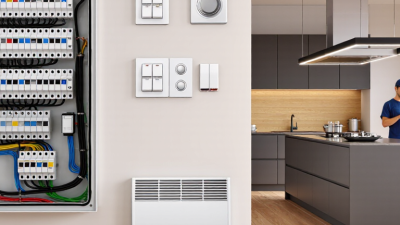
A KNX installation can combine twisted pair (TP), radio frequency (RF), and IP communication. Each medium serves a different physical environment. TP cables provide stable communication inside walls and electrical cabinets. RF devices help when new wiring is difficult, especially in renovated rooms. IP connects separate building areas through existing network infrastructure. Routers and media couplers link these sections while preserving one logical automation system. A Wall Switch can send a command through RF, pass across IP, and control a TP-connected light actuator. The path feels invisible to the resident.

In real projects, the architecture demands careful planning. Metal cabinets, thick concrete, and crowded wireless channels can reduce RF reliability. IP networks also need proper segmentation, addressing, and backup power. I have found that a clean topology drawing prevents many commissioning errors. However, drawings can hide practical problems. A device may work on a test bench but fail near a lift motor or steel door. Professional commissioning should include signal checks, device diagnostics, and repeated tests under normal household conditions. Configuration records also make later maintenance safer and faster.

Tips: Keep critical lighting and safety-related functions on TP when possible. Use RF for flexibility, not as an automatic replacement for every cable. Label every coupler, router, and line clearly. Test scenes from several rooms. Small details matter.

KNX Smart Home: How KNX Works for Modern Home Automation

System Architecture: TP, RF and IP Media Across One Automation Network

The chart compares representative nominal signaling rates used by the three KNX media types. KNX TP operates at 9.6 kbit/s, KNX RF commonly uses 16.384 kbit/s, and KNXnet/IP can use a 100 Mbit/s Ethernet link as a reference network speed. IP performance depends on the underlying Ethernet or wireless infrastructure and is not a fixed KNX requirement. A logarithmic scale is used so all values remain visible.

Telegram Routing: How Sensors, Actuators and Controllers Communicate

KNX Smart Home: How KNX Works for Modern Home Automation

Telegram routing is the quiet logic behind reliable KNX automation. A wall sensor sends a telegram through the bus, using a group address. The actuator receives it and switches a light, blind, or heating valve. Controllers can add schedules, scenes, and safety conditions. In a practical installation, twisted-pair wiring carries power and data together. IP routing can connect separate floors or buildings. Each device follows defined communication rules under ISO/IEC 14543-3-3.

Good routing needs discipline. A telegram should contain useful information, not repeated noise. Filters in line or area couplers reduce unnecessary traffic. Diagnostics can reveal missing acknowledgements, weak planning, or excessive bus load. This matters for a Knx Lighting Control System, where delayed commands may create visible flicker or poor user confidence. The International Energy Agency reports that buildings consume about 30% of global final energy. Responsive automation can help, but control quality matters more than adding devices.

Tips: Keep group addresses logical. Test every route physically. Record sensor locations and actuator responses. Leave space for future changes. Small errors remain expensive. One imperfect assumption can affect an entire floor. Engineers should review telegram logs after commissioning, not only trust the design software. My field observation is simple: systems often fail through unclear naming, not advanced technology. That weakness deserves more attention.

Device Engineering: ETS Programming, Group Addresses and Commissioning

A Knx System becomes reliable when engineering decisions are made before devices reach the site. ETS programming starts with a clear project structure, room names, device roles, and circuit descriptions. I usually separate lighting, shading, heating, and status functions into readable sections. This makes later diagnosis faster. It also exposes mistakes early.

Group addresses carry the logic between sensors, actuators, and visualisation panels. A practical structure may use main groups for floors, middle groups for rooms, and subgroups for functions. For example, a living room light command should not share an address with its feedback. During commissioning, I test one function at a time. I check telegrams, polarity, load response, and feedback status. A wall switch may respond correctly while the actuator remains incorrectly parameterised. That small mismatch is easy to miss.

Tips: Keep address names consistent. Record every physical address. Save ETS project versions after major changes. Test scenes under real conditions, including weak daylight and manual overrides. Avoid copying parameters blindly between rooms. It saves minutes, sometimes creates hours of troubleshooting. I also leave a short commissioning log near the control cabinet. It should include device location, programmed application, and unresolved observations. Not every issue is solved during the first visit. Honest notes are more useful than polished assumptions.

Automation Functions: Lighting, HVAC, Shading and Energy Management

KNX Smart Home: How KNX Works for Modern Home Automation

Automation Functions: Lighting, HVAC, Shading and Energy Management

A KNX-based home links switches, sensors, thermostats, blinds, and meters through one control system. Lighting can respond to presence, daylight, and time schedules. A hallway may dim after midnight, while a vacant room switches off automatically. These small actions feel practical, not theatrical. The International Energy Agency reports that buildings consume about 30% of global final energy. Better control can reduce avoidable demand.

HVAC automation uses room temperature, humidity, window contacts, and occupancy data. When a window opens, heating can pause instead of fighting outdoor air. Shading devices also protect rooms from summer heat. They can close before solar gain raises indoor temperatures, then reopen for useful daylight. The IEA identifies space heating, cooling, and water heating as major building energy loads. Sensor placement remains critical. A badly positioned sensor can create uncomfortable rooms and false savings.

Energy management adds measurement to automation. A KNX system can display circuit consumption, compare zones, and shift selected loads away from expensive periods. It may coordinate ventilation, heat pumps, lighting, and battery charging through defined priorities. The European Commission’s Energy Performance of Buildings research stresses that monitoring and control improve operational performance, but installation quality still matters. Commissioning should test real scenes, seasonal settings, and manual overrides. Otherwise, an intelligent home may simply automate poor decisions. That is the uncomfortable part.

Security and Scale: KNX Secure Uses AES-128 Encryption

KNX Smart Home: How KNX Works for Modern Home Automation

Security matters when lights, locks, blinds, and heating share one network. KNX Secure uses AES-128 encryption to protect communication between devices. It also supports authentication, integrity checks, and replay protection. A captured command should not operate a door later. That distinction matters in real homes.

The 2024 Data Breach Investigations Report found credential abuse in 22% of breaches. It also recorded a 180% increase in vulnerability exploitation. These figures explain why Smart Home Home Security needs more than a strong router password. KNX Secure can protect telegrams across wired and IP-based installations, while installers still need careful device commissioning and key management. Encryption cannot repair poor network design.

Details matter. A secure installation should separate building controls from guest Wi-Fi, restrict remote access, and document every security key. Software updates remain essential. NIST’s IoT cybersecurity guidance also stresses unique device identification, secure configuration, data protection, and update capability. Yet the process is not flawless. A forgotten commissioning key, an exposed service interface, or an unprotected legacy device can weaken the whole system. Security is layered, not automatic. Small mistakes remain possible. (Sources: 2024 Data Breach Investigations Report; NISTIR 8259A)

KNX Smart Home: How KNX Works for Modern Home Automation - Security and Scale: KNX Secure Uses AES-128 Encryption

Dimension Verified Technical Data How It Works in a Modern Home Practical Security or Scaling Benefit
Security standard KNX Secure extends KNX communication with authenticated and encrypted data exchange. Security is applied according to the communication medium and the type of protected KNX traffic. Helps reduce the risk of unauthorized commands, traffic manipulation, and replay attacks.
Encryption algorithm AES-128 is used for KNX Secure cryptographic protection. Data is processed with a 128-bit symmetric cryptographic key. Provides strong confidentiality for automation telegrams without requiring a separate encryption technology at the application level.
Data protection mode KNX Data Secure uses authenticated encryption based on AES-128 CCM. The protected telegram includes encrypted content and a cryptographic message authentication value. Confidentiality and integrity are handled together, making unauthorized modification detectable.
Device authenticity Secure communication uses keys assigned for the relevant secure devices and communication relationships. Devices verify protected messages before accepting security-sensitive data. Reduces the chance that an unknown device can impersonate a legitimate participant.
Replay protection Secure KNX communication uses freshness information, including sequence control, to identify reused telegrams. A previously captured valid message is not intended to remain valid indefinitely. Helps prevent an attacker from recording and retransmitting an old unlock, lighting, or control command.
Twisted-pair speed 9,600 bit/s is the standard data rate for KNX TP communication. Sensor, actuator, and controller telegrams share a dedicated two-wire bus. The low data rate is sufficient for building automation commands and supports predictable bus operation.
Wireless operation KNX RF provides wireless communication for compatible automation devices. Wireless sensors and actuators can be integrated where new cabling is difficult or undesirable. Supports renovation projects while retaining a structured automation architecture.
IP integration KNX IP transports KNX telegrams over standard IP networks; KNX IP Secure adds protection for IP-based KNX communication. Backbone and routing connections can use an Ethernet or IP infrastructure. Allows larger installations to connect areas and lines while separating automation traffic from unprotected access paths.
Line capacity A conventional KNX TP line supports up to 64 bus devices before line segmentation and repeater design considerations. Devices are organized into logical lines connected through suitable couplers or routers. Modular lines make fault isolation, commissioning, and future expansion easier.
Line segmentation A TP line can be divided into segments when additional devices or greater physical coverage are required; the usable limit depends on power supply, topology, and repeater design. Additional segments are planned according to cable length, device count, and bus-power conditions. Provides a controlled way to expand an installation without treating the entire building as one bus segment.
Hierarchical structure KNX installations can be arranged as devices, lines, areas, and backbone connections. Lighting, shading, heating, ventilation, access, and energy functions can be grouped by room, floor, or building zone. Hierarchical planning supports clear addressing, easier diagnostics, and staged expansion.
Communication model KNX uses distributed control: sensors send telegrams and actuators respond according to configured group addresses. Core automation functions do not require a single central controller for every local action. Local functions can continue operating even if a supervisory visualization or external service is unavailable.
Interoperability basis KNX devices communicate through standardized media, addressing, data-point types, and commissioning procedures. Different product categories can exchange standardized values such as switching, temperature, dimming, and status information. Reduces dependence on a single device type and supports multi-stage replacement or expansion.
Security deployment Best practice Protect the relevant field, IP, and commissioning paths according to the installation risk. Secure keys, access control, network separation, and controlled commissioning are used together. A layered approach protects both the automation bus and the gateways that connect it to broader networks.

KNX Ecosystem: 8,000+ Certified Products from the KNX Association

KNX Smart Home systems connect lighting, heating, shading, security, and energy controls through one certified automation standard. The KNX Association lists more than 8,000 certified products in its ecosystem. These products come from many manufacturers and support wired, wireless, and IP-based communication. That breadth gives homeowners more choice when upgrading a room. It also reduces dependence on one supplier.

In practical use, a wall sensor can lower blinds, dim lights, and adjust heating together. A gateway can link the installation with dashboards or energy meters. This matters because the International Energy Agency reports that buildings consume around 30% of global final energy. They also create about 26% of energy-related emissions.

Home Automation Smart Home planning should therefore include measurable energy goals, not only voice commands. The ecosystem is impressive, but certification does not guarantee a perfect user experience. Poor commissioning still causes confusing scenes and wasted energy.

Tips:

  • Check certification before buying.
  • Ask for a clear project file and device addresses.
  • Test one daily routine at different times.
  • Leave manual controls near entrances.
  • Keep spare capacity in the distribution board.
  • Small details matter.

FAQS

What is the open home automation standard described in the article?

It is a shared communication language for smart building devices. More than 500 manufacturers support it. It is not one company’s ecosystem.

How can devices communicate across a home?

Devices can use twisted-pair cables, radio signals, or IP networks. These media can work together through routers and couplers. The path stays mostly invisible.

What happens when the central server stops working?

Distributed control allows essential functions to continue locally. Lights, blinds, or heating may still respond to programmed commands. That resilience is useful.

Can one wall switch control several systems?

Yes. A single switch can trigger lights, blinds, heating, or ventilation. A hallway sensor might detect movement, while a dimmer adjusts brightness smoothly.

When is radio communication useful?

Radio devices help when installing new cables is difficult. They suit renovated rooms and areas with limited access. However, thick concrete can weaken signals.

Why should critical functions usually use wired connections?

Wired connections usually provide stable communication inside walls and cabinets. They are suitable for important lighting and safety-related functions. Radio should not replace every cable automatically.

What problems can occur during installation?

Poor planning can cause confusing scenes or difficult maintenance. Metal cabinets, steel doors, and crowded wireless channels may reduce reliability. A device can pass a bench test and still fail onsite.

How can installers improve reliability?

They should check product profiles, firmware, communication media, and electrical rules. Testing should cover every button, sensor, scene, and fallback action. Documentation matters.

Conclusion

KNX Smart Home is an open automation standard designed to connect devices from more than 500 manufacturers within one coordinated system. Its architecture supports twisted-pair wiring, radio communication, and IP networking, allowing sensors, actuators, controllers, and visualization tools to exchange telegrams across a single automation network. This flexible structure makes KNX suitable for both new installations and gradual upgrades.

System configuration is completed through ETS software, where installers assign group addresses, program device functions, and commission the installation. KNX can manage lighting, heating and cooling, ventilation, motorized shading, energy monitoring, and other household operations through centralized or decentralized logic. For stronger protection, KNX Secure applies AES-128 encryption to help safeguard communication and prevent unauthorized access. With more than 8,000 certified products in its ecosystem, KNX offers a scalable foundation for apartments, houses, and larger buildings while preserving interoperability and long-term expandability.
Blog Tags:

    Lila

    Lila

    Lila is a professional marketer at Shenzhen X-focus Co., Ltd. (AISpeaker), a leading smart home panel manufacturer and a top-tier industrial-trade integrated supplier in China. With a strong focus on research and development, Lila possesses an in-depth knowledge of the company's innovative......
    Previous KNX Home Automation: A Complete Guide for Smart Home Projects