Leave Your Message
0%

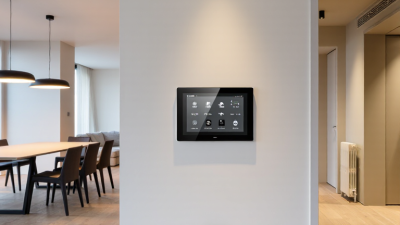
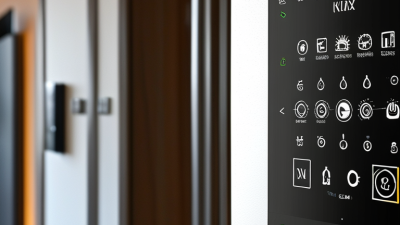
A KNX Control Panel isn’t just a sleek touchscreen mounted on a hallway wall. It’s really the face of a building’s systems—handling lighting, shading, HVAC, security, and energy management. Picking the right one isn’t just about looks; you’ve gotta think about how well it plays with other devices, how secure it is, how fast it responds, whether it’s accessible to everyone, and if it’s easy to maintain in the long run. The KNX Association even calls KNX “the global standard for home and building control,” with Franz Kammerl, the President of KNX, backing that up. That kind of authority’s important because a panel should work for the building, not just make it look fancy or trendy. It should support the project’s needs, not lock you into some shiny but limited interface.

The market’s pretty tough right now, too. The International Energy Agency points out that buildings make up about 30% of worldwide energy use and roughly 26% of energy-related emissions. A good control panel can actually make energy consumption visible and easier to tweak, helping cut down waste. Meanwhile, the European Commission pushes for smart readiness through its Smart Readiness Indicator. It’s a helpful reminder that we shouldn’t just judge these panels by shiny screens or fancy animations—what matters is how they perform in real life.

And don’t overlook the small stuff. Can a visitor get what’s happening in a room within seconds? Can an older person easily turn up the heat without digging through menus? And if cloud services go down, is the panel still useful? It should be. But, of course, no panel’s perfect. Sometimes installers forget that setting everything up can take longer than expected, or clients fall for that gorgeous glass look and overlook how practical it really is.

This article walks you through what really matters when choosing a KNX Control Panel—things like protocol compatibility, local controls, secure updates, energy feedback, tactile clarity, and reliable support. We’re keeping it practical on purpose because, honestly, a spec sheet might look great but still fall flat at 7 a.m. if the lights respond way too slowly. So, it’s all about balancing features with real-world performance.
KNX Control Panel: What to Look for in Smart Home and Building Projects

KNX Control Panels: Role and Core Functions in Smart Buildings

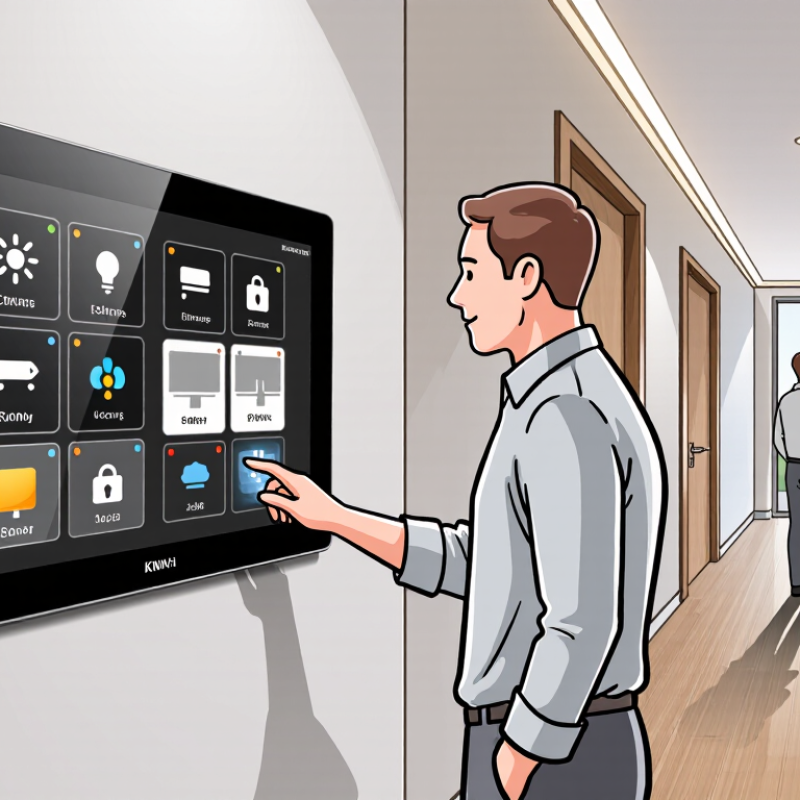
KNX control panels serve as the visible command layer of a smart building. They connect lighting, shading, heating, ventilation, and access functions through one structured interface. In a meeting room, a user might tap “presentation mode” and lower blinds, dim lights, and adjust temperature together. The panel also displays status information, helping facility teams identify faults before occupants report them.

According to the International Energy Agency, buildings consume about 30% of global final energy. Better control can reduce avoidable operation.


A reliable panel needs clear navigation, fast feedback, and role-based permissions. Large touch targets matter in busy corridors, while detailed menus support technicians during commissioning. The Knx Lighting Control System should also support scenes, daylight regulation, presence detection, and manual override.

The United Nations Environment Programme reports that buildings and construction contribute roughly 34% of global energy-related carbon emissions. These figures make responsive control more than a comfort feature. It becomes an operational decision.


Integration quality often matters more than screen appearance. Poorly named rooms create confusion. Delayed feedback frustrates users. A commissioning record should map every button to a real device and tested response. This step is sometimes rushed, and that is a weakness worth admitting.

The panel should remain usable during network interruptions, with safe local functions available. Cybersecurity also requires unique accounts, updates, and limited permissions. A smart building is not truly intelligent when occupants cannot understand it.

Project Requirements for Choosing the Right KNX Control Panel

Choosing a Knx System control panel should begin with project requirements, not screen size.

The International Energy Agency reports that buildings consume about 30% of global final energy. This makes reliable lighting, shading, and HVAC control essential. Define the controlled functions, room types, user roles, and response times before selecting hardware. A panel in a hotel room needs different logic from one in a plant room.

Interoperability is a practical test.

Confirm support for KNX communication, secure commissioning, scene control, alarms, and integration with metering systems. The panel should remain usable during network interruptions. Check whether electricians can replace it without rebuilding the wall. Cybersecurity also matters; the European Union Agency for Cybersecurity identifies connected building systems as expanding attack surfaces. Use role-based access, protected commissioning, and controlled firmware updates.

Details decide daily satisfaction.

A seven-inch screen beside a bright window needs readable contrast. Wet hands require generous buttons. A corridor panel should complete common actions in two taps or less. Review energy data against the project’s baseline, not attractive dashboard graphics. The U.S. Department of Energy notes that advanced building controls can reduce HVAC energy use, although savings vary by building and operation. That warning deserves attention. A perfect specification rarely exists. Leave room for commissioning feedback, because real occupants often behave differently from the design brief.

User Interface Design, Accessibility, and Daily Operation

A Home Automation Control Panel should make daily routines feel clear, not technical. In real projects, users often check lighting, shading, and room temperature while carrying groceries. The interface must show essential controls immediately. Large touch targets help older users and anyone with limited dexterity. High contrast improves visibility in bright rooms. Text labels should remain readable from a standing position.

Good design also supports different habits. Some residents prefer scenes, while others want direct control. A panel can offer both without crowding the screen. Keep common actions within one or two taps. Use consistent icons, but never depend on icons alone. A short label can prevent costly confusion. Voice feedback or adjustable text size may improve access for many users. Physical buttons can still be valuable during stressful moments.

Daily operation reveals weaknesses that drawings cannot. After installation, observe how people use the panel at breakfast, bedtime, and when guests arrive. One practical mistake is hiding an important function inside a settings menu. I have also seen screens become too clever, showing data that nobody needs. That deserves review. A reliable panel should confirm whether a blind moved, a light changed, or a room reached its target temperature. Clear status messages build trust. Silent failures do not. Users should also receive simple guidance for manual overrides, especially during network interruptions.

Compatibility with KNX Devices, Systems, and Communication Standards

A KNX control panel should communicate reliably with the devices already installed, not merely display attractive icons. During commissioning, verify support for KNX communication standards, including twisted pair, KNX IP, and wireless connections where applicable. A panel may appear compatible, yet still lack access to specific functions, group addresses, or feedback objects.

Check how the panel handles lighting, shading, heating, ventilation, and energy data. For example, a wall panel should receive a temperature value, send a setpoint, and show the updated status without noticeable delay. Confirm support for standard KNX group communication and secure communication when the project requires stronger protection. Gateway behavior also matters. Poorly documented mappings can create confusing faults months later.

Installation details reveal practical compatibility. Review ETS project integration, device addressing, firmware management, and backup procedures before selecting the panel. Test scenes, alarms, and fallback behavior with the actual network structure. I once underestimated the impact of an inconsistent status object; the screen looked correct, but the actuator state was different. That mistake was avoidable.

Leave room for uncertainty. New device versions may introduce functions that older panels cannot interpret. Ask for documented protocol support, update policies, and independent testing evidence. A dependable control panel should fit the KNX ecosystem today while remaining serviceable after the building changes.

KNX Control Panel Compatibility Checklist

A compatible KNX control panel should address the main KNX media, commissioning workflow, communication modes, and security standards. The chart uses a reference capability map: 1 means the capability is defined within the KNX ecosystem and should be considered during product selection.

KNX TP uses twisted-pair communication, KNX RF operates in the sub-GHz radio band, KNX IP supports IP-based routing and tunnelling, and KNX Secure includes IP Secure and Data Secure mechanisms. ETS compatibility is important for engineering, commissioning, and project maintenance.

Installation, Configuration, and Integration Considerations

Installing a KNX control panel starts with the room, not the screen. I measure wall depth, viewing height, cable routes, and nearby heat sources before fixing anything. A bright hallway panel may need lower brightness in bedrooms. Leave service space behind the enclosure. It saves time later. The bus cable should follow a clear, documented path, separated from unsuitable power runs where local standards require it. I label each cable at both ends. Small discipline prevents large troubleshooting sessions. Still, measurements can change after furniture arrives, so I treat the first plan as provisional.

Configuration should mirror how people use the building. I group lighting, shading, temperature, scenes, and alarms by room and function. Button feedback must remain visible, especially when commands pass through several devices. For a Background Music Control Panel, I test source selection, volume limits, mute behavior, and recovery after network interruptions. Keep labels plain. “Kitchen lights” is better than an internal device code. I also set permissions carefully, separating resident, guest, and service access. A rushed parameter download can leave one function untested. I have seen one wrong group address disable an otherwise complete scene.

Integration testing needs real conditions. I close blinds, open a window, trigger presence detection, and check conflicting commands. The panel should respond consistently, even when another sensor starts the action. I document firmware versions, configuration files, circuit references, and commissioning results. Accessibility matters too. Text size, contrast, tactile feedback, and mounting height affect daily use. My early projects sometimes favored visual elegance over practical reach. That was a mistake worth correcting before handover.

KNX Control Panel: What to Look for in Smart Home and Building Projects — Installation, Configuration, and Integration Considerations

Project Area Evaluation Dimension Key Requirement or Practical Benchmark Why It Matters Recommended Verification Method
Panel Hardware KNX compatibility Required The control panel should support communication with the KNX installation through a certified KNX interface or compatible IP infrastructure. Ensures reliable access to group addresses, device status, scenes, alarms, and control commands. Review the technical datasheet, supported KNX communication method, firmware requirements, and commissioning documentation.
Panel Hardware Display and touch interface Choose a screen size, resolution, viewing angle, and touch technology that match the room, viewing distance, and user profile. Capacitive touch is commonly used for multi-touch interfaces. Improves usability and reduces accidental commands in residential and commercial spaces. Test the interface under daylight, artificial lighting, and low-light conditions while wearing commonly used gloves if relevant.
Panel Hardware Power architecture Confirm whether the panel requires dedicated mains power, Power over Ethernet, auxiliary low-voltage power, or a combination. Provide suitable circuit protection and isolation. Correct power planning prevents nuisance resets, overheating, and unsafe service conditions. Compare the panel power rating with the electrical design, power budget, protective devices, and backup-power strategy.
Panel Hardware Operating temperature and environment Select an enclosure and panel rated for the intended indoor environment, including temperature, humidity, dust exposure, and mounting position. Environmental mismatch can shorten service life and cause touch or display failures. Check the manufacturer’s environmental ratings and inspect the proposed location for heat sources, condensation, and direct sunlight.
Installation Mounting and accessibility Provide a rigid, level mounting surface, adequate back-box depth, cable bend radius, ventilation, and access for future replacement. Good installation practice supports safe maintenance and prevents mechanical stress on connectors and the display. Review coordinated architectural and electrical drawings, then inspect the first installed panel before repeating the detail.
Installation KNX twisted-pair topology Use the approved KNX bus cable type and follow KNX rules for line topology, polarity, cable separation, termination, and power-supply placement. Avoid unapproved star or ring arrangements. Topology and wiring errors can produce intermittent communication faults that are difficult to diagnose. Perform continuity, polarity, insulation, cable-route, and segment checks before device commissioning.
Installation Bus capacity and voltage margin Confirm that the KNX power supply capacity covers the connected devices with an appropriate design margin. A typical KNX TP line is designed around 29 V DC nominal bus voltage and 9600 bit/s communication. Adequate voltage and current margins improve stability when several devices transmit or start simultaneously. Measure bus voltage at representative points and compare the calculated device load with the power-supply rating.
Installation Cable segregation Maintain the separation required by local electrical regulations between KNX bus wiring, mains circuits, and other communication systems. Use suitable barriers or conduit where required. Reduces electrical interference and supports safe inspection and maintenance. Inspect routes, containment, junction boxes, and panel back boxes against the electrical coordination drawings.
Configuration Individual addresses Use a documented and consistent addressing plan for areas, lines, couplers, interfaces, and devices. Avoid duplicate individual addresses. Clear addressing simplifies commissioning, troubleshooting, expansion, and handover. Export the project device list and compare it with the installed device labels and physical locations.
Configuration Group-address structure Organize group addresses by building, floor, room, function, and data direction, using a naming convention understood by installers and operators. Structured group addresses reduce programming errors and make future changes more predictable. Review the group-address export, naming rules, data-point list, and relationship between controls and loads.
Configuration Data-point types Use the correct standardized data-point type for switching, dimming, temperature, relative humidity, scene control, blinds, alarms, and energy values. Correct data types are essential for interoperability between panels, sensors, actuators, and visualization systems. Check the data-point type assigned to each group address and test value interpretation at the panel.
Configuration Scenes and sequences Define scene behavior, priority, timing, fade rates, minimum and maximum levels, and recovery behavior after a power interruption. Predictable sequences improve comfort and prevent conflicting commands between lighting, blinds, HVAC, and security functions. Test every scene from the panel, local push buttons, schedules, and any permitted remote interface.
Configuration Fail-safe behavior Specify the local behavior of lighting, blinds, ventilation, heating, and access-related functions when the panel, network, or server is unavailable. Core building functions should not depend on one visualization device or central application. Disconnect the panel or supervisory network under controlled conditions and verify local KNX operation.
User Interface Navigation and hierarchy Use a clear hierarchy such as building, floor, room, function, and device. Keep frequently used commands accessible within a small number of interactions. Simple navigation reduces training requirements and user errors. Conduct task-based tests with representative users, including lighting, temperature, shading, and alarm acknowledgements.
User Interface Status feedback Show the actual state of lights, blinds, temperatures, operating modes, communication status, and active alarms rather than displaying commands only. Accurate feedback helps users distinguish between a requested action and a confirmed device state. Operate devices locally and from the panel, then confirm that displayed feedback updates correctly in both directions.
User Interface Access levels Separate everyday user controls from installer and administrator functions. Protect configuration, schedules, network settings, and service tools with appropriate authentication. Limits accidental changes and reduces unauthorized access to building-control functions. Test user roles, password policies, timeout behavior, and access to service menus.
Integration KNX IP connectivity For IP-based access, document the interface address, routing or tunneling method, network segment, firewall rules, and connection limits. Transparent network planning prevents duplicate connections, communication conflicts, and difficult fault isolation. Verify addressing, connectivity, firewall behavior, packet flow, and simultaneous-client performance.
Integration HVAC integration Define the exchanged values and commands for room temperature, setpoints, operating modes, fan stages, valve positions, occupancy, and window contacts. Well-defined interfaces prevent conflicting temperature commands and support energy-efficient operation. Compare the integration matrix with the HVAC sequence of operation and test heating, cooling, standby, and fault states.
Integration Lighting and shading Coordinate switching, dimming, scenes, daylight control, blind position, slat angle, wind protection, and manual override behavior. Coordinated control improves comfort, glare management, energy performance, and occupant acceptance. Test automatic and manual modes under different daylight, occupancy, and weather-protection conditions.
Integration Energy monitoring Confirm the measurement units, update intervals, meter direction, tariff structure, and historical-data requirements for electricity, heating, cooling, or water. Incorrect units or scaling can lead to misleading dashboards and poor operational decisions. Compare panel readings with calibrated meter values and verify timestamps, scaling, and cumulative totals.
Integration Alarm and event handling Define alarm priority, acknowledgment, escalation, logging, display behavior, and recovery status for technical and safety-related events. Clear event handling helps operators respond quickly and maintains an auditable record. Generate representative faults and confirm alarm indication, logging, acknowledgment, and reset behavior.
Cybersecurity Network protection Place IP interfaces and panels in appropriately segmented networks, disable unused services, restrict administrative access, and apply approved firmware updates. Building-control systems can expose operational and occupancy information if network access is poorly controlled. Review the network diagram, firewall rules, service list, update process, and administrator-access records.
Cybersecurity Remote access Use an approved secure remote-access method with user authentication, access logging, session control, and a defined support procedure. Controlled remote access supports maintenance without creating an unmanaged entry point. Perform an access review and verify that remote sessions can be enabled, monitored, and revoked.
Commissioning Functional testing Test every control, actuator, sensor, scene, schedule, alarm, interlock, and integration point against an approved commissioning checklist. Systematic testing identifies wiring, addressing, logic, and interface errors before handover. Record test results, failed items, corrective actions, retests, and responsible parties.
Commissioning Performance and response Assess command response, status-update behavior, screen loading, alarm notification, and operation during normal network traffic. Practical responsiveness affects user confidence and reveals network or configuration bottlenecks. Measure representative response times and repeat tests during simultaneous device activity.
Handover Documentation package Provide the final project file, device list, topology diagram, group-address list, panel graphics, network settings, test records, and maintenance instructions. Complete documentation reduces future service time and protects the project from knowledge loss. Use a handover checklist and confirm that delivered files match the as-built installation.
Lifecycle Expansion and replacement Reserve suitable bus, power, network, enclosure, and screen capacity for planned additions. Record firmware and configuration dependencies. Future changes are less disruptive when capacity and dependencies are documented from the beginning. Review spare capacity, replacement procedures, backup files, and a controlled change-management process.

Security, Reliability, Scalability, and Long-Term Maintenance

KNX Control Panel: What to Look for in Smart Home and Building Projects

Security starts with controlled access, not attractive screens. Specify role-based permissions, encrypted connections, and detailed event logs. Physical protection matters too. A locked cabinet, labeled circuits, and tamper alerts can prevent simple mistakes from becoming serious problems. During commissioning, test every user level and record failed access attempts. In practice, teams sometimes overlook local operation during network failure. That weakness deserves attention.

Reliability depends on predictable behavior. The panel should show clear fault messages, retain essential lighting scenes, and recover safely after a power interruption. Watchdog functions, surge protection, and stable power supplies reduce unnecessary service calls. Test these conditions before handover. Do not trust a successful demonstration alone. Real buildings behave differently.

Scalability requires spare capacity in power supplies, bus infrastructure, panel space, and software structure. Use consistent naming, readable schematics, and documented group addresses. This makes future extensions less risky. Long-term maintenance also needs secure backups, version records, diagnostic access, and replaceable components. Schedule periodic inspections, especially after renovations. I have seen well-installed systems become difficult to manage because documentation was never updated. That is an avoidable failure, although perfect records are rarely achieved. A practical maintenance plan should allow technicians to understand the installation quickly, even years later.

FAQS

What does a smart building control panel manage?

It connects lighting, blinds, heating, ventilation, and access functions. One tap can activate presentation mode. Lights dim, blinds lower, and temperature changes together. The panel also displays equipment status and faults.

What makes a control panel easy to use?

Clear navigation and quick feedback matter most. Large touch targets help users in busy corridors. Keep common actions within one or two taps. Short labels prevent confusion.

How should a panel support accessibility?

Use high contrast and readable text. Labels should remain visible from a standing position. Adjustable text size can help many users. Physical buttons still matter during stressful moments.

Should users choose scenes or direct controls?

The interface should provide both options. Some users prefer one scene for bedtime. Others want separate control of lights and blinds. Avoid crowding the screen.

How can a panel confirm that commands worked?

It should show clear status feedback. A blind should display its actual position. A light should confirm its changed state. Silent failures damage user trust.

What should installers test before handover?

Test every button with its real device. Check group addresses, feedback objects, scenes, alarms, and temperature values. Verify that commands produce visible responses without noticeable delay. Rushed commissioning remains a real weakness.

Can a control panel work during network interruptions?

It should retain safe local functions. Users may still need lighting or shading control. Provide simple instructions for manual overrides. Do not assume the network always behaves.

What security features should a control panel include?

Use unique user accounts and limited permissions. Keep technicians separate from ordinary occupants. Apply software updates through a controlled process. Convenience alone is not security.

How can a panel remain useful after building changes?

Review protocol support, firmware policies, and backup procedures. Test wired, IP-based, or wireless connections when applicable. Document device mappings clearly. I once trusted a correct-looking screen too quickly. The actuator state was different.

Conclusion

A KNX Control Panel serves as a central interface for monitoring and managing lighting, climate, shading, security, energy use, and other building functions. Selecting the right panel begins with clearly defining project requirements, including building size, user roles, control complexity, display location, and future expansion needs. The interface should be intuitive, responsive, accessible, and suitable for both everyday users and professional operators, with clear navigation and customizable control options.

Technical compatibility is equally important. The panel should communicate reliably with KNX devices and related building systems while supporting appropriate configuration and integration methods. Installation requirements, network structure, commissioning procedures, and maintenance access should be considered at an early stage. Strong security measures, stable performance, backup options, and dependable operation are essential for long-term use. A scalable KNX Control Panel can also adapt to changing requirements, additional devices, and evolving automation strategies, helping maintain efficiency, usability, and system value throughout the building’s lifecycle.
Blog Tags:

    Jackson

    Jackson

    Jackson is a seasoned marketing professional at Shenzhen X-focus Co., Ltd. (AISpeaker), where he brings a wealth of expertise in Smart Home technologies. With a profound understanding of the company’s core offerings—which include advanced smart central control panels, background music systems, and......
    Previous What Are the Top China Wi Fi Switches for Global Buyers?
    Next B2B Sourcing Inquiry Guide: How to Find the Right Smart Hardware Manufacturer