Leave Your Message
0%

Smart Homes are kind of moving past voice commands and those stand-alone mobile apps. Now you’ve got a wall-mounted panel that pulls together lighting, climate, security, energy, and entertainment—all from one screen you can actually see. Statista Market Insights figures global Smart Home revenue will hit hundreds of billions of dollars this decade. And Grand View Research says connected home tech is seeing solid double-digit growth, too. But here’s the catch: they’re not defining the market the same way. And honestly? That gap is worth paying attention to.

When you're looking for a reliable Custom Smart Control Panel Manufacturer, it's not just about specs—it's about connecting product strategy with real engineering discipline. The hardware choices you make? They matter. They affect heat, screen brightness, microphone performance, and how easy the thing is to maintain down the road. Firmware is what decides how fast devices respond and how well they bounce back when the network drops. And the UI? That's what determines whether a homeowner can adjust the room temperature with one clear tap—no fuss, no confusion. So, when you're building anAndroid Smart Home Control Panel, there's a lot you have to deal with — custom launchers, permission management, OTA updates, and getting it to play nice with Matter, Wi-Fi, Zigbee, or Bluetooth devices. And honestly, all of that really starts to show at 7:00 a.m., because that's when a slow panel stops being a theoretical issue and becomes very, very real.

Honestly, professional development should also line up with the published risk guidance. NIST’s IoT cybersecurity recommendations keep pushing the same basics: secure configuration, software updates, device identity, and data protection. Deloitte’s Connected Consumer research keeps pointing to the same tension, too—people want convenience, but they’re also worried about privacy and reliability. A polished prototype alone isn’t enough. Field testing, failure logging, and clear update policies matter way more than pretty renders. Let's be honest—no interface is ever perfect. A panel can still trip up older users, drop its connection, or bury settings where nobody can find them. But the good manufacturers? They see those flaws as design clues, not something to spin in marketing. In this guide, we'll look at hardware customization, firmware architecture, and UI choices—the stuff that can make a connected display feel like reliable, everyday infrastructure.
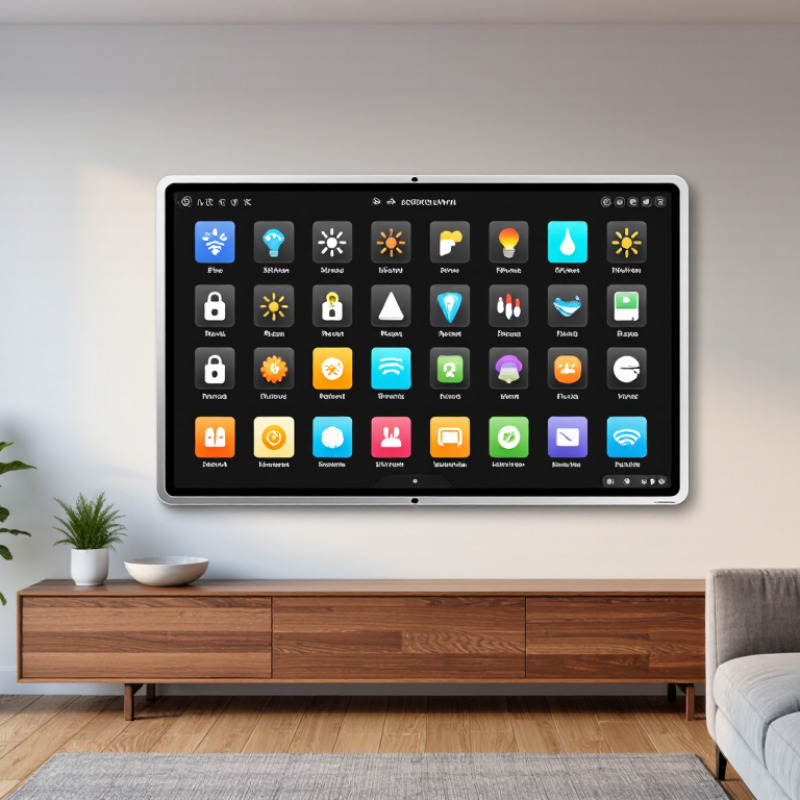
Custom Smart Control Panel Manufacturer: Hardware, Firmware and UI Customization Explained

Defining a Custom Smart Control Panel and Its Core Functions

A Smart Control Panelis the operator’s direct connection to a machine, room, or energy system. It combines a display, physical controls, communication ports, and embedded software in one enclosure. Unlike a standard Switch Panel, it can receive sensor data, process commands, and show operating status in real time. A well-designed panel should make the next action obvious, even when the user is under pressure.

Its core functions include monitoring temperature, pressure, power use, alarms, and equipment states. It may also control relays, motors, valves, lighting, or access devices. Hardware selection matters. A bright display needs to remain readable near a window, while sealed buttons may perform better in dusty areas. Firmware manages startup checks, data communication, fault handling, and safe shutdown behavior. The user interface should present essential information first. Small details matter, such as clear alarm colors and confirmation prompts for risky commands.

Customization usually begins with the operating environment, not the screen design. Engineers review wiring diagrams, user roles, response times, and maintenance habits before defining the interface. Field testing can reveal problems that drawings miss, including glare, delayed touch responses, or confusing labels. We still sometimes overestimate what users want to see. Less information can be safer. A reliable manufacturer documents every revision, tests communication failures, and records how the panel behaves after power loss. Perfect usability is difficult, but honest testing exposes weaknesses early.

Selecting Hardware Components for Different Control Panel Applications

Selecting hardware for a custom Smart Home Control Panel starts with the installation environment, not the screen size. A wall panel in a kitchen needs a bright display, wide viewing angles, and a surface that tolerates frequent cleaning. A factory control panel needs stronger protection, stable temperature performance, and physical buttons for use with gloves. A larger screen is not always better.

For residential systems, an efficient processor can manage lighting, climate, security status, and scheduled scenes without excessive heat. Memory should support the planned user interface and future firmware updates.

For commercial buildings, add reliable Ethernet, flexible wireless connectivity, and secure remote maintenance. Industrial applications may require isolated inputs, relay outputs, and a sealed enclosure against dust or moisture. Choose the interface around real tasks.

Small details matter. A shallow enclosure may simplify installation, but it can restrict connectors and ventilation. Touch controls look clean, yet tactile buttons remain valuable during emergencies or poor visibility. Hardware selection must also match the firmware and UI workload. Engineers should test boot time, screen response, network recovery, and power interruptions on physical samples. Paper specifications can mislead.

There is room for correction. Early designs often include too many ports or an oversized processor. Field feedback may reveal that installers prefer simpler wiring and clearer status lights. A dependable manufacturer documents component tolerances, conducts lifecycle testing, and keeps replacement parts available. That practical discipline supports a panel that remains serviceable after the first installation.

Designing Embedded Firmware for Reliable Device Operation

Reliable firmware begins with clear operating rules. For a Smart House Control Panel, every button, sensor, and display state needs predictable behavior. In field testing, we define responses for normal use, power loss, network delays, and damaged input data. A simple state machine prevents conflicting commands, such as heating and cooling starting together. Watchdog timers can recover stalled processes, while stored settings preserve user preferences after an unexpected restart. Small details matter.

Tips: Keep safety-critical functions local. Validate every external message. Log faults with timestamps. Test recovery repeatedly. Use readable error messages. Avoid hiding failures behind automatic retries, because silent problems become expensive later.

Firmware should also communicate cleanly with the hardware and user interface. Debouncing physical buttons prevents double commands. CRC checks help detect corrupted settings. Versioned update packages reduce installation risks, especially when a panel operates continuously. During verification, engineers should test cold starts, low memory, disconnected sensors, and rapid user actions. A controlled fallback image can restore operation when an update fails. We have found that simulated tests are useful, but they cannot replace long hours with real panels. Heat, aging components, and inconsistent network timing expose weaknesses. One overlooked delay may still disrupt the screen. That is why firmware reviews should remain practical, documented, and open to correction.

Creating a User Interface for Clear and Efficient Control

In a custom Smart Control Panel, the user interface is the operator’s working surface. It must make status, risk, and action immediately visible. During commissioning, we watch operators use real gloves, lighting, and tools. A button that looks clear in a design file may fail beside a vibrating machine. We place critical controls near the natural hand position. We also separate start, stop, reset, and confirmation actions. Small details prevent expensive hesitation.

Accessibility is not an optional layer. The World Health Organization estimates that 1.3 billion people experience significant disability worldwide. Therefore, readable contrast, scalable text, tactile feedback, and clear alarms deserve early engineering attention. Icons should support words, not replace them. A temperature warning should show the value, unit, and required response. The commonly used System Usability Scale has an average benchmark of 68, giving teams a practical reference for testing. Scores alone are not enough.

We test prototypes with technicians, supervisors, and occasional users. Their mistakes reveal more than polished demonstrations. We sometimes overpack screens with helpful information. That decision can create slower control. A better panel uses layered detail: essential status first, diagnostics one tap away. Firmware should preserve safe states during communication loss. UI behavior must match the hardware response. One uncomfortable truth remains: our assumptions are often wrong. Real observation must correct them.

Custom Smart Control Panel Manufacturer: Hardware, Firmware and UI Customization Explained - Creating a User Interface for Clear and Efficient Control

Customization Dimension Typical Options Relevant Technical Specifications Control and Usability Benefit Recommended Validation Method
Display Technology IPS LCD, projected-capacitive touch display, monochrome display, or sunlight-readable display Screen size, resolution, viewing angle, brightness, contrast ratio, touch-sensor type Improves readability, touch accuracy, and visibility in different lighting conditions Measure brightness and viewing angle; perform touch tests with gloves, moisture, and repeated inputs
Processor and Memory Microcontroller unit or application processor with dedicated memory Processing architecture, clock speed, RAM, flash storage, graphics capability Supports responsive graphics, local logic, data logging, and future firmware updates Run peak-load tests with all intended screens, communications, and background tasks active
Input Controls Touchscreen, physical buttons, rotary encoder, slider, keypad, or emergency stop input Actuation force, debounce time, tactile feedback, key travel, ingress protection requirements Enables fast operation and provides alternatives when touch interaction is unsuitable Evaluate accidental activation, repeated operation, accessibility, and cleaning procedures
Connectivity Ethernet, Wi-Fi, Bluetooth Low Energy, serial communication, CAN, USB, or cellular connectivity Communication protocol, data rate, operating range, connector type, network security Allows integration with sensors, controllers, machines, gateways, and supervisory systems Test throughput, latency, reconnect behavior, interference tolerance, and packet-loss recovery
Power Architecture Direct current input, battery power, power-over-Ethernet, or backup power support Input-voltage range, power consumption, protection circuits, charging method, standby current Improves operational continuity and protects the panel from common electrical faults Verify startup, brownout, overvoltage, reverse-polarity, short-circuit, and power-interruption behavior
Enclosure and Mounting Panel mount, wall mount, desktop enclosure, handheld housing, or sealed industrial enclosure Material, dimensions, mounting pattern, ingress protection level, thermal design, cable routing Protects electronics and supports installation in indoor, outdoor, mobile, or industrial environments Conduct mechanical fit, vibration, drop, thermal cycling, dust, and water-resistance evaluations as required
Firmware Functions Device drivers, sensor processing, alarm logic, scheduling, diagnostics, data logging, and update services Real-time response, boot time, error handling, watchdog operation, storage strategy, update method Creates predictable behavior and enables maintenance without replacing the control panel Use unit, integration, fault-injection, recovery, and interrupted-update testing
User Interface Structure Dashboard, status overview, control screen, settings, alarms, maintenance, and access-control pages Navigation depth, screen hierarchy, control grouping, status indicators, confirmation rules Reduces search time and helps operators understand system status before taking action Measure task completion time, error rate, navigation steps, and operator feedback
Visual Design and Accessibility Color-coded states, scalable text, icons, high-contrast mode, multilingual labels, and sound or vibration alerts Text size, contrast ratio, icon consistency, alert priority, language length, color-independent status cues Improves comprehension for users with different lighting, language, and visual requirements Review contrast and readability; test with color-vision limitations and representative users
Alarm and Safety Logic Warning, fault, critical alarm, acknowledgement, escalation, interlock, and safe-state behavior Priority levels, response time, alarm history, reset conditions, access permissions, fail-safe states Makes urgent conditions visible and helps prevent unsafe or unauthorized actions Perform hazard analysis, alarm-path testing, loss-of-communication tests, and recovery verification
Security and Access User roles, password or badge access, encrypted communication, secure boot, audit logs, and session timeout Authentication method, authorization levels, encryption, credential storage, update signing, event records Limits unauthorized changes and provides traceability for critical operations Conduct permission checks, penetration testing, credential recovery tests, and audit-log reviews
Testing and Compliance Electrical safety, electromagnetic compatibility, environmental, reliability, and usability testing Applicable market requirements, test conditions, acceptance criteria, documentation, traceability Reduces field failures and supports consistent production and deployment Create a requirements traceability matrix and retain design, test, and change-control records

Integrating Connectivity, Sensors, and External Systems

A custom Smart Control Panel becomes valuable when it connects field data with external systems. The State of IoT 2024 report estimates that connected IoT devices will exceed 17 billion worldwide. That scale increases pressure on panel manufacturers. Connectivity must be stable, measurable, and easy to maintain.

A practical design may combine Ethernet, Wi-Fi, cellular communication, and industrial protocols. Modbus TCP can link meters and controllers. MQTT can publish sensor readings to cloud services. OPC UA can support structured industrial data exchange. The panel should process urgent alarms locally, even when the network fails. Temperature, pressure, vibration, and current sensors also need calibration records. Small details matter. A loose terminal can create false alarms.

Firmware should include watchdog functions, event logs, secure updates, and clear fault codes. External systems may include building management, energy platforms, production software, or maintenance databases. Data mapping must define units, timestamps, permissions, and response limits. A 2021 industry analysis by McKinsey estimated that IoT applications could create up to $12.6 trillion in annual economic value by 2030. Yet connectivity alone does not create that value.

The weak point is often integration testing. A simulator may not reproduce electrical noise or delayed network packets. Field trials reveal those gaps. Some assumptions will be wrong. Engineers should document them, test again, and keep the interface understandable for technicians wearing gloves.

Smart Control Panel Connectivity: Nominal Data Rates

The chart compares commonly specified nominal communication rates used when integrating control-panel hardware, firmware, sensors, and external systems. Actual throughput depends on cable length, protocol overhead, network conditions, and device configuration.

Low-speed field interfaces are often suitable for sensors and actuator control, while Ethernet and wireless links provide greater capacity for dashboards, firmware updates, gateways, and cloud-connected systems.

Testing, Producing, and Supporting Customized Control Panels

A customized Home Automation Control Panel should be tested before it enters regular production. Engineers verify touchscreen response, relay timing, enclosure fit, and communication stability. A panel may look excellent but fail after repeated temperature changes. We test sample units through power cycles, button presses, and network interruptions. Small faults become expensive when they reach installation sites.

Production requires controlled assembly and clear inspection records. Each panel should receive firmware matched to its hardware revision. The user interface must also reflect real installation conditions, including wet hands, dim rooms, and limited space. We inspect screen brightness, connector placement, cable strain, and screw alignment. It is not flawless every time. A wiring label may need revision after technicians report confusion. That feedback is useful, not embarrassing.

Tips: Request a pilot batch before full production. Define acceptance tests with measurable results, such as response time and screen accuracy. Keep firmware versions traceable. Provide installers with wiring diagrams, reset procedures, and spare components. After delivery, support should include remote diagnosis and practical replacement guidance. A short video from the installation site can reveal issues that factory testing misses. Good support listens carefully, although some problems still require redesign rather than a quick software patch.

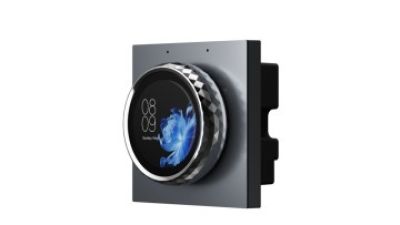
T10 All-in-One HVAC Smart Panel: Intelligent Temperature Control for Modern Spaces

The T10 All-in-One HVAC Smart Panel brings intelligent temperature control to modern homes, offices, hotels, and other contemporary spaces. By combining air conditioning, floor heating, and fresh air management in one streamlined interface, it simplifies daily climate adjustment while supporting a more comfortable indoor environment. Its built-in temperature and humidity sensor continuously monitors room conditions, allowing the system to respond intelligently and maintain a stable atmosphere throughout the day. Whether the priority is cooling, heating, or improved ventilation, users can enjoy convenient and consistent control from a single panel.

Designed with both performance and aesthetics in mind, the panel features a diamond-cut control knob and refined AG matte glass. The textured finish adds a sophisticated touch to interior walls, while the ergonomic knob makes adjustments smooth and intuitive. Its clean appearance suits a wide range of residential and commercial settings, including smart apartments, meeting rooms, offices, and hospitality spaces. Compatible with 86*86mm Asian standard back boxes, the panel supports flexible installation and is well suited for suppliers, renovation projects, and factory-based applications across China.

FAQS

How should the installation environment influence hardware selection?

Start with the room, not the screen size. A kitchen panel needs high brightness, wide viewing angles, and a cleanable surface. A factory panel needs stronger protection and physical buttons for gloved users. A larger display is not always better.

What processor and memory are suitable for residential control panels?

An efficient processor can manage lighting, climate, security status, and scheduled scenes. It should avoid producing excessive heat inside the enclosure. Memory must support the interface and future firmware updates. Oversizing the processor can increase cost without improving daily use.

Which connectivity options may a customized panel need?

A panel may combine wired networking, wireless communication, cellular service, and industrial data links. The choice depends on equipment, distance, and maintenance conditions. Urgent alarms should continue working locally when the network fails. Connectivity alone creates no value.

How can sensors and external systems be integrated reliably?

Define units, timestamps, permissions, and response limits before integration. Temperature, pressure, vibration, and current sensors need calibration records. A loose terminal can trigger a false alarm. Small faults matter.

Why are physical buttons still useful on modern touch panels?

Touch controls look clean and support flexible interfaces. Physical buttons remain useful during emergencies, poor visibility, or wet-hand operation. Clear status lights can also help technicians understand faults quickly. Designers sometimes remove useful buttons too early.

What tests should engineers perform before production?

Test touchscreen response, relay timing, enclosure fit, and communication stability. Use physical samples, not only paper specifications. Check boot time, network recovery, power interruptions, and repeated temperature changes. Simulators miss some real conditions.

How can production quality be controlled for customized panels?

Use controlled assembly and maintain clear inspection records. Match each firmware version to its hardware revision. Inspect brightness, connector placement, cable strain, screw alignment, and wiring labels. A pilot batch can reveal expensive mistakes.

What support should installers receive after delivery?

Provide wiring diagrams, reset procedures, spare components, and replacement guidance. Remote diagnosis can shorten service visits. A short installation video may reveal problems factory testing missed. Some issues need redesign, not another software patch.

Conclusion

A Custom Smart Control Panel Manufacturer develops integrated control solutions tailored to the specific needs of industrial, commercial, and specialized applications. The process begins by defining core functions, selecting suitable processors, displays, input methods, power systems, and protective components for the intended environment. Hardware choices must balance performance, durability, energy efficiency, and ease of maintenance.

Reliable embedded firmware coordinates device operation, manages inputs and outputs, and supports safe, consistent performance. A clear user interface helps operators monitor status, adjust settings, and respond quickly to system conditions. Connectivity, sensors, and external equipment can be integrated to enable data exchange and coordinated control. Before delivery, customized panels undergo functional, environmental, and usability testing, followed by controlled production and ongoing technical support. This complete approach helps ensure that each control panel is practical, dependable, scalable, and aligned with the customer’s operational requirements.
Blog Tags:

    Jackson

    Jackson

    Jackson is a seasoned marketing professional at Shenzhen X-focus Co., Ltd. (AISpeaker), where he brings a wealth of expertise in Smart Home technologies. With a profound understanding of the company’s core offerings—which include advanced smart central control panels, background music systems, and......
    Previous China Top 10 Smart Lighting Home Suppliers