Picking an ODM Smart Panel isn’t just about hardware. It’s a decision that impacts how quickly it installs, how easy it is to use every day, how updates are handled, and ultimately, how your customers experience their connected spaces. The market’s growing fast — Fortune Business Insights estimates that the global smart home market was valued at around USD 147.52 billion in 2023 and could hit roughly USD 633.20 billion by 2032. But hey, these numbers are forecasts—they don’t guarantee there’s demand for any specific product. Still, they bring up an important question for anyone buying these panels: Will it fit your customers’ needs, match your brand’s vibe, and align with your support capacity?
That’s the real opportunity here, but also where things can get tricky. A demo that looks perfect in your showroom, with a slick interface that responds smoothly, might not perform quite the same in real-world conditions—like in a dimly lit room, with Wi-Fi playing up, or if the layout is a bit tricky. Human-centered design expert Donald Norman once said, “Good design is actually a lot harder to notice than poor design.” When it comes to an Android Smart Home Control Panel, that really means making sure the navigation is clear, that it works reliably with different devices, and that it’s easy to recover if something goes wrong. As an ODM buyer, you should also check out the processor and memory specs, how bright the display can get, what kind of customization is possible, whether certification docs are in place, what the update policies are, and what kind of after-sales support you can expect. And don’t just rely on a feature list—try testing the panels in real-world scenarios to see how they actually perform.
There’s no one-size-fits-all ‘best’ setup here. What works for a hotel, an apartment developer, or a Home Automation brand can be pretty different. Some folks will want a familiar, easy-to-use interface, while others might need something that can be totally branded or integrated into their existing systems. This guide will help you learn how to compare different suppliers, properly evaluate samples, and figure out whether the total cost makes sense when you factor in long-term support. Just keep in mind, specs alone don’t tell the whole story—regular maintenance and real-world performance can surprise you, so a hands-on pilot often reveals more than a datasheet ever could.
Before choosing an ODM Smart Panel,write down what the panel must actually do. Map each use case: monitoring branch circuits, managing peak loads, coordinating backup power, or giving facility staff remote alerts.
The IEA reports that buildings account for about 30% of global final energy consumption and 26% of energy-related emissions.
That scale makes energy visibility valuable, but it does not mean every site needs the same functions. Start with evidence. Review a month of utility bills, equipment schedules, peak-demand periods, and the loads that cannot be interrupted.
Then turn those needs into measurable specifications. Record circuit count, current range, sensor accuracy, enclosure conditions, communication protocols, and required links to existing building systems.
A small office may need clear circuit-level alerts; a multi-site operator may need consistent data and remote diagnostics. Ask the ODM how firmware updates, access controls, testing, and commissioning are handled.
A lesson from project reviews: teams often budget for hardware but underestimate setup and staff training.
I would leave room for expansion, too; forecasts are often wrong. Keep the first version focused, and test it against real site conditions before scaling.
When choosing an ODM Smart Panel, define the jobs it must perform: switching, dimming, energy monitoring, schedules, or scene control. Match each function to the circuits and loads in your buildings. A panel intended for lighting may not suit motors or high-load equipment. Check rated current, wiring requirements, installation depth, and whether local control continues during internet outages.
Compatibility needs equal care. A Zigbee Smart Panel should be tested with your gateway and the actual sensors, switches, and lamps you plan to use. Ask the ODM for supported Zigbee profiles, frequency options, firmware update procedures, and integration documentation. “Supports Zigbee” alone is not enough. IEA’s 2023 Buildings report estimates that buildings account for about 30% of global final energy consumption and 26% of energy-related emissions. That context supports measuring energy use, but it does not guarantee savings from a panel. Results depend on settings and occupant habits.
Tips: Test a sample unit on one representative circuit before ordering at scale. Check response time, labeling, and recovery after a power cut. I would verify gateway compatibility twice; product sheets can leave gaps. Ask for a written test matrix, then keep a record of firmware versions and device combinations.
Choosing an ODM Smart Panel starts with comparing what each partner can actually deliver. Ask whether its team handles circuit design, enclosure development, firmware, and production testing in-house. A capable supplier should explain how touch response, display brightness, and heat affect the design. Ask to see test records, not just a polished sample. Details matter.
Experience is more than years in business. Look for projects with similar screen sizes, installation environments, and usage patterns. A panel used in a quiet office may behave differently in a bright lobby or a dusty workshop. Request examples of past design challenges and how the team resolved them. Specific answers are useful. Vague claims are not.
Customization can include screen dimensions, connector placement, mounting points, interface languages, and software behavior. Share a clear requirements list, then ask which changes affect cost, tooling, or delivery time. A small enclosure change can require a new mold. Firmware tweaks may need repeated testing. Set review points for prototypes and production samples, and confirm who approves each version. Even then, plans can shift; one overlooked cable clearance can cause an avoidable redesign. That is worth checking early.
Choosing an ODM Smart Control Panel starts with evidence, not a polished demo. Ask for the exact model’s bill of materials, component traceability, and production inspection records. Check safety and electromagnetic compatibility certificates against the intended market, model number, and test scope. A certificate for a similar device is not enough. Details matter.
Inspect the panel in realistic conditions: touch response with damp fingers, screen readability under glare, and connector stability after repeated use. Request sample units and review firmware-update procedures before approving a production run. IEC 62368-1 may be relevant to product safety, while applicable EMC testing helps assess interference. Neither certificate proves long-term reliability. I would also ask how defects are logged and corrected; this detail is easy to overlook.
Data security needs equally specific checks. Ask whether the device supports secure boot, signed firmware, encrypted communications, individual credentials, and a defined security-update period. The Verizon 2024 Data Breach Investigations Report found that the human element was involved in 68% of breaches, underscoring the need for role-based access and clear account controls. IBM’s 2024 Cost of a Data Breach Report put the global average breach cost at USD 4.88 million; that figure is not a prediction for panel buyers, but it shows why vendor access, data storage, and incident notification deserve scrutiny. Get these commitments in writing.
When comparing ODM Smart Panels, ask for a price breakdown, not just a unit quote. The total may include the display, enclosure, firmware changes, packaging, tooling, and sample fees. ASmart Home Touch Panel with a custom glass finish can cost more than a standard configuration. Ask which costs are one-time and which apply to every unit. Small details matter.
Minimum order quantities vary with components and customization. A supplier may accept a modest sample run but require a larger order for production. Request separate quotes for sample, pilot, and repeat orders, and check whether unused components remain your responsibility. A low unit price can look attractive until storage or setup charges appear. A spreadsheet can still mislead.
Production timelines should include design review, sample approval, component sourcing, assembly, and quality checks. Ask for a calendar with milestones, plus the assumptions behind each date. If you change the interface after approving a sample, expect extra time and possibly new fees. Confirm how defects are recorded and what happens before shipment. Build in a buffer; schedules slip. An experienced buyer should compare the supplier’s stated lead time with the actual steps required, rather than relying on a single delivery estimate.
Compare sample order quantities, indicative unit prices, and estimated production lead times.
Planning example: The figures below are illustrative scenarios, not verified market averages or supplier quotes. Actual pricing, minimum order quantities, and production schedules depend on panel specifications, tooling, components, testing, and supplier capacity. Confirm all terms directly with prospective manufacturers.
When evaluating an ODM Smart Panel, treat after-sales support as part of the hardware, not an extra. Ask who handles diagnostics, firmware updates, and replacement parts after launch. A capable supplier can explain response times, escalation steps, and support hours in writing. Test the process with a sample issue before committing; a delayed reply during evaluation may signal friction later. Small details matter. For example, confirm whether technicians can review error logs remotely or require a site visit. The warranty should define coverage for displays, touch sensors, power components, and labor. Check exclusions, claim deadlines, and shipping responsibility; vague wording can turn a repair into an argument.
Scalability means more than ordering additional units. Ask whether the same Smart Home Control Panel can support added rooms, user roles, and integrations without replacing core hardware. Confirm the ODM’s component roadmap and how long compatible parts will remain available. For a multi-site rollout, request a pilot plan and a clear way to track serial numbers, software versions, and service history. A spreadsheet may be enough at first. It may not stay enough. Custom features can also make future updates slower, even when the first installation works well. Compare support commitments with your maintenance capacity, then document who owns each update and repair decision.
Use this evaluation guide to compare proposals. The benchmarks below are suggested procurement targets, not universal industry standards.
| Evaluation area | What to assess | Evidence to request | Practical evaluation target | Why it matters |
|---|---|---|---|---|
| Technical support | Support hours, contact channels, escalation path, and the technical expertise available for hardware, firmware, and connectivity issues. | Support policy, escalation contacts, sample issue-tracking workflow, and a written response-time commitment. | Agree on coverage hours and severity-based response targets before ordering; confirm who handles urgent production issues. | Clear support ownership can reduce delays when faults affect deployment or operations. |
| Warranty coverage | Warranty duration, start date, covered components, exclusions, claim process, and responsibility for shipping or replacement costs. | Written warranty terms, return-material authorization process, and examples of how defective units are handled. | Compare the full terms, not just the warranty length; clarify coverage for panels, power supplies, touch components, and firmware defects. | A longer stated warranty may still have important exclusions or costly claim conditions. |
| Repair and replacement | Repair locations, replacement-unit availability, diagnostic process, and expected turnaround for common failures. | Repair workflow, service-location details, spare-parts policy, and estimated lead times for replacement units. | Set acceptable turnaround times based on your deployment geography and the operational impact of downtime. | A workable service process helps limit disruption when a device needs repair. |
| Spare parts and end-of-life planning | Availability of replacement parts, product change notifications, and support for discontinued components or models. | Parts list, product-lifecycle policy, last-time-buy notification process, and any stated parts-availability period. | Request written notice periods and a transition plan for parts or models that may be discontinued. | Lifecycle visibility supports maintenance planning and reduces unexpected redesign or sourcing work. |
| Firmware and security updates | Update frequency, vulnerability handling, release notes, rollback options, and the period for which updates are supported. | Update policy, sample release notes, security-reporting channel, and details of the update and rollback process. | Confirm a documented update process and agree how security issues and compatibility changes will be communicated. | Ongoing maintenance helps address defects and security issues after deployment. |
| Customization and change control | How hardware, software, and interface changes are approved, tested, documented, and kept compatible with existing units. | Engineering-change procedure, revision-control examples, validation plan, and records of component substitutions. | Require approval before material changes and define compatibility and regression-testing expectations in the agreement. | Formal change control helps avoid unexpected differences between production batches. |
| Production scalability | Manufacturing capacity, lead-time assumptions, forecast requirements, minimum order quantities, and peak-demand planning. | Capacity statement, production schedule, forecast and order terms, and a documented contingency plan for supply interruptions. | Validate capacity against your ramp plan and confirm lead times and order flexibility in writing. | A product that works at pilot scale may still require planning to meet larger or changing demand. |
| Integration and interoperability | Compatibility with your software, network, protocols, mounting, power requirements, and device-management environment. | Interface specifications, protocol documentation, integration test results, and a representative sample for pilot testing. | Test with your actual systems and document required interfaces and acceptance criteria before mass production. | Early validation can reveal integration work that is not apparent from a product specification alone. |
| Quality and traceability | Inspection and test coverage, serial-number traceability, defect handling, and corrective-action practices. | Quality-control plan, sample inspection records, traceability example, and corrective-action process. | Agree on acceptance tests, defect reporting, and batch-level traceability before shipment. | Documented quality processes make it easier to investigate and resolve recurring issues. |
| Total cost of ownership | Unit price alongside integration, maintenance, replacement, software-support, logistics, and end-of-life costs. | Itemized quotation, service and repair fees, shipping terms, spare-parts pricing, and assumptions behind recurring costs. | Compare proposals over the expected service period using the same deployment, support, and replacement assumptions. | Purchase price alone does not reflect the full cost of operating and maintaining a deployed fleet. |
The Smart Home market is moving beyond standalone gadgets toward integrated systems that connect entertainment, lighting, and access control. Statista’s *Smart Home* market outlook projects worldwide revenue of approximately US$174 billion in 2025, reflecting growing demand for connected-home solutions. IDC’s *Worldwide Smart Home Device Tracker* follows shipments across key device categories, highlighting why interoperability and coordinated control matter as households add more connected products.
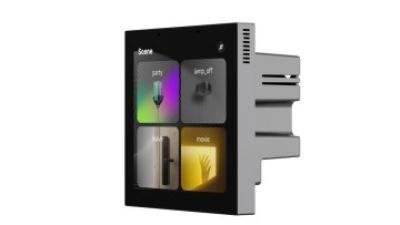
The B8 Smart Home Hub brings music playback, gateway functions, and device control into one system. Scene linkage can coordinate compatible door locks, lights, and audio equipment—for example, setting lighting and music together for an evening routine. Its audio-networking capability also supports synchronized playback across multiple devices, helping create a consistent listening experience throughout the home. With three mainstream communication modules and access to hundreds of devices, the hub is designed to simplify mixed-device setups and support flexible use cases, from everyday automation to whole-home audio.
List the tasks it must handle, such as circuit monitoring, peak-load management, or backup-power coordination. Review utility bills and equipment schedules before choosing features.
Record circuit count, current range, sensor accuracy, enclosure conditions, and communication protocols. Include loads that cannot be interrupted.
No. A small office may need clear circuit alerts, while several sites may need consistent data and remote diagnostics. Keep the first version focused.
Ask who handles circuit design, enclosure development, firmware, and production testing. Request test records, not only a polished sample.
Look for projects with similar screen sizes, lighting, installation conditions, and usage patterns. A bright lobby differs from a quiet office.
Options may include screen dimensions, connector placement, mounting points, interface languages, and software behavior. Small changes can affect cost or timing.
Review each version and confirm who approves it. Check cable clearance early; one missed detail can trigger a redesign.
Setup and staff training often need more budget than expected. Forecasts can be wrong, so leave room to expand.
Test it against real site conditions, including heat, brightness, and existing system connections. Plans shift.
Choosing the right ODM Smart Panel starts with a clear understanding of your business needs, intended use cases, and the tasks the panel must perform. Identify essential functions, connectivity options, and compatibility requirements so the solution can work smoothly with your existing systems. Then compare potential manufacturing partners by their experience, engineering capabilities, and willingness to customize hardware or software to suit your application.
Before making a decision, review product quality, relevant certifications, and measures for protecting data. Compare pricing alongside minimum order quantities and production schedules, ensuring they fit your budget and launch plans. Finally, ask about warranty coverage, technical assistance, and ongoing service. A dependable partner should be able to support your product after delivery and scale production as your business grows. Considering these factors together can help you select a practical, reliable panel solution for both current needs and future expansion.