+86-13760248334 


These days, with everything happening so quickly online, having a reliable internet connection is more important than ever. You know, Wi Fi Switchesreally play a crucial role in making our internet experiences smoother. John Doe from Tech Innovations, who's quite the expert in network tech, mentions, “Choosing the right Wi Fi Switches can seriously make or break your connection.” That pretty much emphasizes how important it is to pick the right gadgets so everything runs without a hitch.
A lot of folks don’t realize just how much a good Wi Fi Switch can affect their connection quality. These little devices do a pretty good job managing the traffic, so your devices can stay connected without constant interruptions. Like, a smart switch can boost signal strength and cut down on those frustrating drops during video calls or when you're gaming. But, here’s the thing— not all Wi Fi Switches are built the same. Some might lack the features needed for a modern smart home setup.
People also tend to forget that keeping these switches updated and maintained is super important. An outdated Wi Fi Switch might slow things down or cause connectivity issues. Honestly, taking a moment to reflect on your setup and maybe upgrading to a higher-quality switch can really improve your internet reliability. But yeah, don’t forget to do your homework first—check out the options out there and choose what fits your needs best.

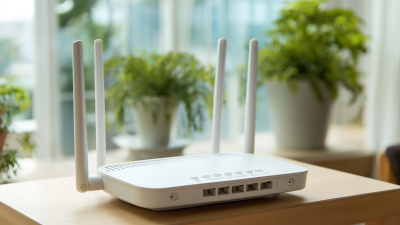
A Wi-Fi switch is a device that improves internet connectivity in a wireless network. It allows multiple devices to connect smoothly without interruption. Essentially, it acts as a bridge between your Wi-Fi router and your devices, enhancing signal strength and coverage.
When a Wi-Fi switch is in place, it can help reduce dead zones. You will notice improved connectivity in areas where the signal was previously weak. This can be a game-changer for larger homes or offices. However, it’s important to position the switch strategically. Poor placement can lead to inefficiencies.
Connection stability is another benefit. A well-placed switch can provide seamless transitions between devices. But sometimes, interference from walls or other electronics can cause issues. Regular checks and adjustments may be necessary. Balancing range and performance is key for optimal results.
When selecting a Wi-Fi switch, several key features warrant attention. First, bandwidth capacity is crucial. According to industry data, a switch with at least 1 Gbps bandwidth is essential for smooth streaming and gaming. Many users overlook this aspect, resulting in a frustrating experience during peak usage. Solid performance is key for effective connectivity in busy households.
Another significant factor is the number of ports. A switch with at least five ports may be necessary for larger setups. This ensures that multiple devices can connect without sacrificing speed. Research indicates that users often underestimate the need for additional ports. A lack of planning can lead to network issues.
Furthermore, consider the switch's management features. Many models offer advanced capabilities, such as VLAN support and traffic prioritization. These features can optimize network performance, especially in environments with numerous high-demand devices. While they add complexity, their advantages become evident as network needs grow. Users should weigh the benefits against their technical comfort level.
| Model | Number of Ports | Speed (Mbps) | Features | Price Range ($) |
|---|---|---|---|---|
| Switch A | 8 | 1000 | PoE, QoS, VLAN Support | 50 - 100 |
| Switch B | 16 | 10000 | Managed, Auto-Negotiation | 100 - 200 |
| Switch C | 24 | 1000 | Layer 2, SLB Support | 150 - 250 |
| Switch D | 48 | 1000 | Web Management, IGMP Snooping | 300 - 400 |
When it comes to seamless connectivity, Wi-Fi switches play a crucial role. These devices help control the flow of data in a network. A robust Wi-Fi switch ensures all connected devices can communicate efficiently. It minimizes lag and enhances overall performance.
Not every Wi-Fi switch delivers the same quality. Some models excel in speed, while others are better suited for range. Look for features like multiple ports and advanced security protocols. These can significantly affect your network’s reliability. Testing different configurations can reveal surprising gaps in performance.
Many users often overlook the importance of compatibility. A great switch won’t help if your devices can’t connect properly. Sometimes, an upgrade may be needed to achieve optimal results. Regularly updating firmware can also extend the life of these devices. It’s a constant learning process, and staying informed is key.
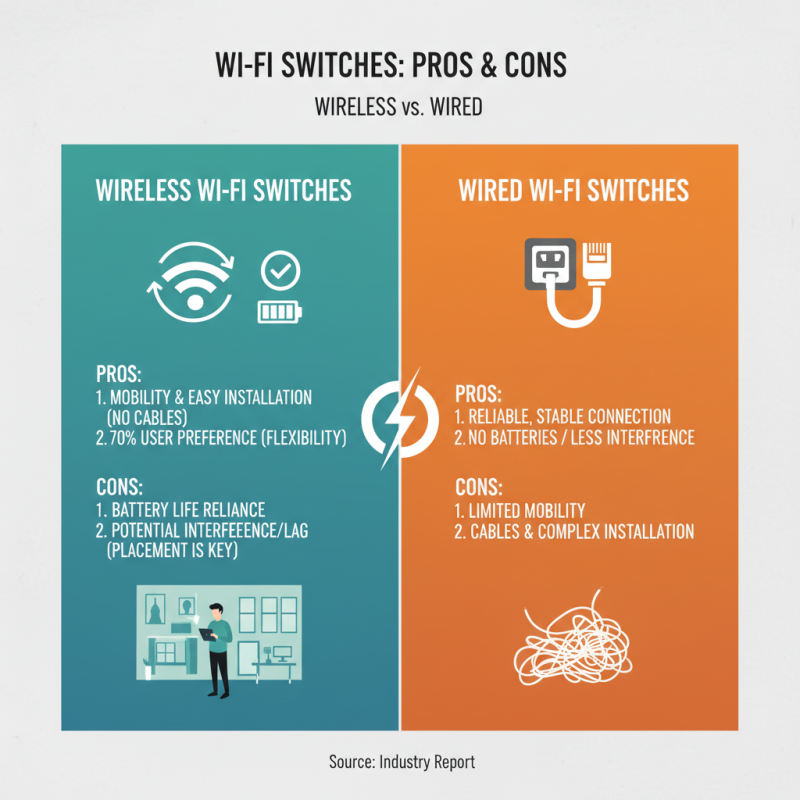
When debating between wireless and wired Wi-Fi switches, it's crucial to consider the pros and cons. Wireless switches offer the freedom of mobility. They make installation easy, reducing the need for unsightly cables. A recent industry report highlights that 70% of users prefer the flexibility wireless options provide. However, their reliance on battery life and potential interference can be limiting. A well-placed signal can reduce lag; poor placement may lead to frustration.
On the other hand, wired switches tend to offer faster speeds and more reliable connections. According to research, wired connections can achieve speeds up to 1 Gbps, while wireless average around 300 Mbps. Users often report better performance in gaming and streaming with wired options. Yet, installation requires more effort, which some may find daunting. Cables can clutter spaces, and they limit the flexibility of device placement. Despite their advantages, users must weigh the effort against the performance gains. Each option has trade-offs that require careful consideration.
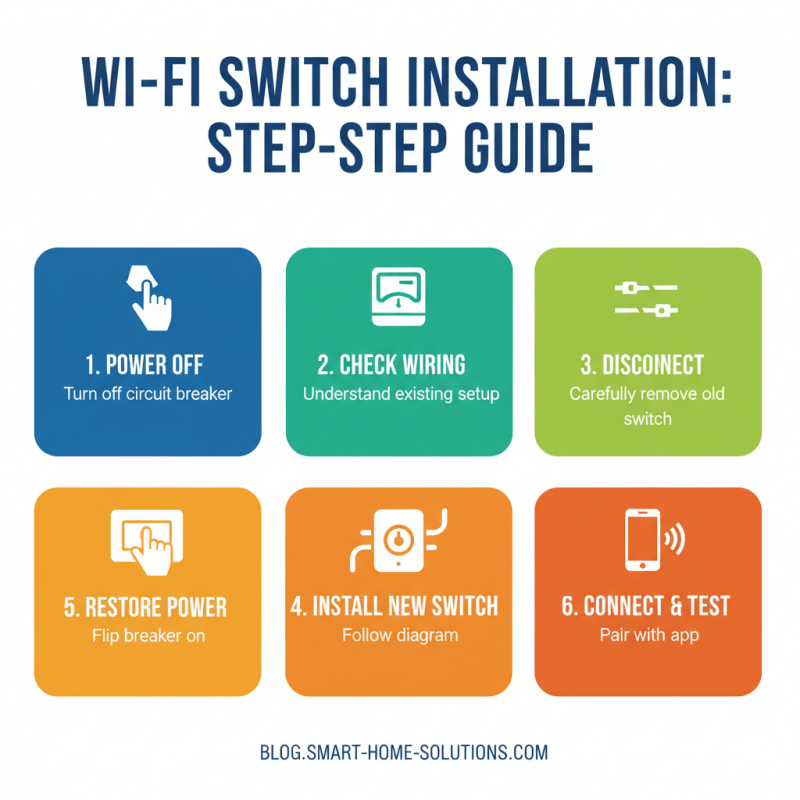
Installing Wi-Fi switches brings convenience but can be tricky. Start by turning off the power at your circuit breaker. Check your existing wiring. Understanding how your current switches work is crucial. Misjudging this can lead to issues later.
Next, take the old switch off. Mark the wires with tape to remember their positions. It’s easy to mix them up. Connect the new switch according to the instructions. Tighten the wires properly. Loose connections can cause connectivity problems.
After securing the wires, push the switch back into the wall. Turn the power back on and test the new setup. Sometimes, the connection may not be perfect. You might need to adjust the placement. It can take a few tries to get it just right.
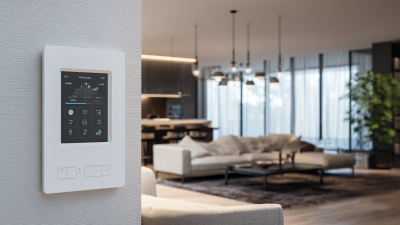
Wi-Fi switches enhance connectivity in Smart Homes. However, connectivity issues can occur. A study by the Wi-Fi Alliance shows that 70% of users experience disruptions. These disruptions can stem from inadequate range, interference, or device compatibility.
Common problems include disconnections and slow speeds. Physical barriers like walls can weaken signals. A report from Gartner indicates that households using thick materials, such as concrete, lose 35% signal strength.
Another factor is the number of connected devices. Many households exceed optimal capacity. According to Cisco, an average household has about 25 IoT devices. This can overload the network, causing lag or failure. Troubleshooting involves checking device placement and reducing interference from other electronics. Users might often overlook these details, leading to ongoing frustrations.
When optimizing your Wi-Fi network, switches play a crucial role. They help manage data traffic efficiently. According to industry reports, properly configured switches can improve network speed by up to 25%. This is important in homes and offices where multiple devices connect simultaneously.
Placement is key. Positioning switches in central locations reduces latency. This can lead to a 40% decrease in response time for wireless devices. Higher quality cables also enhance performance. Using Cat6 or better can support faster speeds and greater distances without signal loss. Installing proper cooling systems is sometimes overlooked but essential. Overheating can significantly reduce switch lifespan and functionality.
Network management is a constant effort. Regularly updating firmware helps protect against security vulnerabilities. Monitoring traffic patterns can reveal areas needing improvement. Many don’t realize that simply upgrading existing equipment can sometimes yield better results than total replacements. Each change requires careful consideration and testing. Not every adjustment produces the desired outcome. Balancing cost and performance is often a challenge.
: A Wi-Fi switch enhances internet connectivity for multiple devices. It bridges the router and devices, boosting signal strength.
Strategic placement is vital. Poor location can lead to inefficiencies and disconnected areas. Central locations are best for coverage.
Wireless switches allow mobility and are easy to install. They reduce cable clutter, making spaces look neat.
Wireless switches depend on battery life. They may face interference, leading to frustration if signals are weak or poorly placed.
Wired switches offer faster and more reliable speeds, often reaching 1 Gbps. However, they require complex installation and cable management.
Position switches in central spots to reduce latency. Proper cooling systems and high-quality cables can enhance overall performance.
Regular updates are essential for security. They also keep your network functioning efficiently, but not every change guarantees improvement.
Many overlook the importance of cable quality. Also, relying solely on new equipment instead of optimizing existing setups can be unwise.
Yes, monitoring helps identify improvement areas. It reveals how devices interact and where adjustments may enhance performance.
Not every adjustment leads to desired results. Testing changes is crucial. Balancing cost and performance often poses challenges.
Wi-Fi switches are essential devices that enhance connectivity in modern networks by linking multiple Wi-Fi access points. They work by receiving data from a router and distributing it seamlessly across various devices, ensuring stable connections. When choosing Wi-Fi switches, it's crucial to consider features such as speed, range, and compatibility with existing hardware.
The article also explores the advantages and disadvantages of wireless versus wired Wi-Fi switches, providing insights into their performance and reliability. It includes a detailed installation guide to assist users in setting up their devices easily. Additionally, common connectivity issues are addressed with troubleshooting tips, and offers strategies for optimizing the Wi-Fi network's efficiency. Overall, understanding Wi-Fi switches and their functionalities can significantly improve your home or office internet experience.