These days, central cooling isn’t just controlled from a wall in the hallway anymore. Modern AC systems are pretty smart—they can respond to whether people are home, outdoor temperatures, humidity levels, and even your daily routines. This shift makes things like Smart Home Central Control more practical for homeowners and property managers alike. For example, your thermostat can detect when the house is empty around 10 in the morning and then dial down the cooling—so you're not wasting energy, but it still keeps the rooms comfortable when you need them.
According to the U.S. Department of Energy, turning your thermostat up by about 7 to 10 degrees for eight hours every day can cut your yearly heating and cooling bills by up to 10%. And ENERGY STAR says that certified smart thermostats can save households roughly 8% on those bills—think more than $50 a year, on average. But keep in mind, those are just averages—they're not set in stone. Things like the size of your place, insulation, duct leaks, local climate, and how old your equipment is all play a role in how much you actually save. Those tiny details matter—an unsealed duct might be silently wasting your hard-earned savings.
On a broader note, the International Energy Agency points out that buildings are a huge chunk of the world's energy use and emissions—which definitely underscores how important efficient HVAC control is. But here’s the thing—automation isn’t a magic fix. If your condenser’s too big or your filter is clogged, those issues still need a professional to sort out. A technician should check things like airflow, refrigerant levels, sensor placement, and thermostat compatibility before you start relying on fancy schedules or algorithms.
This article digs into how smart thermostats are changing the way we control our central HVAC systems. It explains where their smart algorithms really shine, and why actually measuring how your system performs is way more important than just fancy app features. The tech itself is pretty exciting, but at the end of the day, it all depends on your building’s specifics.
Central AC Architecture: How Smart Thermostats Direct HVAC Control
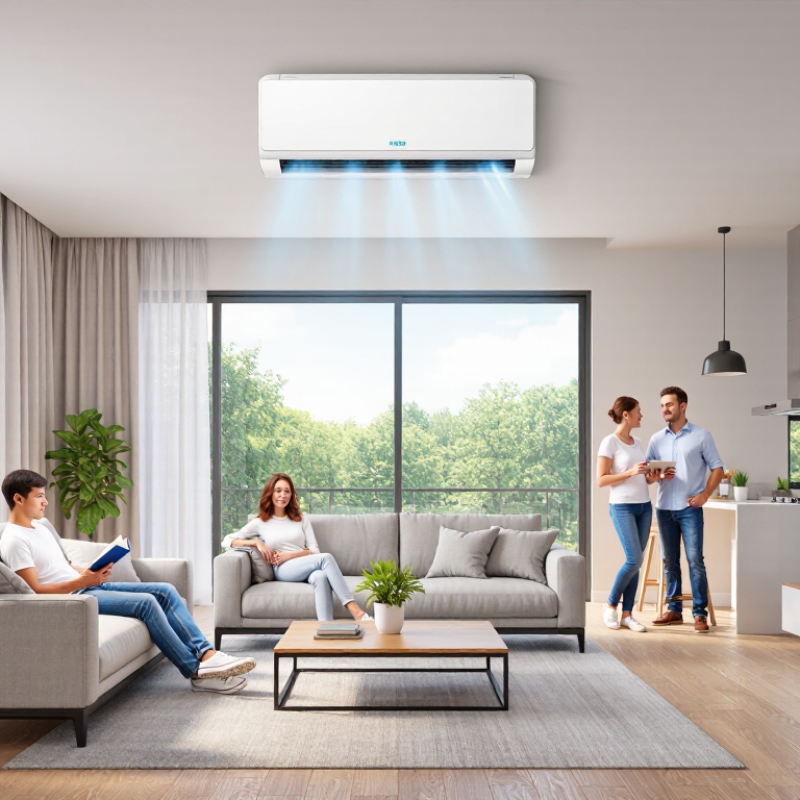
Central AC architecture works through a chain of coordinated components. The smart thermostat senses indoor temperature, humidity, and sometimes occupancy. It sends low-voltage commands to the control board. That board directs the air handler, compressor, outdoor fan, and heating equipment. Control starts locally. When cooling demand rises, the thermostat may start the indoor blower before the compressor. This sequence helps move conditioned air through the supply ducts. In larger systems, it can also manage staging or motorized dampers. Each decision affects airflow, energy use, and comfort in different rooms.
A well-designed setup depends on accurate installation. The thermostat should sit on an interior wall, away from sunlight, vents, and kitchen heat. Poor placement can trigger unnecessary cooling cycles. That gap matters. Smart scheduling may reduce runtime when the building is empty, while humidity control can keep rooms comfortable at a higher temperature. However, connected features cannot repair blocked filters, undersized ducts, or weak insulation. Technicians should verify wiring, refrigerant performance, airflow, and temperature readings during commissioning. I would not treat the thermostat display as absolute truth. Its sensor may read 74°F while a distant bedroom feels warmer. Adding remote sensors can improve control, but only after checking the underlying HVAC balance.
Sensor Accuracy and Placement: Building a Reliable Temperature Feedback Loop
A smart thermostat can only control a central air system as accurately as its temperature sensor. If the sensor reads 24°C while the room feels cooler, the system may keep running unnecessarily. That wastes energy and increases wear. Reliable control starts with a stable feedback loop.
Place the thermostat on an interior wall, about 1.5 meters above the floor. Keep it away from supply vents, windows, exterior doors, kitchens, and direct sunlight. A nearby lamp can also distort readings. In real homes, furniture often blocks airflow around the sensor. That small detail is easy to miss. Technicians should compare the thermostat reading with a calibrated thermometer placed nearby. A difference of one degree may seem minor, but it can affect comfort over several hours.
Tips: Keep the sensor exposed, clean, and level. Avoid placing it beside televisions or appliances that release heat. Check readings at different times, especially after the air conditioner has operated for fifteen minutes. Smart sensors in separate rooms can improve balance, but they may create conflicting signals. The control system needs clear priority rules. Also, review the setup after seasonal changes. Sunlight patterns shift, and a once-accurate location may become less reliable. Some rooms will still feel different. That is normal, but it deserves investigation rather than automatic thermostat adjustments.
Adaptive Scheduling: Applying DOE’s 7–10°F, 8-Hour Setback Guidance
Smart thermostats make the DOE’s 7–10°F setback guidance easier to apply consistently. During an eight-hour absence or overnight period, the thermostat can raise the cooling setting automatically. This reduces compressor runtime while keeping the home within a planned comfort range.
For example, a household might set cooling to 78°F during working hours, then return to 72–74°F before arrival. The schedule should match the building’s actual recovery time. A well-insulated home may cool quickly, while an older house with sun-exposed windows may need more time. Short test periods reveal the difference.
Avoid treating the 7–10°F range as a guaranteed savings formula. DOE guidance supports the approach, but local weather, duct leakage, humidity, and equipment condition affect results. A smart thermostat can display runtime history, which helps homeowners compare one week with another. That data is useful, though not perfect. I would adjust the schedule gradually rather than forcing a full setback immediately. Homes with heat pumps or high indoor humidity may require more careful settings. The system should feel stable, not rushed. Another practical detail matters: clean filters and unobstructed vents help the air conditioner recover efficiently after the setback.
Equipment Matching: Coordinating Thermostats with SEER2 Efficiency Ratings
AC central air performance depends on the matched system, not the thermostat alone. SEER2 measures seasonal cooling output against electrical energy use. A higher rating can reduce operating costs, but only when indoor and outdoor equipment are properly paired. The U.S. Department of Energy updated its testing procedure in 2023, so older SEER comparisons may mislead homeowners.
Check the matched combination through certified performance data before installing a smart thermostat. The Air-Conditioning, Heating, and Refrigeration Institute directory lists tested equipment combinations and efficiency ratings. A thermostat should support the system’s stages, blower controls, and heat-pump changeover settings. Otherwise, a high-SEER2 condenser may run like a poorly tuned instrument. It can still cool the room.
Control quality matters. The U.S. Energy Information Administration reported in its 2020 Residential Energy Consumption Survey that space heating and air conditioning represented about half of household energy use. A smart thermostat can reduce unnecessary runtime through schedules, occupancy sensing, and temperature setbacks. It cannot upgrade a mismatched compressor or repair weak ductwork. That distinction is often missed. In field checks, comfort complaints sometimes come from incorrect staging rather than low equipment efficiency. I have also seen automated schedules create longer recovery cycles than expected. The setting looked efficient, but the occupants kept overriding it. A better approach compares runtime, room temperature, and utility data after installation. Small adjustments may matter more than impressive specifications.
AC Central Air Units: How Smart Thermostats Improve Central HVAC Control
Equipment matching is essential: a smart thermostat can optimize scheduling, temperature setbacks, and runtime, but it must support the air conditioner's stage configuration and approved control method.
The index is normalized to a 13.4 SEER2 system using the formula 13.4 ÷ SEER2 × 100. A lower index represents less electricity for the same seasonal cooling output. Select a thermostat based on the unit's actual control type—single-stage, two-stage, or variable-capacity—not on the SEER2 rating alone.
Runtime Optimization: Using Data to Reduce Cycling and Improve Comfort
A smart thermostat can turn an AC central air unit into a more measurable comfort system. Instead of reacting only to room temperature, it records runtime, cycle frequency, setpoints, and indoor humidity. This information reveals patterns that a quick inspection may miss. For example, repeated five-minute cycles may indicate restricted airflow, poor sizing, or a sensor near a draft.
Runtime data also helps reduce unnecessary cycling. A technician can compare cooling demand with outdoor temperature and household schedules. The thermostat may then use a wider temperature band or a gradual recovery period. Fewer starts can reduce mechanical strain and improve efficiency. Longer, steadier cycles often remove more humidity, especially during warm, damp weather. Comfort feels less like a sudden blast of cold air.
Small details matter here. A clean filter, sealed duct joint, and correctly placed sensor can change the readings. I have seen schedules look efficient on paper but leave bedrooms uncomfortable at night. Data showed the problem was uneven airflow, not the thermostat setting. Smart controls are useful, but they are not magic. Poor equipment sizing still creates poor results. Reviewing weekly runtime graphs with maintenance records gives homeowners and technicians a clearer basis for adjustment. The best settings may need seasonal changes. That is worth remembering.
Energy Results: Evaluating ENERGY STAR’s Average 8% Savings Estimate
In a central air system, a smart thermostat can adjust cooling around occupancy, schedules, and outdoor conditions. A widely cited average savings estimate places potential energy reduction near 8%. That figure is useful, but it is not a promise for every home. A family leaving at 8 a.m. may save more than residents staying home all day. Small changes matter. A field check might show that a two-degree overnight setback reduces runtime without affecting morning comfort.
Actual savings depend on equipment age, insulation, duct leakage, climate, and thermostat settings. An efficient unit cannot overcome a return duct pulling hot attic air. A qualified technician should compare runtime, indoor humidity, and electricity use before and after installation. One mild month can mislead. Weather varies. Several comparable billing periods provide stronger evidence, especially when household schedules remain similar.
Smart control must protect comfort, not only reduce energy use. Rapid setbacks may increase humidity or cause frequent cycling in some systems. Wiring, staging, airflow, and safety limits deserve professional verification. I would question any calculation based only on an app’s projected percentage. Measured results are more dependable. Still, the 8% estimate offers a practical benchmark for reviewing schedules, filter condition, and actual system performance.
AC Central Air Units: How Smart Thermostats Improve Central HVAC Control - Energy Results: Evaluating ENERGY STAR’s Average 8% Savings Estimate
Illustrative annual operating scenario for a central air-conditioning system using a smart thermostat
| Data Dimension | Baseline or Assumption | Smart Thermostat Effect | Estimated Result | Interpretation |
| Annual HVAC electricity use | 4,000 kWh per year for heating and cooling | Applies the average 8% energy-savings estimate | 3,680 kWh per year | Actual consumption depends on climate, equipment efficiency, building insulation, and occupant behavior. |
| Annual electricity reduction | 4,000 kWh baseline | 4,000 × 8% | 320 kWh saved per year | The estimate represents combined heating and cooling energy savings rather than cooling-only savings. |
| Annual operating-cost reduction | Electricity rate of $0.16 per kWh | 320 kWh × $0.16 per kWh | $51.20 per year | This is a modeled result; local electricity prices and utility rate structures can substantially change the amount. |
| Temperature scheduling | Manual temperature adjustments | Automatic schedules for occupied, sleeping, and away periods | More consistent setpoints | Scheduling can reduce unnecessary operation when the building is unoccupied. |
| Remote control | Changes made only at the wall control | Temperature and operating-mode adjustments through a connected device | Faster correction of settings | Remote access can help prevent extended heating or cooling caused by an overlooked setting. |
| Adaptive control | Fixed programmed schedule | Adjustments based on occupancy patterns, indoor conditions, and outdoor weather data | Better alignment with actual demand | Adaptive features may improve comfort and efficiency, but results vary by system and installation. |
| Central AC compatibility | Conventional central air-conditioning equipment | Low-voltage control signals manage cooling calls and fan operation | Centralized equipment control | Compatibility should be confirmed before installation, especially for multi-stage, heat-pump, or communicating systems. |
| Peak-period management | Cooling demand follows normal occupancy and weather conditions | Pre-cooling, temperature adjustments, or demand-response settings where supported | Potentially lower peak demand | Peak savings are not guaranteed and depend on utility programs, climate, user settings, and equipment response. |
| Comfort performance | Temperature varies with manual operation | Automated control maintains the selected temperature range | More stable indoor conditions | Comfort improvements depend on correct sensor placement, airflow, equipment sizing, and regular maintenance. |
Calculation note: The 320 kWh and $51.20 figures are calculated examples based on a 4,000 kWh annual HVAC baseline, an 8% savings estimate, and an electricity price of $0.16 per kWh. They are not a guarantee of household performance. Actual results vary by climate, home size, insulation, equipment efficiency, thermostat settings, occupancy, maintenance, and electricity rates.
China’s S10 Smart Home Central Control Panel: Triple-Mode Control for Smarter Home Automation
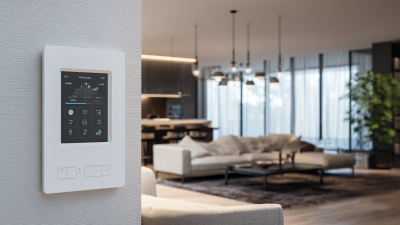
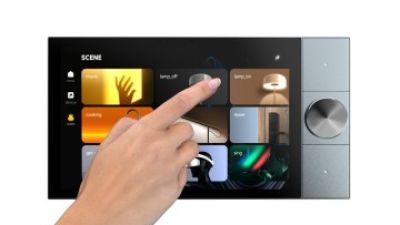
China’s S10 Smart Home Central Control panel responds to the growing demand for simpler, more connected living. Industry forecasts from Statista indicate that global smart-home revenue will continue expanding through the decade, while IDC reports that interoperability and user-friendly control remain key purchasing considerations. Designed for modern residential environments, the S10 combines a physical knob, programmable button, and responsive touch interface, allowing users to manage lighting, temperature, music, and customized scenes from one location.
Its 10-inch IPS display provides a clear 1280×800 interface, placing devices, applications, and automation scenes on the home screen for quick access. An ambient light sensor automatically adjusts screen brightness, while the AIS Life album function adds a dynamic visual element to the interior. Research from ABI Research also highlights the increasing importance of centralized control and intelligent energy management, making adaptive interfaces valuable for connected households.
The system is available in smart central control, background music, and KNX versions. The standard S10 configuration includes RS485, L1/L2 two-way relay, and L/N zero-firewire connections, while the S10-M version adds AUX, SPK1, and SPK2 audio interfaces. For larger installations, the S10-KNX version integrates KNX, AUX, relay control, Type-C, SD card, and Ethernet connectivity, supporting wireless and LAN-based building-intercom applications. As a China-based manufacturing solution, it combines flexible integration with practical installation options for residential and light commercial projects.
FAQS
It measures indoor conditions and sends low-voltage commands to the control board. The board directs the blower, compressor, outdoor fan, and heating equipment. Small signals control large components.
Place it on an interior wall, about 1.5 meters above the floor. Keep it away from sunlight, vents, windows, doors, kitchens, lamps, and warm appliances. A nearby television can distort the reading.
One sensor cannot represent every room accurately. A thermostat may show 74°F while a distant bedroom feels warmer. Furniture, weak airflow, and sun exposure can create local differences. That deserves investigation.
Place a calibrated thermometer near the thermostat for comparison. Check both readings after the system runs for about fifteen minutes. Repeat the test at different times and seasons. The display is useful, but not absolute truth.
They can help when bedrooms or other rooms have different temperatures. However, multiple sensors may send conflicting signals. The system needs clear priority rules. Remote sensors cannot repair blocked filters or poor duct design.
During an eight-hour absence, the thermostat can raise the cooling setting. For example, it might use 78°F while occupants are away. It can return to 72–74°F before arrival. The schedule should match the building’s recovery time.
No. Weather, humidity, insulation, duct leakage, and equipment condition affect results. Runtime history can help compare one week with another. The data is useful, though imperfect. Savings vary.
They should verify wiring, airflow, refrigerant performance, and temperature readings. They should also check filters, vents, duct sizing, insulation, and equipment operation. A thermostat upgrade cannot solve every comfort problem. Sometimes the real fault is elsewhere.
Conclusion
AC central air units can achieve more precise, efficient comfort when paired with a smart thermostat that coordinates cooling demand, fan operation, and temperature settings. By using accurately placed sensors away from sunlight, vents, and heat-producing appliances, the system creates a dependable temperature feedback loop. Smart controls can also apply adaptive schedules, including an approximately 7–10°F setback for up to eight hours when the home is unoccupied, reducing unnecessary cooling without sacrificing comfort.
Effective control also depends on matching the thermostat to the equipment’s capabilities and efficiency rating, including compatible staging, fan control, and communication features. By analyzing runtime data, a smart thermostat can help reduce short cycling, identify inefficient patterns, and balance comfort across different areas. With proper setup and maintenance, these improvements may support meaningful energy reductions, with average savings often estimated at around 8%, while also improving temperature consistency and overall HVAC performance.